Sonarr and Radarr with torrents, step by step
There are three ways to use Sonarr and Radarr with zurg. Pick the one that matches the account you have.
The first two can run side by side. They share the same __magic__ folder.
The previous walkthrough pointed the *arrs at zurg for Usenet, with zurg answering as a SABnzbd. This is the other half: zurg answers as a qBittorrent, the *arrs hand it a magnet or a .torrent instead of an NZB, and the release goes onto a debrid account instead of a news server. The import is the same trick — a rename inside __magic__, nothing downloaded to import, nothing copied.
Which of the two the *arr sends is not cosmetic. A .torrent is uploaded to the account as the file itself, on all three services; only a magnet is added by info hash alone. A magnet makes the account work out what the torrent holds from the hash, and a private tracker's hash has no public swarm to work it out from — Real-Debrid dies in magnet_error with no files, and TorBox accepts it and then sits in checking with no file list, no size and a hundred-day estimate, so the grab neither fails nor finishes. The .torrent file keys the account's cache lookup by hash directly, so content the account already holds is added at once with no magnet resolution at all. That is what makes private indexers work here: their releases are addable exactly when the account already holds the content, which for anything a community shares is the common case. Point the *arr at an indexer that hands out .torrent files rather than magnets — private ones do.
Everything below was captured against zurg 2026.08.30.0459-nightly-73-g5b4c9790, Sonarr 4.0.19.2979, Radarr 6.3.0.10514 and Prowlarr 2.5.2.5491, on a live install with a real AllDebrid account. Host and user names have been changed to you@zurg-server. Indexer names read my-indexer. API keys and library counts are illustrative. Nothing else in the captured output was altered.
Before you start
Three things have to be true. Check all three now — every one of them fails later as something that looks unrelated.
- zurg has an account that can add torrents — Real-Debrid, TorBox or AllDebrid. All three take the uploaded
.torrentfile itself, which is what makes a private tracker's release addable. A Usenet account takes a torrent in neither form: an install whose only provider isnzbaccepts every grab and then refuses it. zurg says so at startup. magic.enabledistrue. Without it the save path does not exist and every import fails. See__magic__.- The mount is visible to the *arr at the path zurg reports. If the *arr runs in a container, read
step 8 before you configure anything.
Check the first two straight out of the config file, in zurg's working directory:
$ grep -A3 '^providers:' config.yml
providers:
- type: alldebrid
  token: <redacted>

$ grep -A3 '^magic:' config.yml
magic:
  enabled: true
  allow_delete: false
The order of the providers: list matters here. A grab is offered to every account that takes torrents, in that order, and an account that refuses or stalls on it is given up on and the next is tried. If you hold two accounts, put the one you would rather spend first.
Two keys move an account out of that order. watchlist: true puts one account first wherever it sits in the file; add_torrents: false takes one out of the rotation altogether, so it goes on serving and reading its library while nothing new is ever put on it — an archive account, or one whose quota is spoken for. A Usenet account is never offered a torrent either way. Both are in the configuration reference.
1. Turn the endpoint on
Two ways, same result. Both write to config.yml and both need a restart: the routes that serve __magic__ and the qBittorrent endpoint are registered once, when zurg starts.
Option A — the dashboard
Open zurg's dashboard, click Config, and scroll to __magic__ & Download Clients. Turn on Serve __magic__ and qBittorrent Endpoint.
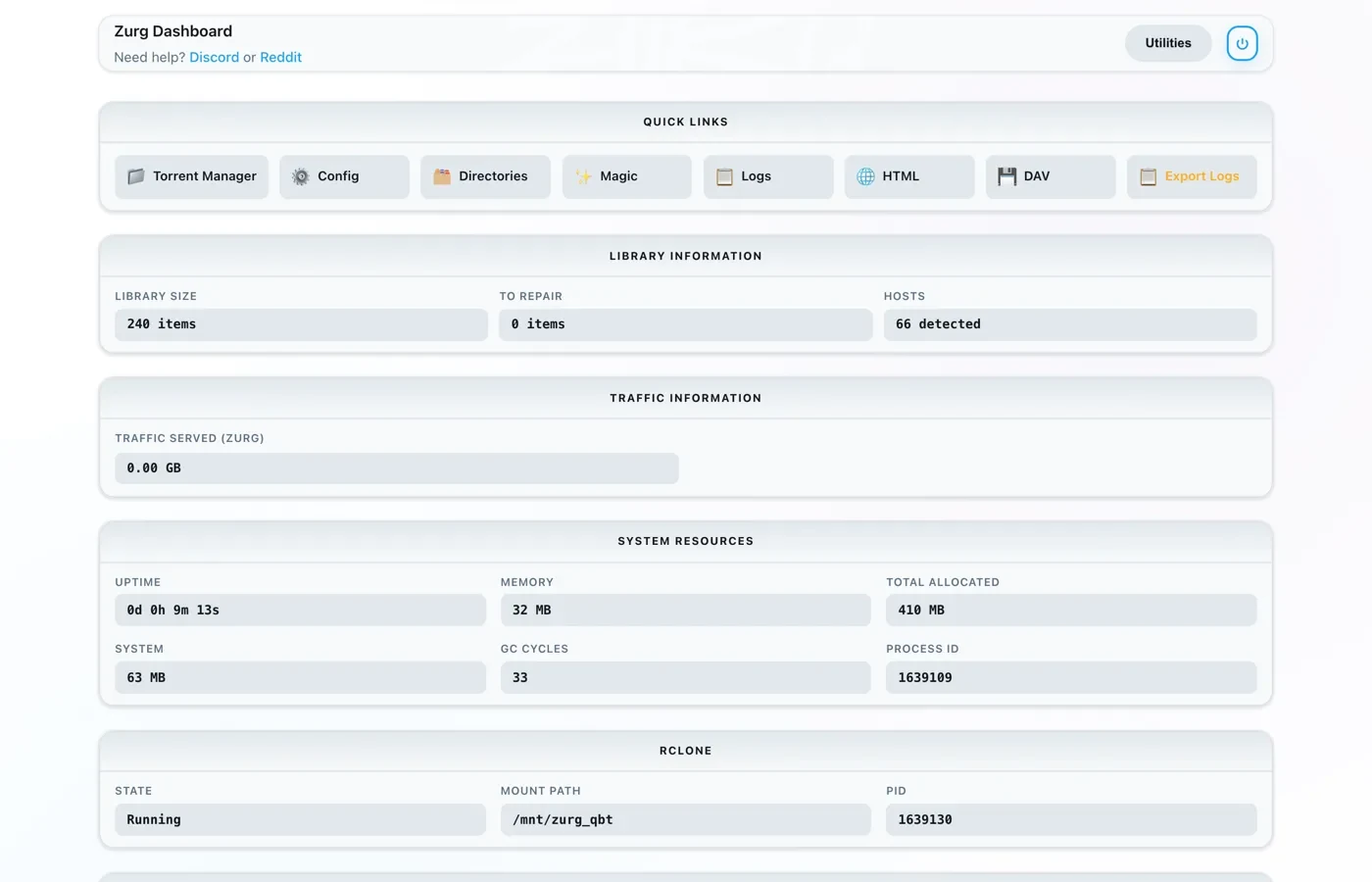
Config is where the setting lives; Magic is where you will watch grabs arrive later.
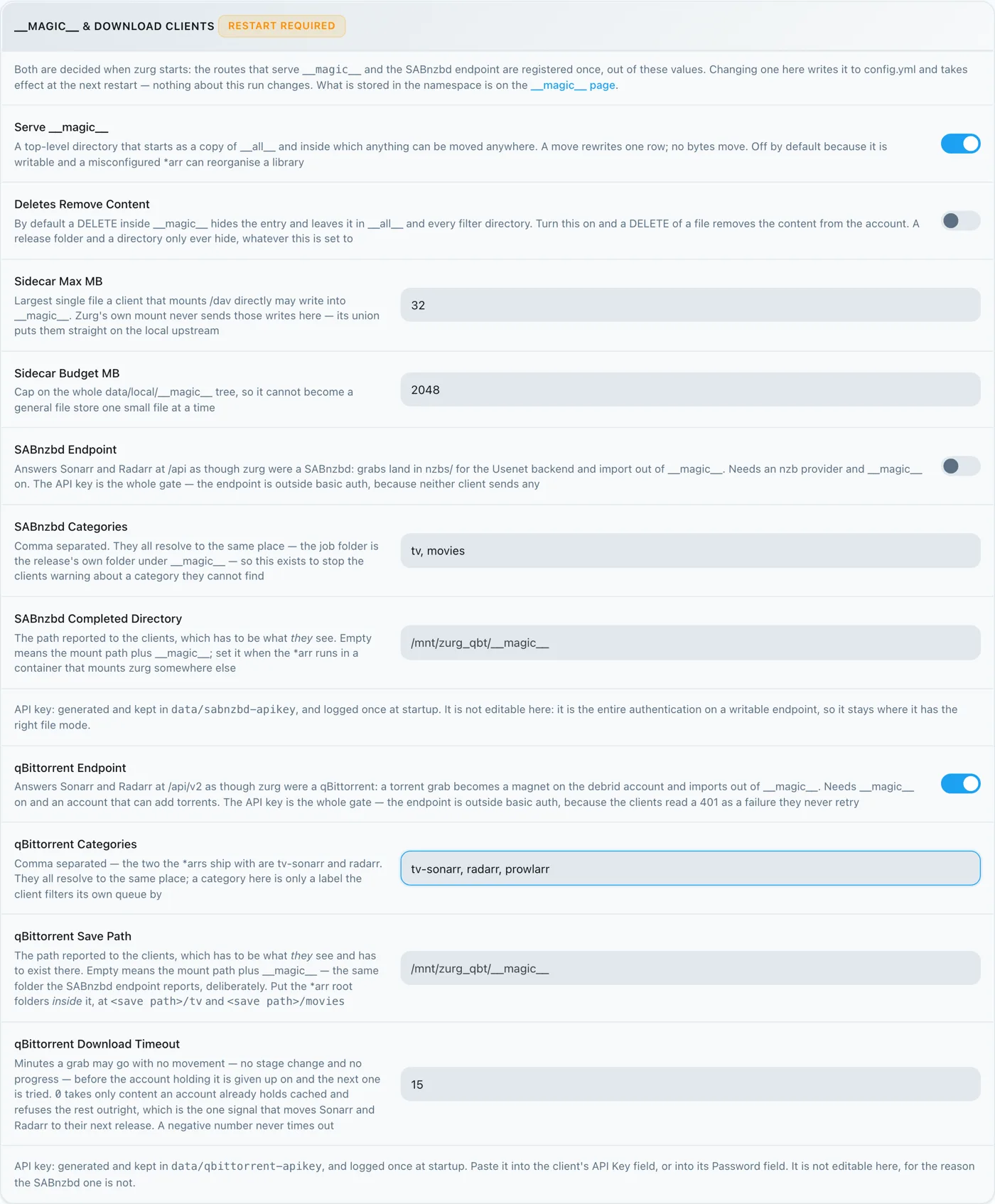
Leave qBittorrent Save Path empty unless your *arr mounts zurg somewhere other than zurg does — see
Option B — config.yml
Add the block by hand and restart zurg.
magic:
  enabled: true

qbittorrent:
  enabled: true
  api_key: ""                   # empty = zurg generates one and keeps it
  categories: [tv-sonarr, radarr]
  save_path: ""                 # empty = <mount_path>/__magic__/__all__
  download_timeout_mins: 15     # 0 accepts only cached content, negative never gives up
The categories are not folders. They all resolve to the same place — the release's own folder under __magic__/__all__. The list exists only so a client stops warning about a category it cannot find. If Sonarr's category is tv-sonarr, tv-sonarr must be in this list. Prowlarr, if you use it, wants prowlarr — see
Restart zurg, then confirm the endpoint registered and the provider took:
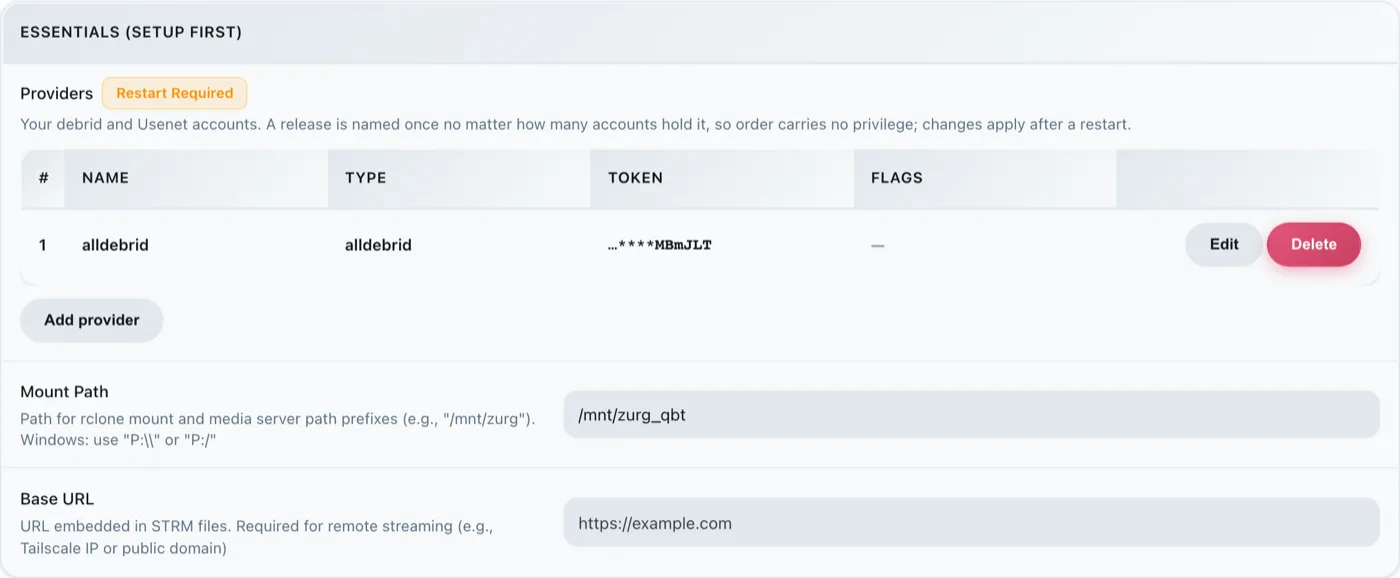
One alldebrid row is all the endpoint needs — any of the three torrent-capable types.
The startup log says the same two things, and it is worth reading them once:
INFO  router.qbittorrent  qBittorrent API on /api/v2 and /qbittorrent/api/v2, save path /mnt/zurg_qbt/__magic__/__all__, categories tv-sonarr, radarr
INFO  router.qbittorrent  qBittorrent: torrents are offered to alldebrid, in that order
2. Find the API key
The API key is the entire authentication on this endpoint, so get it right once and don't paste it anywhere public.
If you left api_key empty, zurg generated one on first start, wrote it to data/qbittorrent-apikey, and logged it once:
$ cat data/qbittorrent-apikey
fedcba9876543210fedcba9876543210

$ journalctl -u zurg | grep 'generated API key'
qBittorrent: generated API key fedcba9876… — paste it into Sonarr or Radarr's
API Key field, or pin it as qbittorrent.api_key in config.yml
Illustrative key — yours will differ. The file survives restarts, so the key is stable once generated.
If you set api_key yourself, it is in config.yml and no file is written.
This endpoint is outside zurg's basic auth. The *arrs authenticate to a download client the download client's own way, and their HTTP layer turns a basic-auth 401 into "unable to connect" with nothing actionable in it — so zurg deliberately exempts /api/v2. The API key is the whole gate. Treat the port the way you treat the rest of zurg's: on a trusted network, or behind something that is.
Three ways to present the key, all accepted:
Authorization: Bearer <key>— what the client sends when its API Key field is filled in. This is the recommended one; it skips the login entirely.- The key as the password on
auth/login, with any username. Use this if you would rather fill in Username and Password. - zurg's own dashboard username and password, if
username:andpassword:are set inconfig.yml.
3. Prove it answers
Do this before touching Sonarr. Ten seconds, and it separates "zurg is wrong" from "the *arr is wrong" for the rest of the setup.
$ KEY=fedcba9876543210fedcba9876543210
$ ZURG=192.168.88.244:9995

$ curl -s "http://$ZURG/api/v2/app/webapiVersion"
Forbidden

$ curl -s -H "Authorization: Bearer $KEY" "http://$ZURG/api/v2/app/webapiVersion"
2.11.2

$ curl -s -H "Authorization: Bearer $KEY" "http://$ZURG/api/v2/app/version"
v5.0.4

$ curl -s -H "Authorization: Bearer $KEY" "http://$ZURG/api/v2/app/preferences" | jq .save_path
"/mnt/zurg_qbt/__magic__/__all__"
The bare Forbidden is the healthy answer. The clients' first probe is an unauthenticated GET /api/v2/app/webapiVersion, and real qBittorrent answers it 403 when the API is there but nobody is logged in — so that is what zurg answers, and the client reads it as "v2 supported, authenticate now". A plain 404 instead means qbittorrent.enabled is still false or zurg has not been restarted since you changed it.
Then check that a wrong key is actually refused:
$ curl -s -o /dev/null -w "%{http_code}\n" -H "Authorization: Bearer wrongkey" \
    "http://$ZURG/api/v2/torrents/info"
403
save_path is the path zurg will hand the clients — check now that it is a path they can open.
Both URL shapes work, so either is fine in the client's URL Base field:
4. Make the root folders
Make them before you add them, because the *arr's Add Root Folder dialog browses the live filesystem and will not offer a folder that does not exist.
$ mkdir -p /mnt/zurg_qbt/__magic__/tv /mnt/zurg_qbt/__magic__/movies

$ ls -d /mnt/zurg_qbt/__magic__/tv /mnt/zurg_qbt/__magic__/movies
/mnt/zurg_qbt/__magic__/movies
/mnt/zurg_qbt/__magic__/tv
Substitute your own mount_path for /mnt/zurg_qbt.
The root folder goes beside the save path, not at it and not above it — the same rule as the Usenet walkthrough, for the same reason: zurg reports __magic__/__all__ as the save path, both clients raise a health check when a root folder is the download client's output folder, Radarr also raises one when a root folder contains it, and siblings trip neither. That guide has the screenshots of getting it wrong.
There is a second reason that is specific to torrents: a move whose destination is outside __magic__ is a move between two filesystems, which is a copy — and a copy off a debrid mount reads the whole release back over the network. Remove Completed staying on (
A move between two volumes is a copy as well. That matters in Docker. Step 8 covers it.
5. Add the client in Sonarr
A brand-new Sonarr blocks everything behind a first-run screen. Pick Forms (Login Page), set a username and password, and click Save.
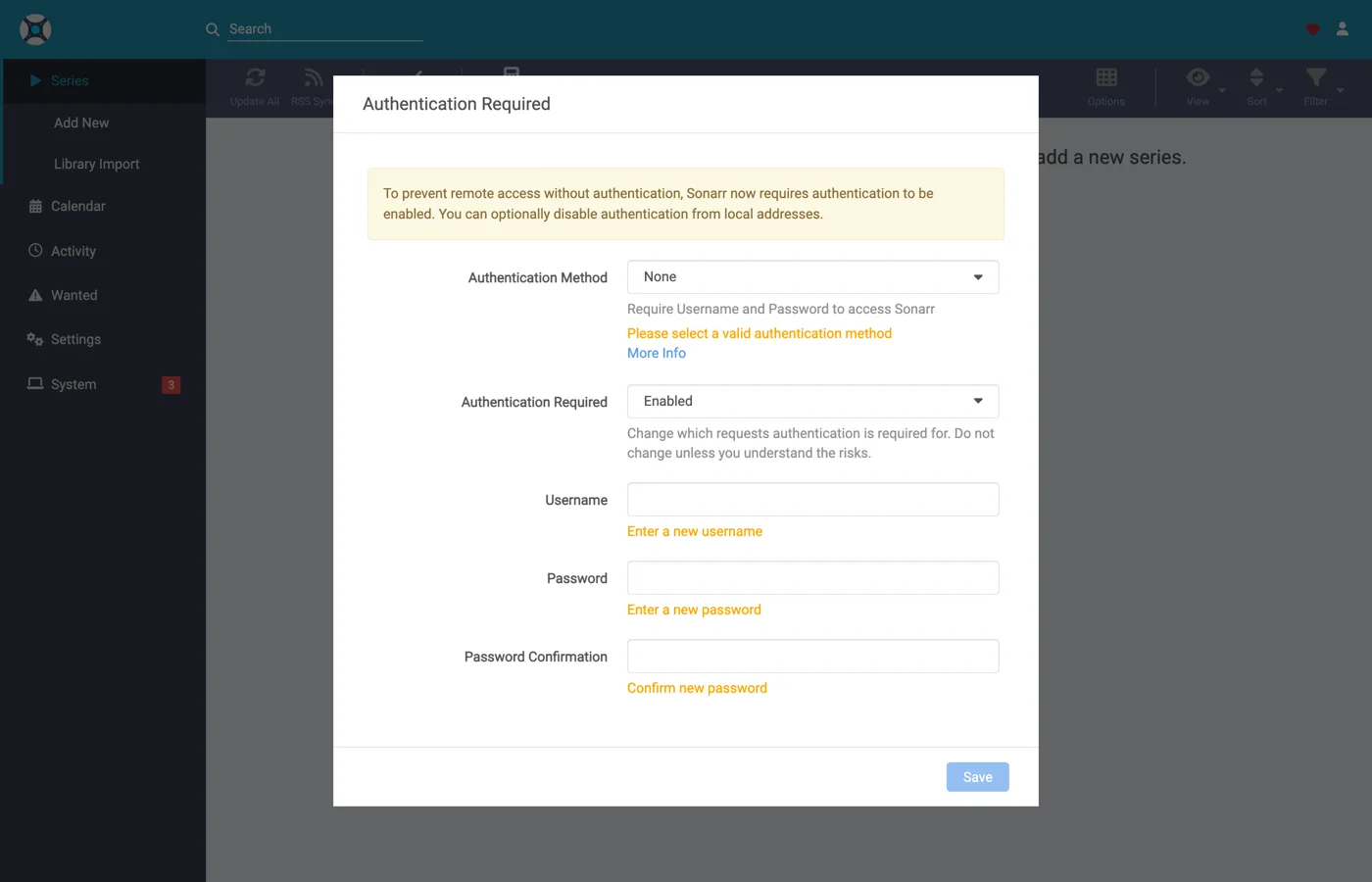
It will not let you past until Authentication Method is something other than None.
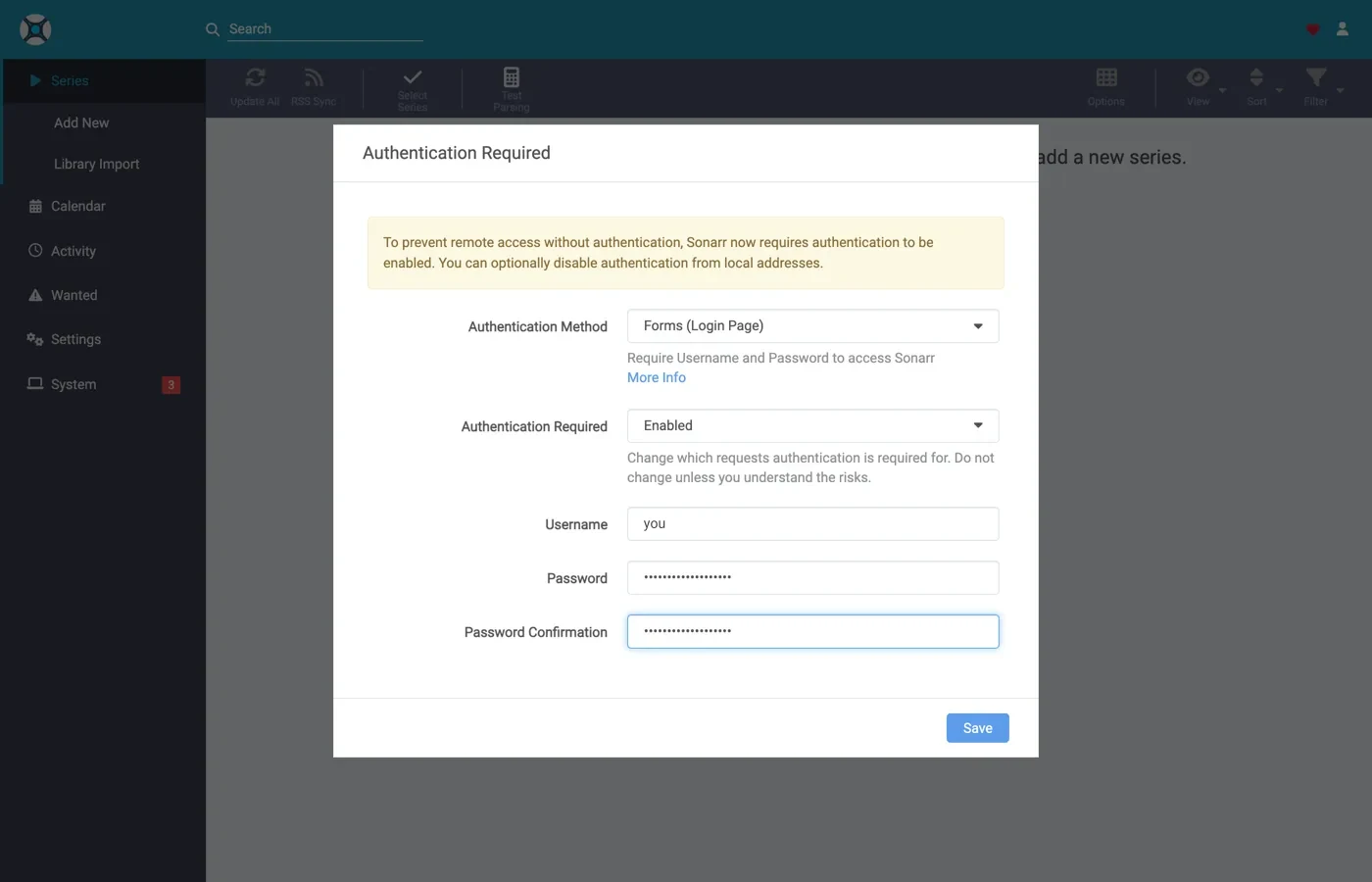
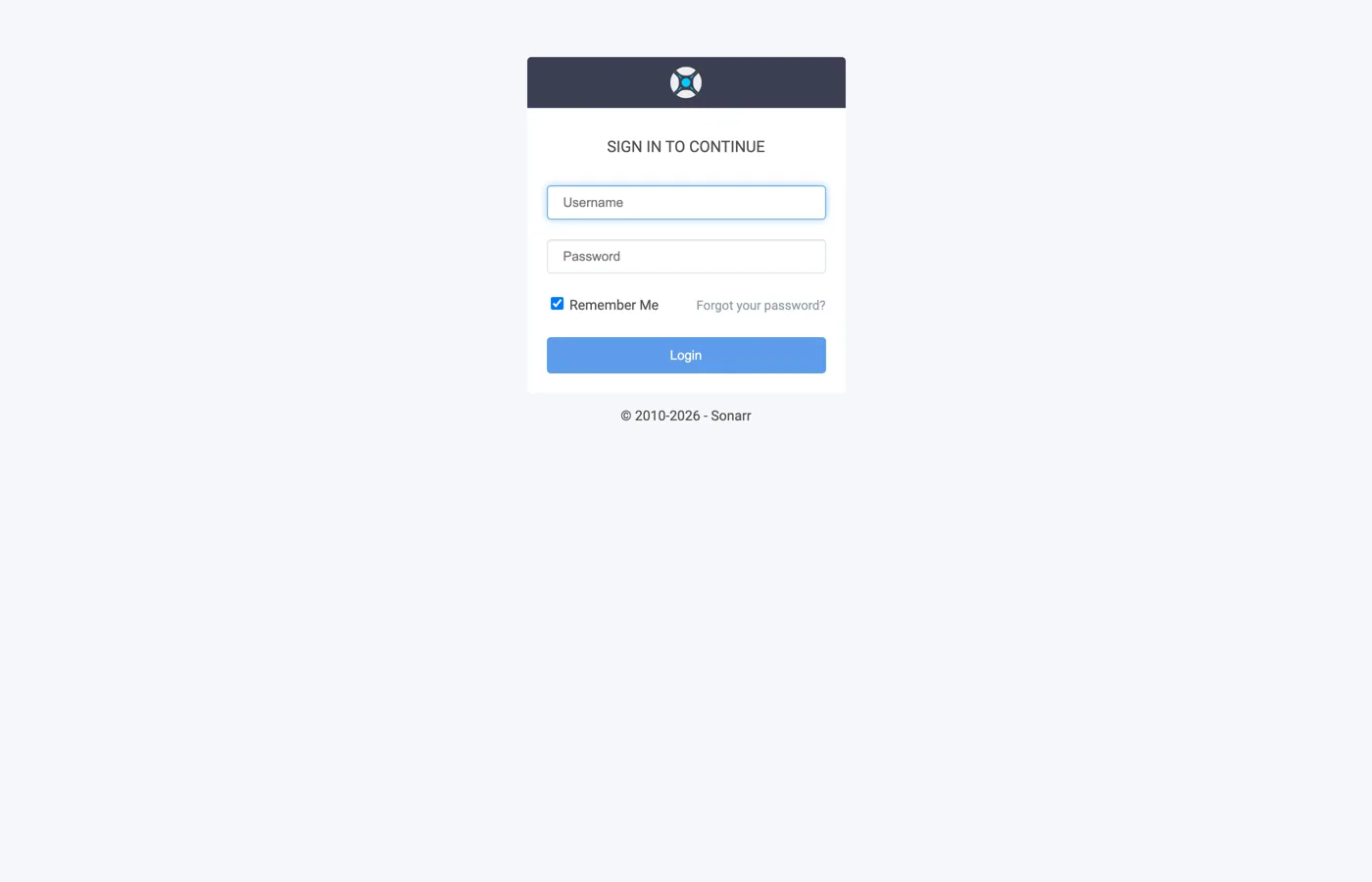
After Save you are signed out once and land on the login page.
Settings → Download Clients
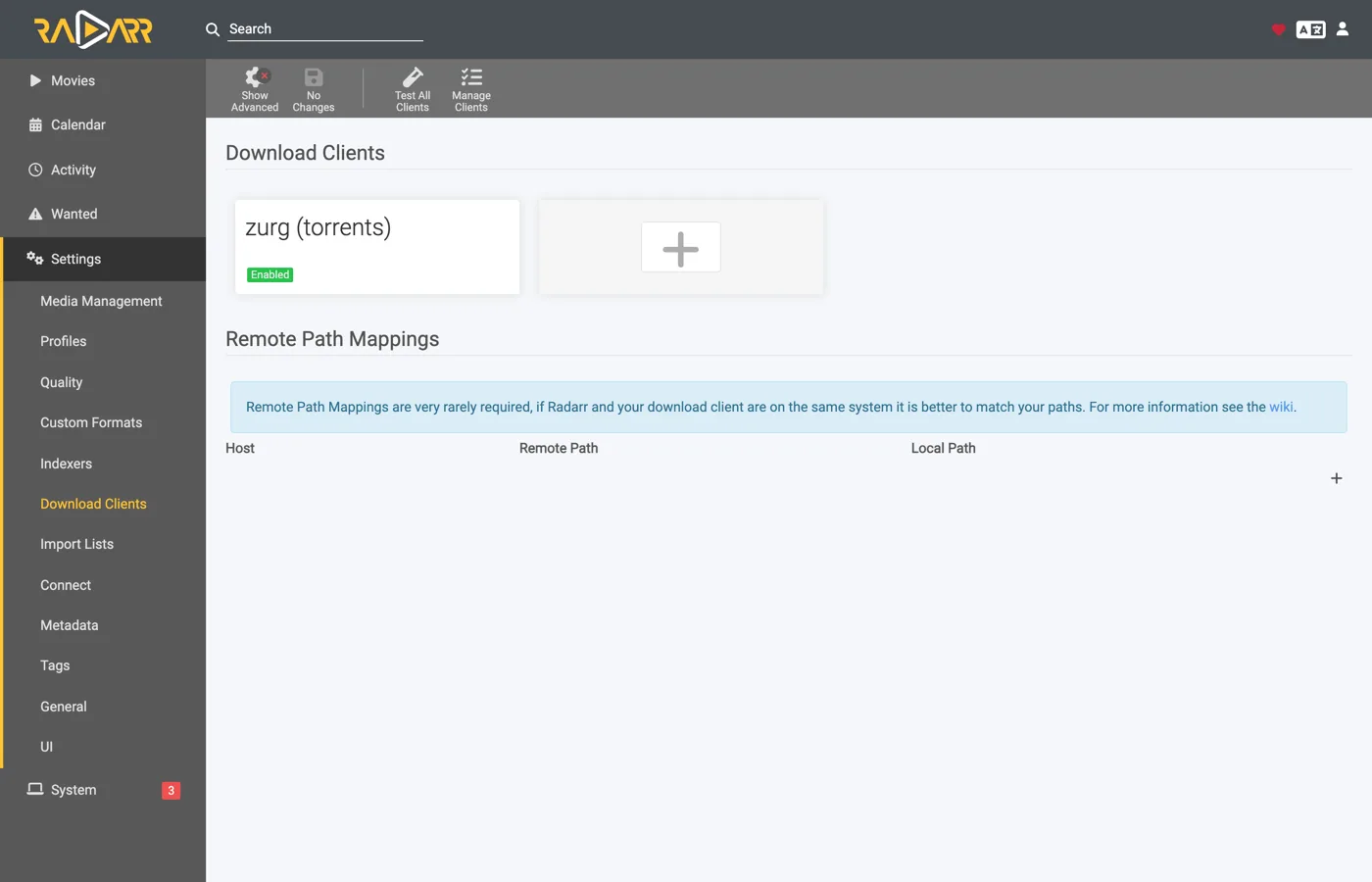
Go to Settings → Download Clients. On a fresh install there is nothing here but the + card.
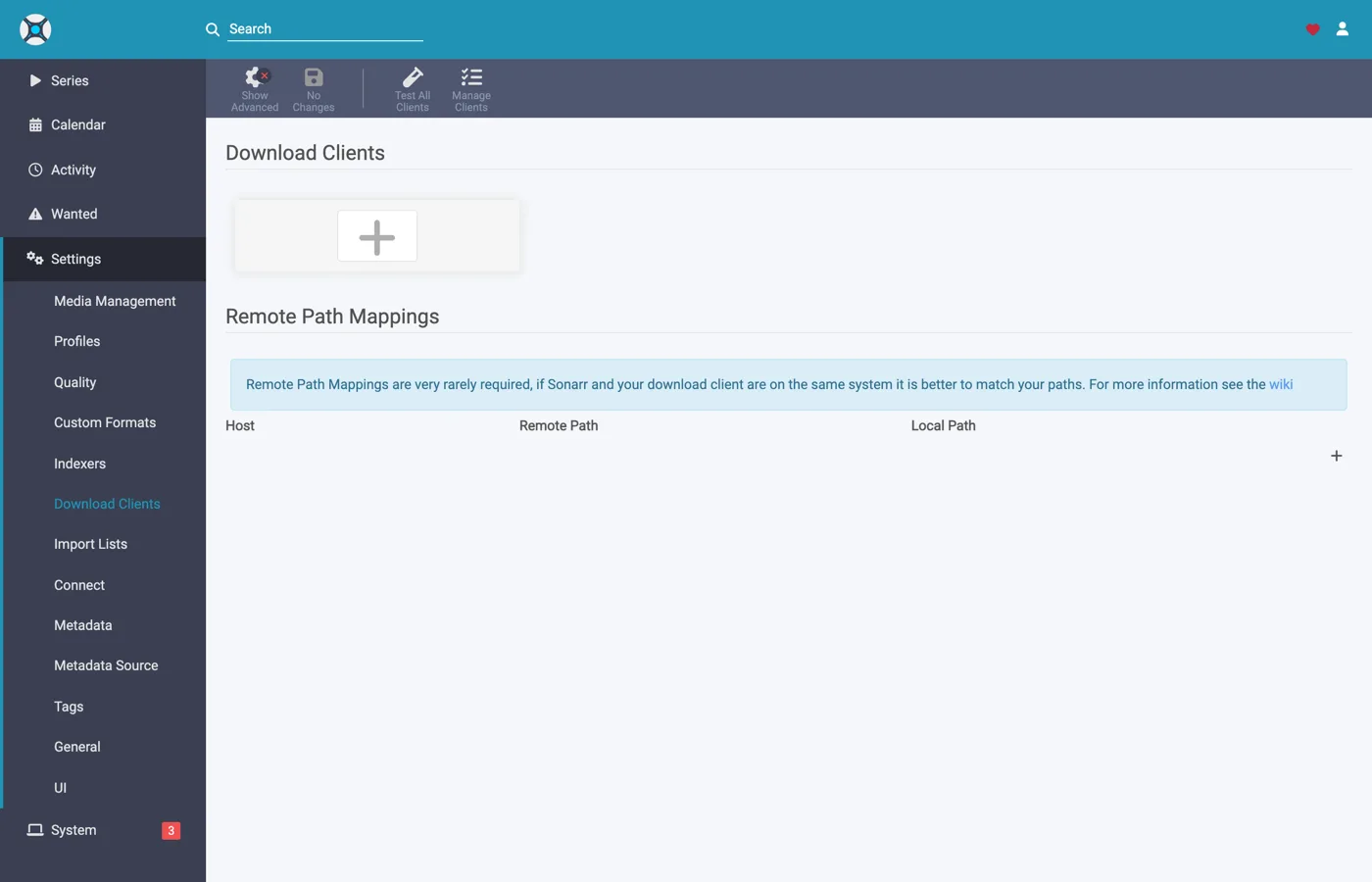
Click the + under "Download Clients" — not the one further down under "Remote Path Mappings".
Choose qBittorrent from the Torrents column.
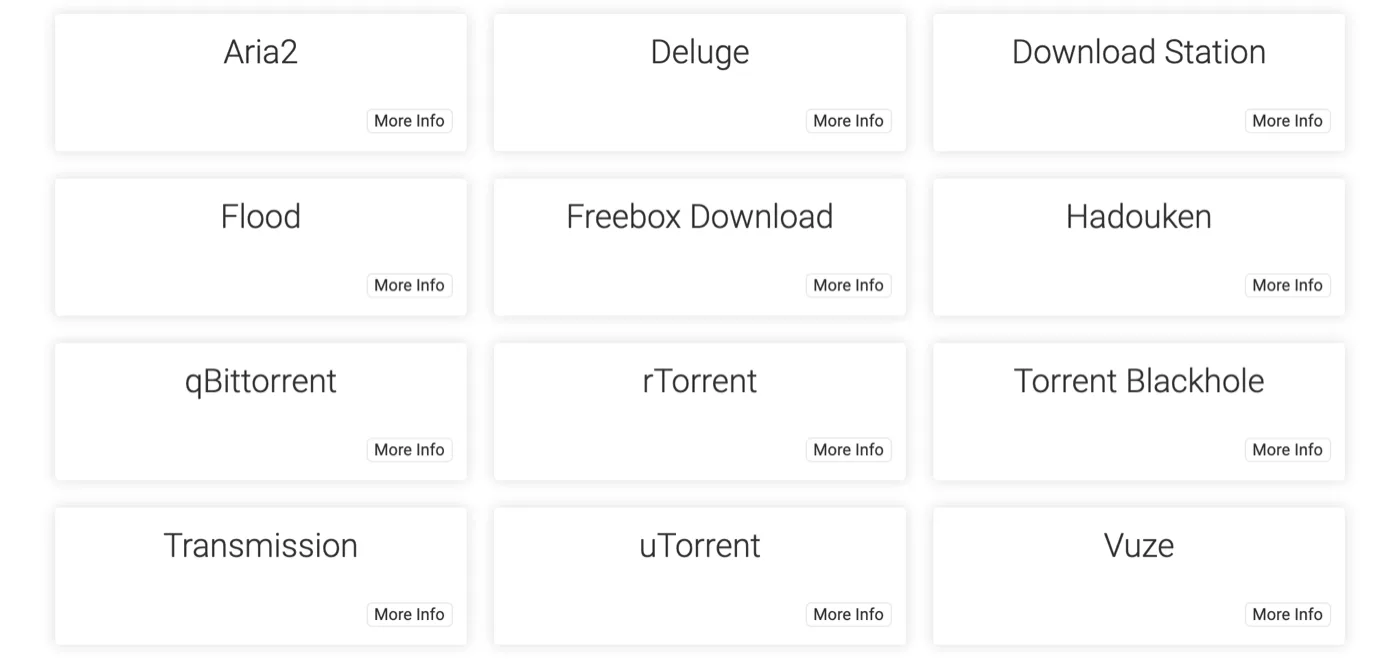
zurg impersonates qBittorrent specifically, so nothing else in this list will work. The two columns are the give-away for which guide you are following: SABnzbd sits under Usenet, qBittorrent under Torrents.
The dialog opens with qBittorrent's own defaults — localhost, port 8080, no key.
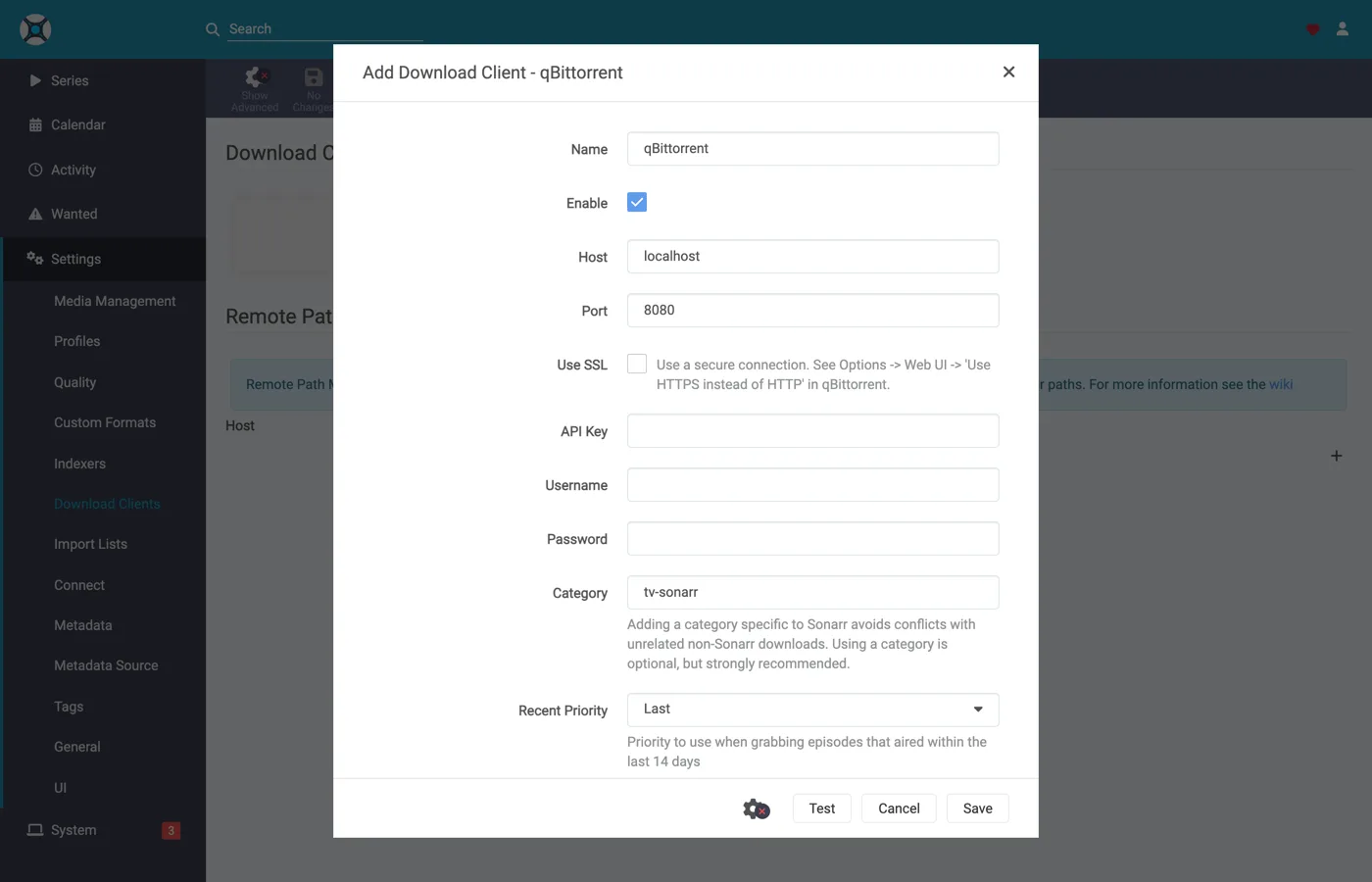
What to put in each field
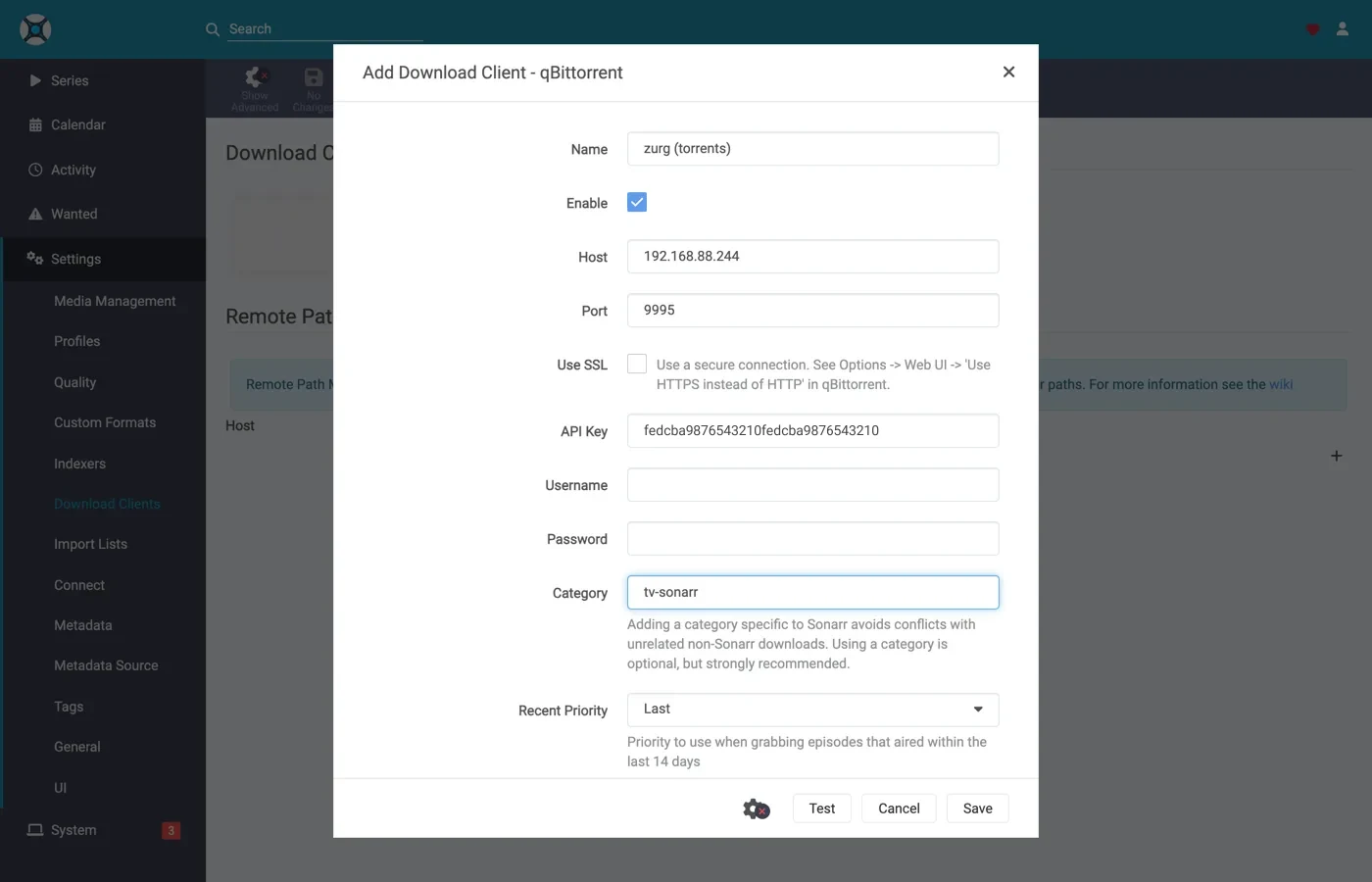
The API key shown is illustrative — paste your own.
In Docker, "localhost" and the hostname both lie. Inside a container, localhost is the container, and the machine's own hostname usually resolves to 127.0.1.1 — which is also the container. This rig's host is called zurg-server, and zurg-server inside the Sonarr container resolved to 127.0.1.1 while the very same name worked from the host shell. Use the host's LAN or Tailscale IP, never localhost and never the bare hostname.
Click Test. A green tick means the client's checks passed — API version, authentication, the category and the torrent list.
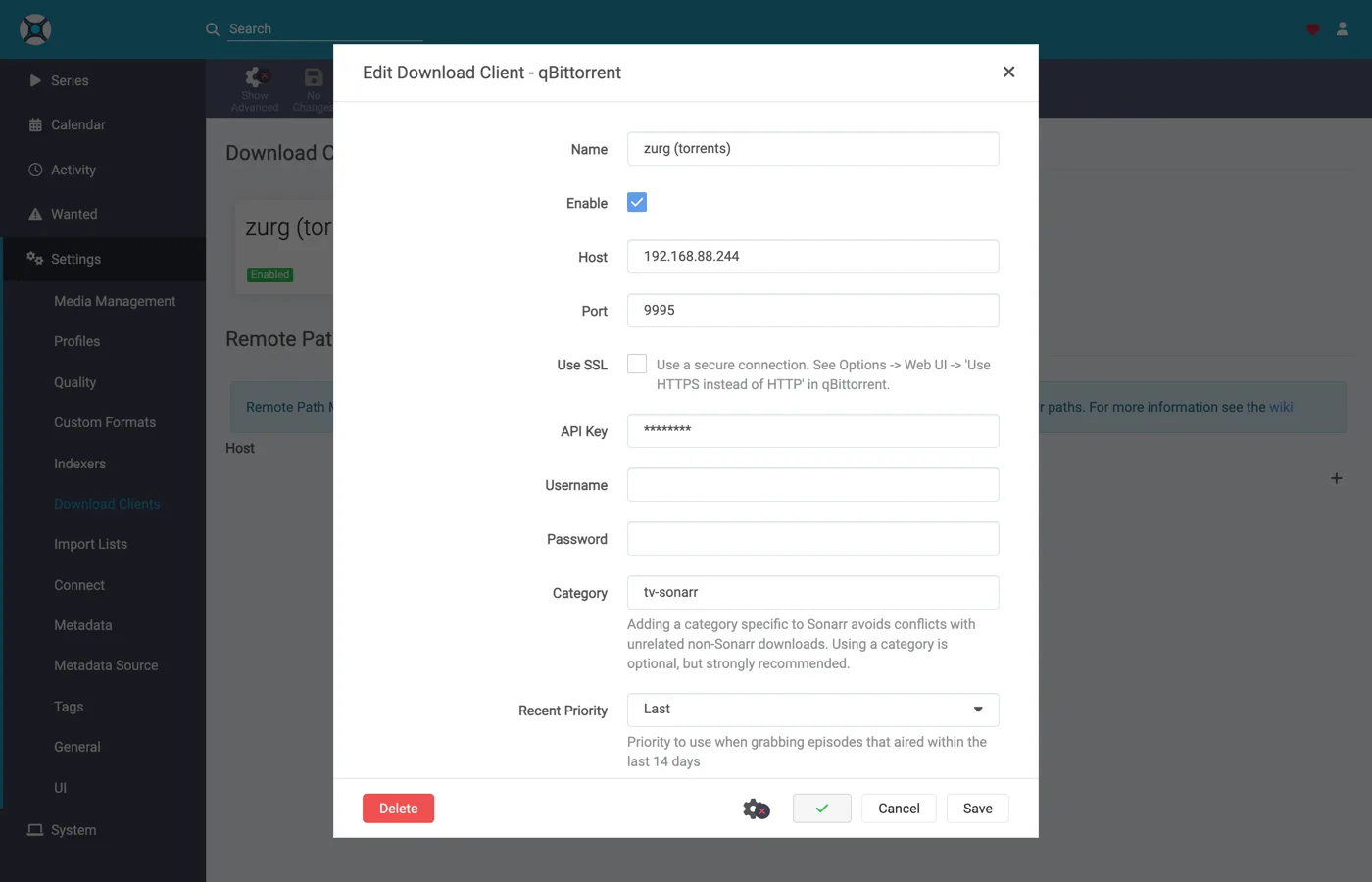
Now click Save.
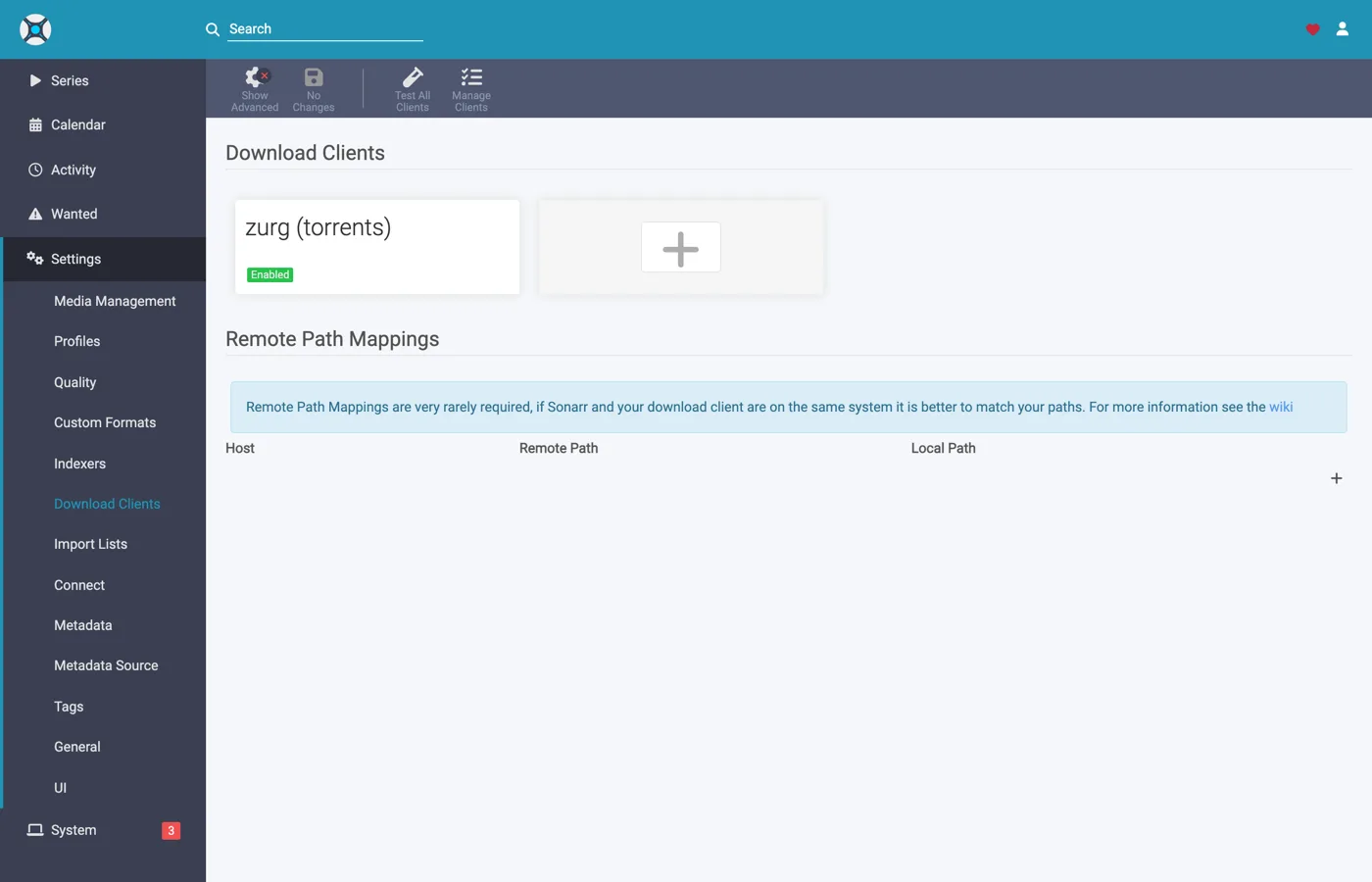
6. Add the root folder in Sonarr
Go to Settings → Media Management and scroll to the bottom.
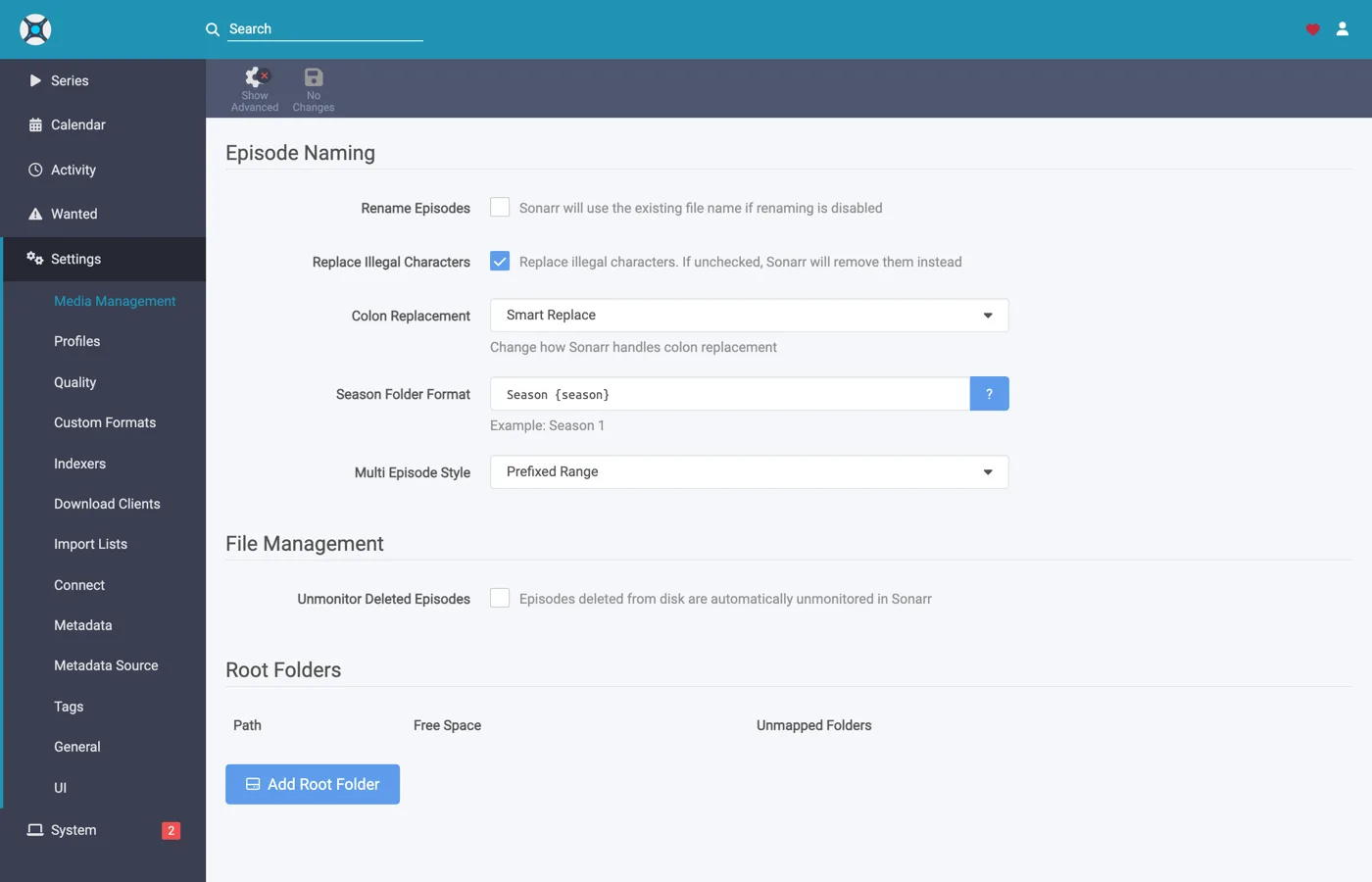
Click Add Root Folder. A file browser opens on the container's filesystem.
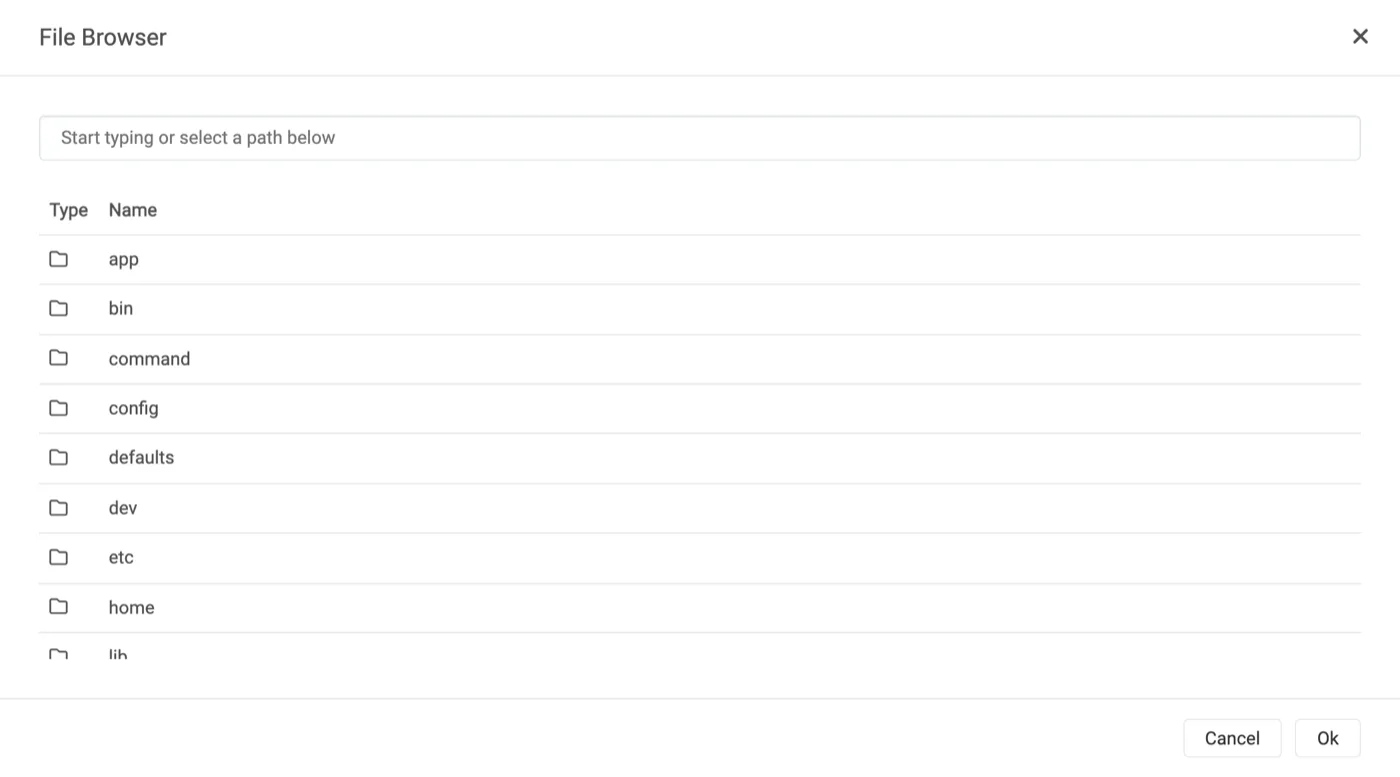
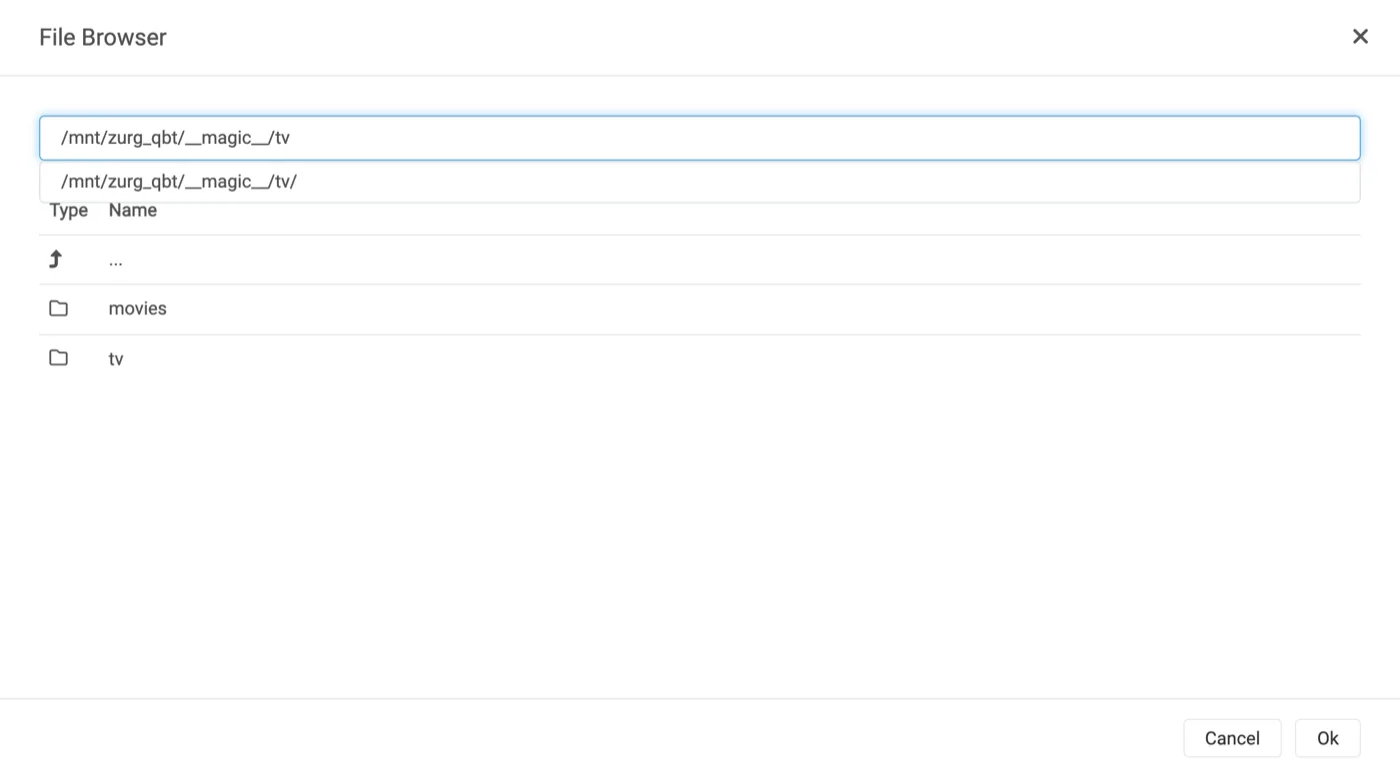
Type or navigate. If the mount is genuinely visible to Sonarr, __magic__ opens and shows what you made in step 4, beside the __all__ zurg puts there itself — the fastest proof you will get that the bind mount is correct.
If this is empty or errors, stop and fix the mount before going further.
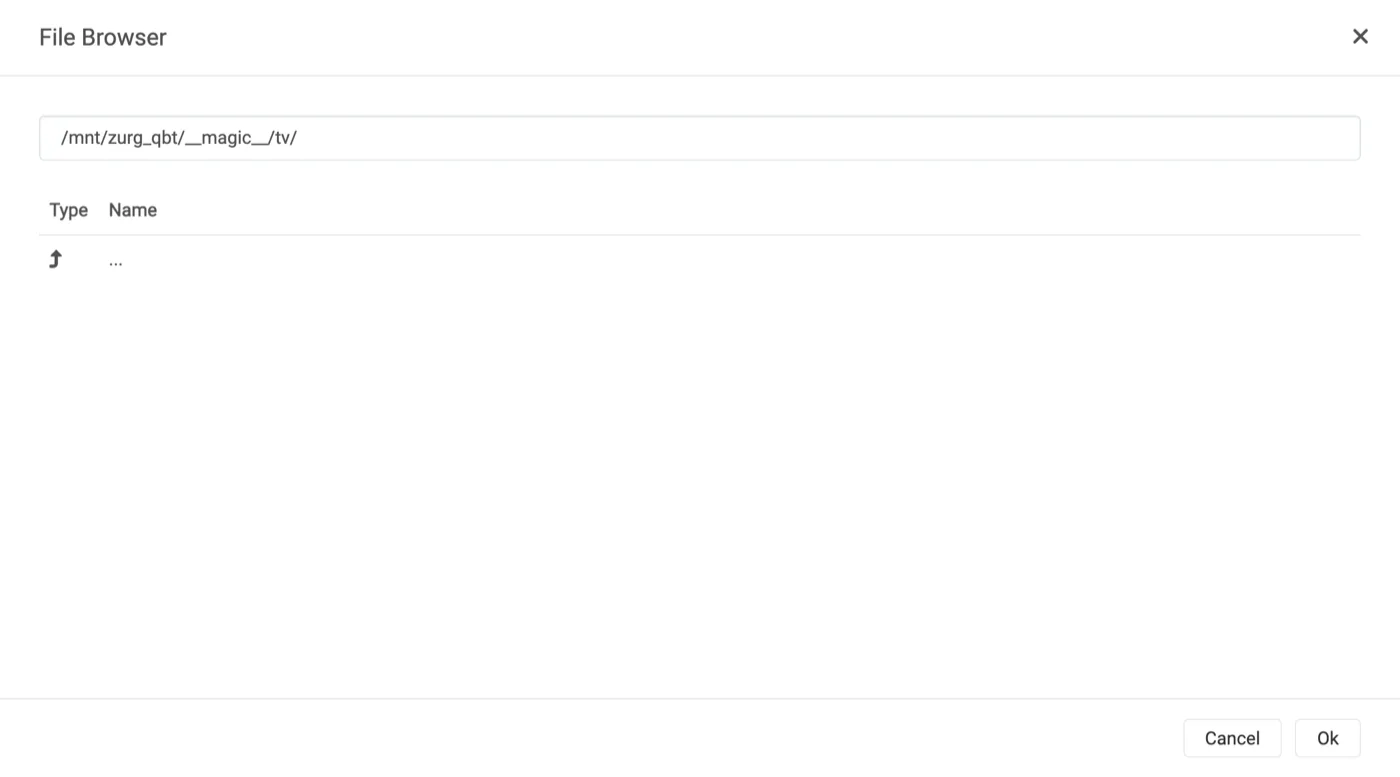
Finish the path at __magic__/tv and click Ok.
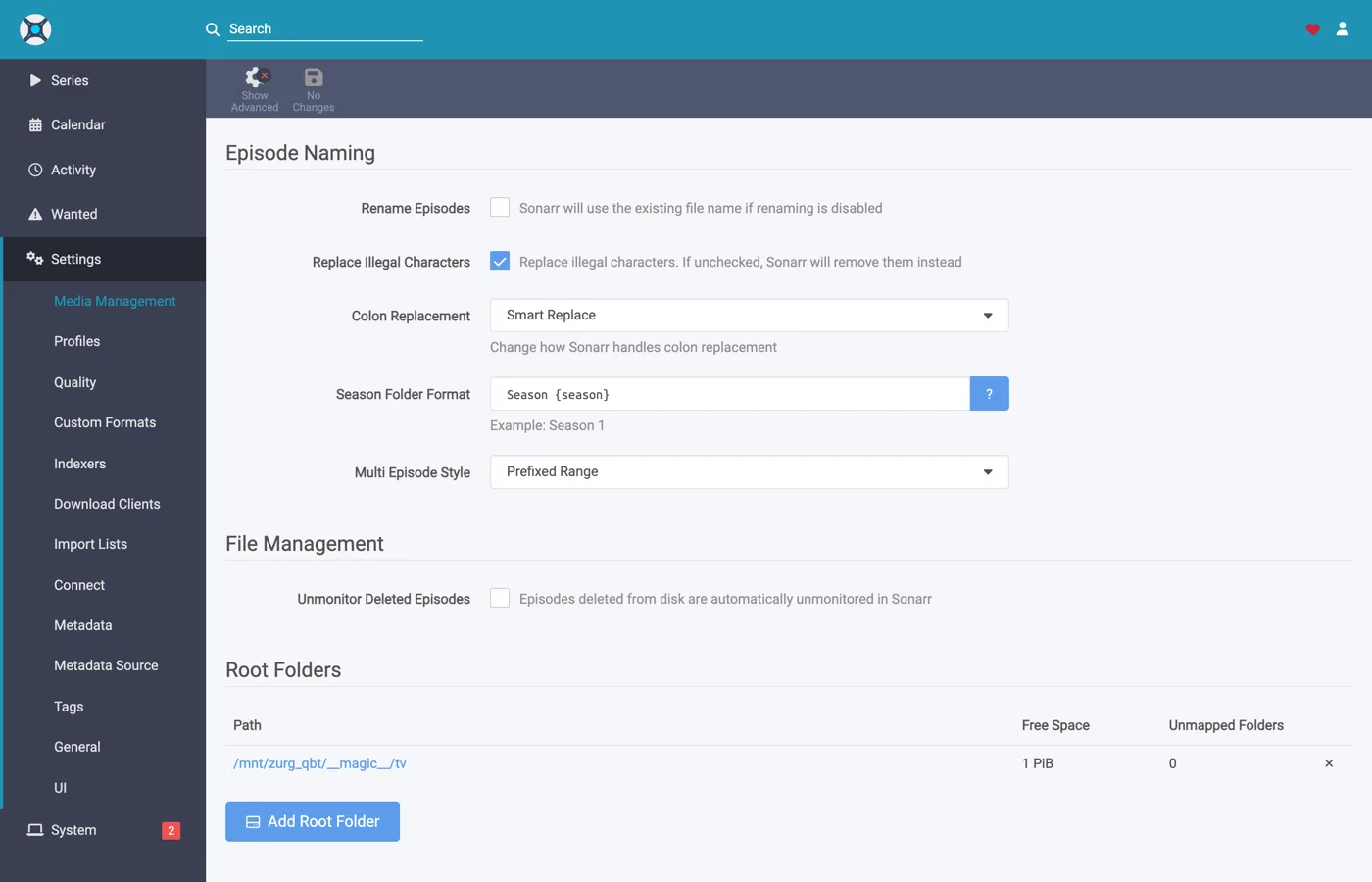
Free Space reading 1 PiB is zurg reporting a virtual filesystem, not a disk — that is expected, and it is what satisfies the *arr's free-space check before a grab.
7. Do the same in Radarr
Identical, with two values changed: the category is radarr and the root folder is __magic__/movies.
Radarr's first run works the same way — set Forms auth, then sign in.
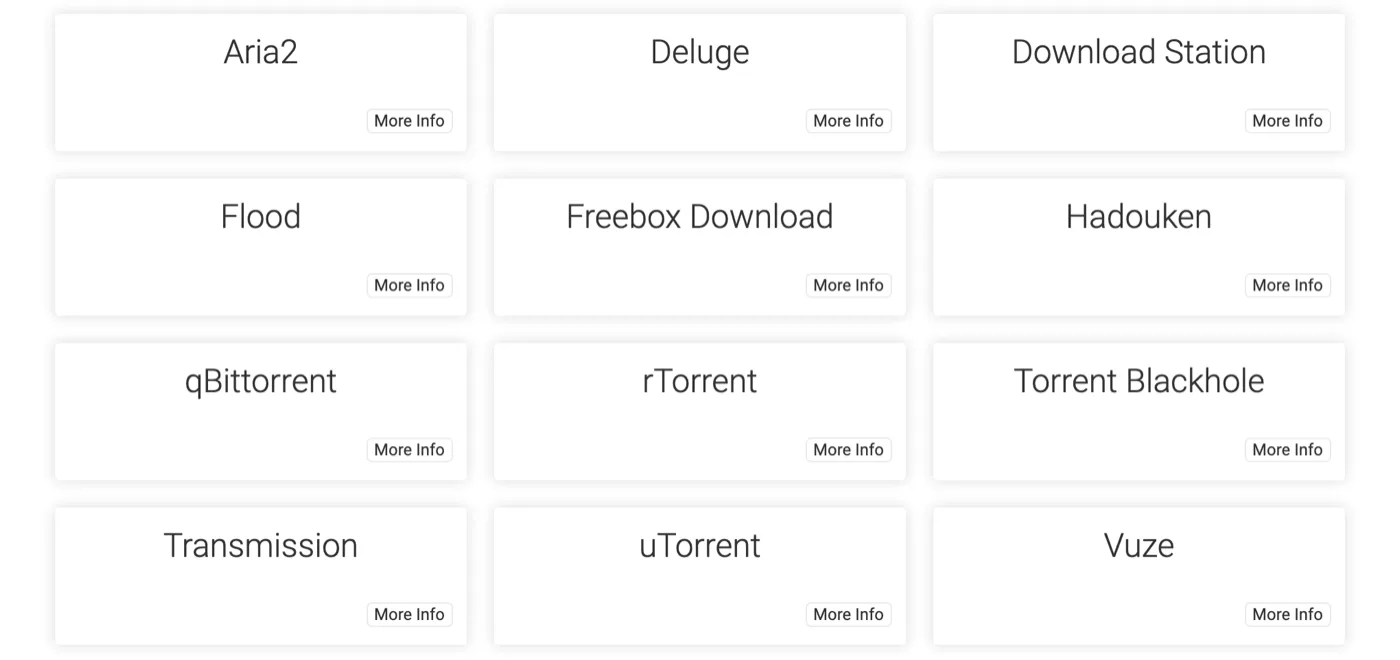
Settings → Download Clients → +, then qBittorrent under Torrents.
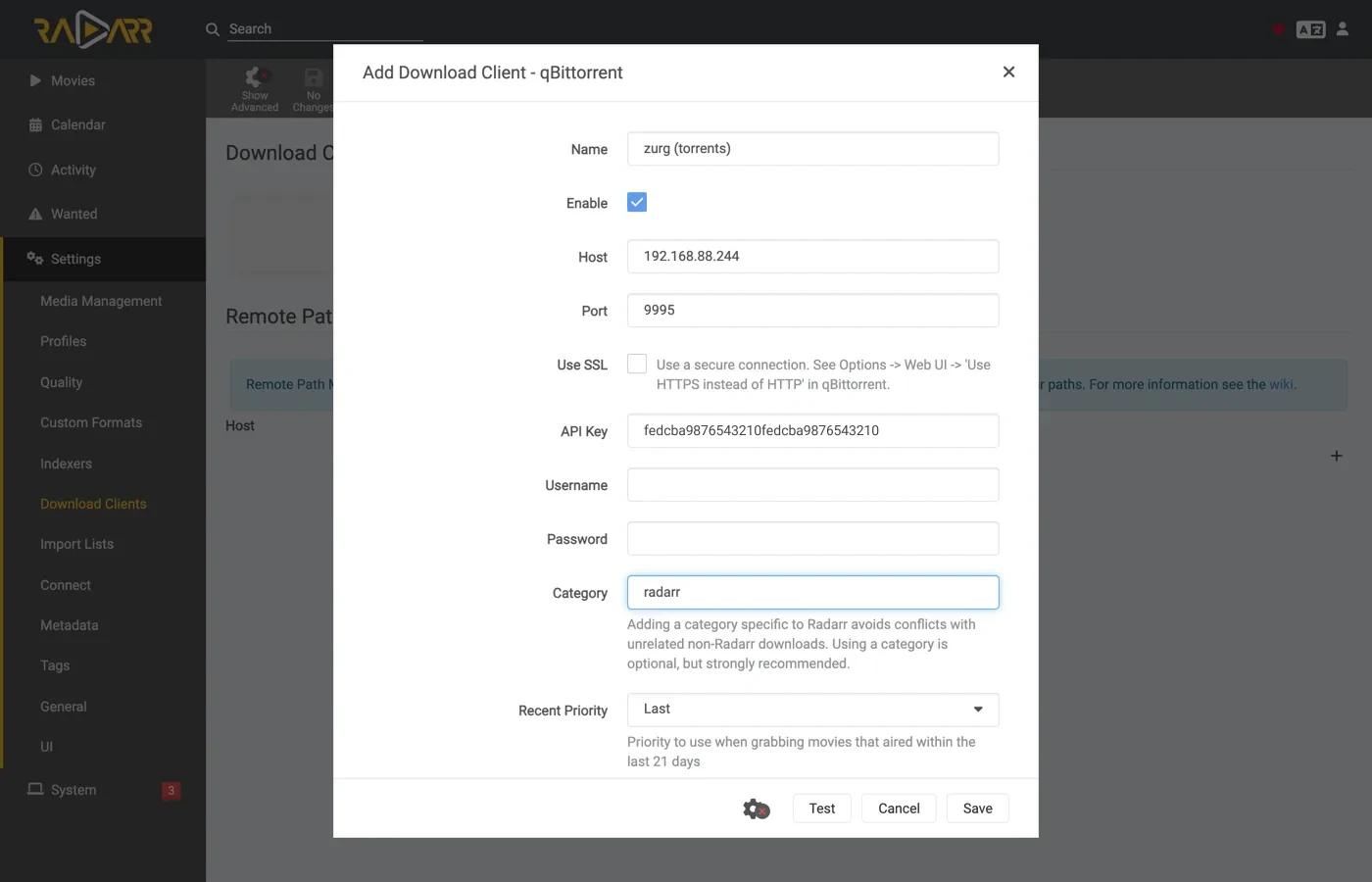
Same host, same port, same key. Only Category differs — radarr, not tv-sonarr.
Test, green tick, Save.
Then Settings → Media Management → Root Folders → Add Root Folder, and add /mnt/zurg_qbt/__magic__/movies.
One zurg, two clients, one queue. The torrent list each client sees is filtered by category and nothing else. Two Sonarrs both using tv-sonarr will see each other's grabs; Sonarr on tv-sonarr and Radarr on radarr will not. Keep one client per category and this never comes up.
8. If your *arr is in Docker
The same three problems as the Usenet walkthrough, with the same fixes — the mount is the mount — so this is the short version. That guide's step 8 has the detail.
The path zurg reports must be a path the client can open. If the container mounts the library somewhere other than zurg does, every import fails with download doesn't contain intermediate path or a remote-path health check. Set qbittorrent.save_path to the path the client sees, or add a remote path mapping:
qbittorrent:
  save_path: "/data/zurg/__magic__/__all__"   # what the *arr sees, not what zurg sees
One volume for the save path and the root folders. Do not give the container __magic__/__all__ and __magic__/tv as two volumes. The rename between them fails inside the container. The client then copies every import from your account and writes it to zurg's disk without saying so. Give it one volume that holds zurg's whole mount and reach both folders through it. The bind below is that volume.
Bind the mount's parent, not the mountpoint. Restarting zurg unmounts and remounts; a container that bound the mountpoint itself keeps the dead fuse connection and every read after that answers Socket not connected — and because both clients check free space before a grab, every release is silently rejected. Bind the parent with rslave and the remount arrives as a sub-mount event the container follows. This rig's containers were started before zurg ever mounted, and the mount still appeared inside them:
$ docker exec sonarr df -h /mnt/zurg_qbt
Filesystem      Size  Used Avail Use% Mounted on
zurg{8amax}:    1.0P     0  1.0P   0% /mnt/zurg_qbt
9. Watch one grab go through
Add one thing, grab it by hand, and follow it the whole way. Everything below is a real grab through the setup above: Ghost in the Shell (1995), grabbed from an indexer by hand.
Grab it
Open the movie, click Interactive Search, and pick a release.
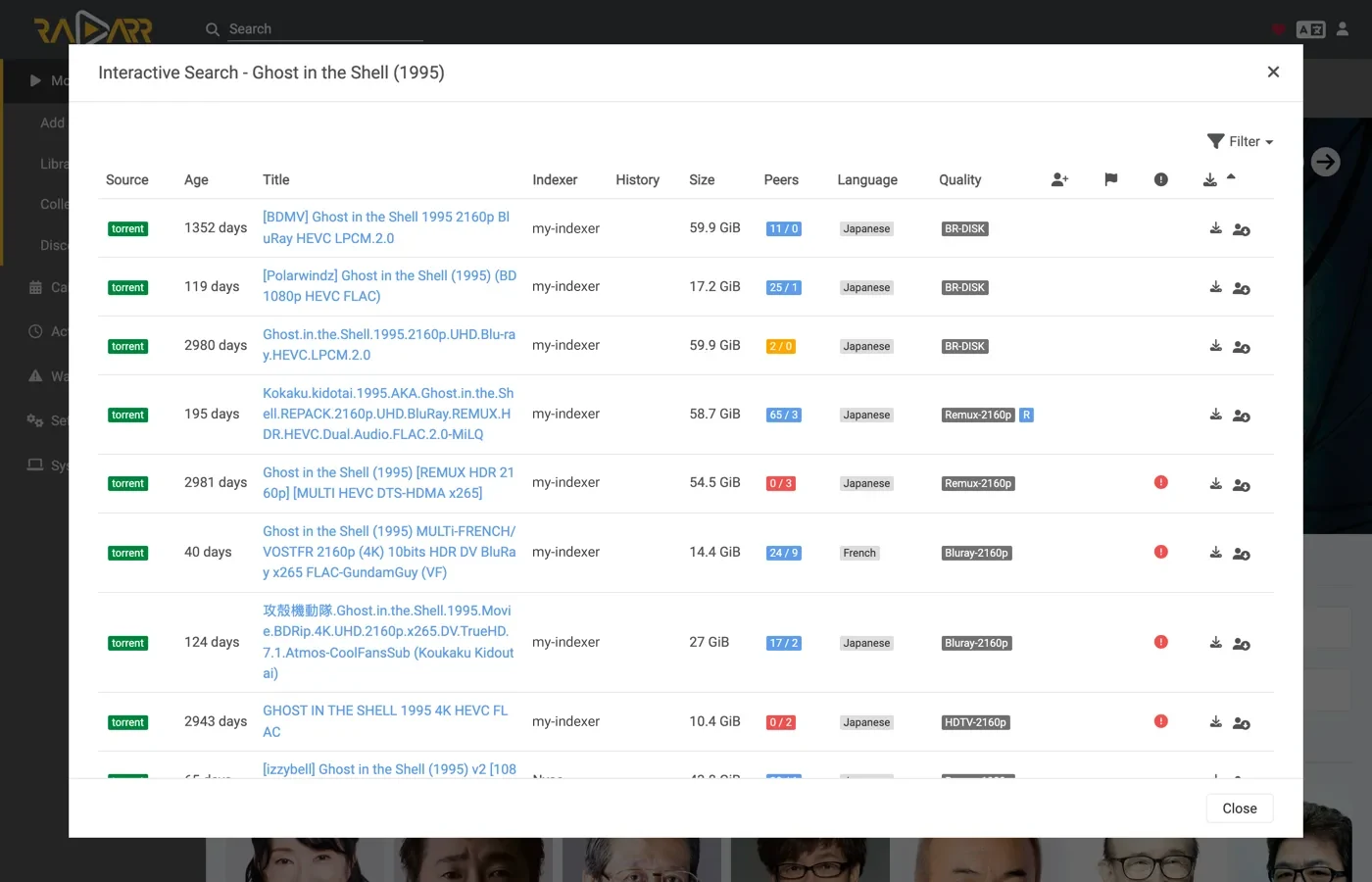
The Source column reads torrent — that is the protocol this endpoint takes. Click the circled-arrow button at the end of the row to grab it. If the client wants you to confirm the mapping first:
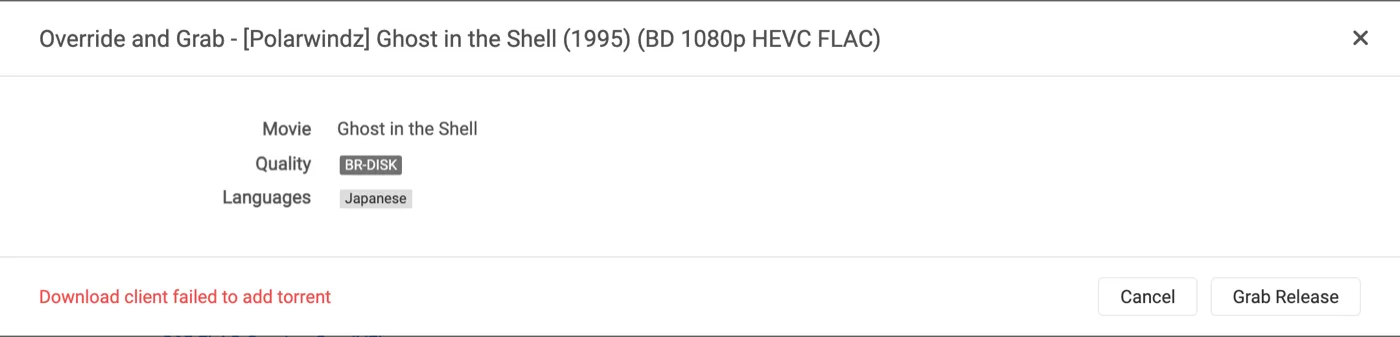
Override and Grab appears when the release does not match cleanly. Check the mapping and click Grab Release. A normal grab never shows this.
The account takes it
Two lines in zurg's log, and they are the whole add:
INFO  router.qbittorrent  qBittorrent: [Polarwindz] Ghost in the Shell (1995) (BD 1080p HEVC FLAC) (0c5e4077…) added to alldebrid as 720824192
INFO  router.qbittorrent  qBittorrent: [Polarwindz] Ghost in the Shell (1995) (BD 1080p HEVC FLAC) (0c5e4077…) finished on alldebrid
The hash is the info hash the client sent. added … as 720824192 is the account's own id for it. This release was already cached on the account, so finished follows in about a second — an uncached one sits between the two lines while the account downloads it, and what the account is doing in that gap is what the client's queue shows:
A stalled swarm reports Downloading with the rate and the seed count at zero rather than as a stall warning — stalledDL is a state the *arrs act on for their failed-download handling, and a swarm with no seeds is not a verdict on the release.
The whole magnet reaches the account. zurg passes on the display name the client grabbed under and any trackers it named. On an indexer that publishes only magnets the display name is the one place the release name exists. Without it TorBox lists an unresolved grab under its forty-character hash for as long as the metadata stays unresolved. A .torrent carries its own name and trackers so nothing is added to it.
The import happens
Activity → Queue, then Activity → History. Two events, seconds apart — Grabbed, then Movie Imported:
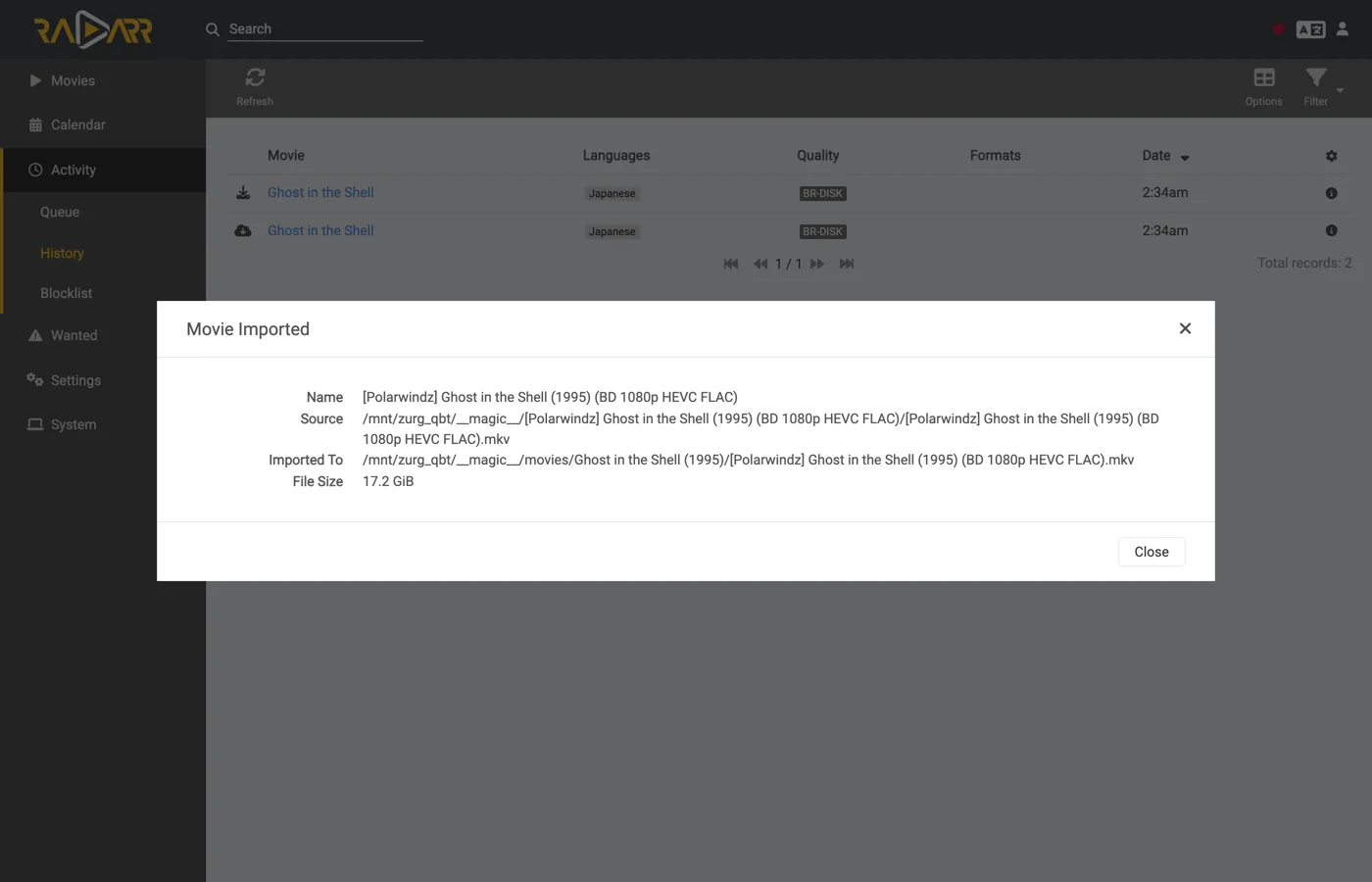
Expand the imported row and read the paths. Source is /mnt/zurg_qbt/__magic__/__all__/[Polarwindz] …/[Polarwindz] ….mkv and Imported To is /mnt/zurg_qbt/__magic__/movies/Ghost in the Shell (1995)/… — the file never left __magic__, which is what makes the import a rename. The screenshot was taken before the library moved down into __all__, so its source path is one level up from what yours will read.
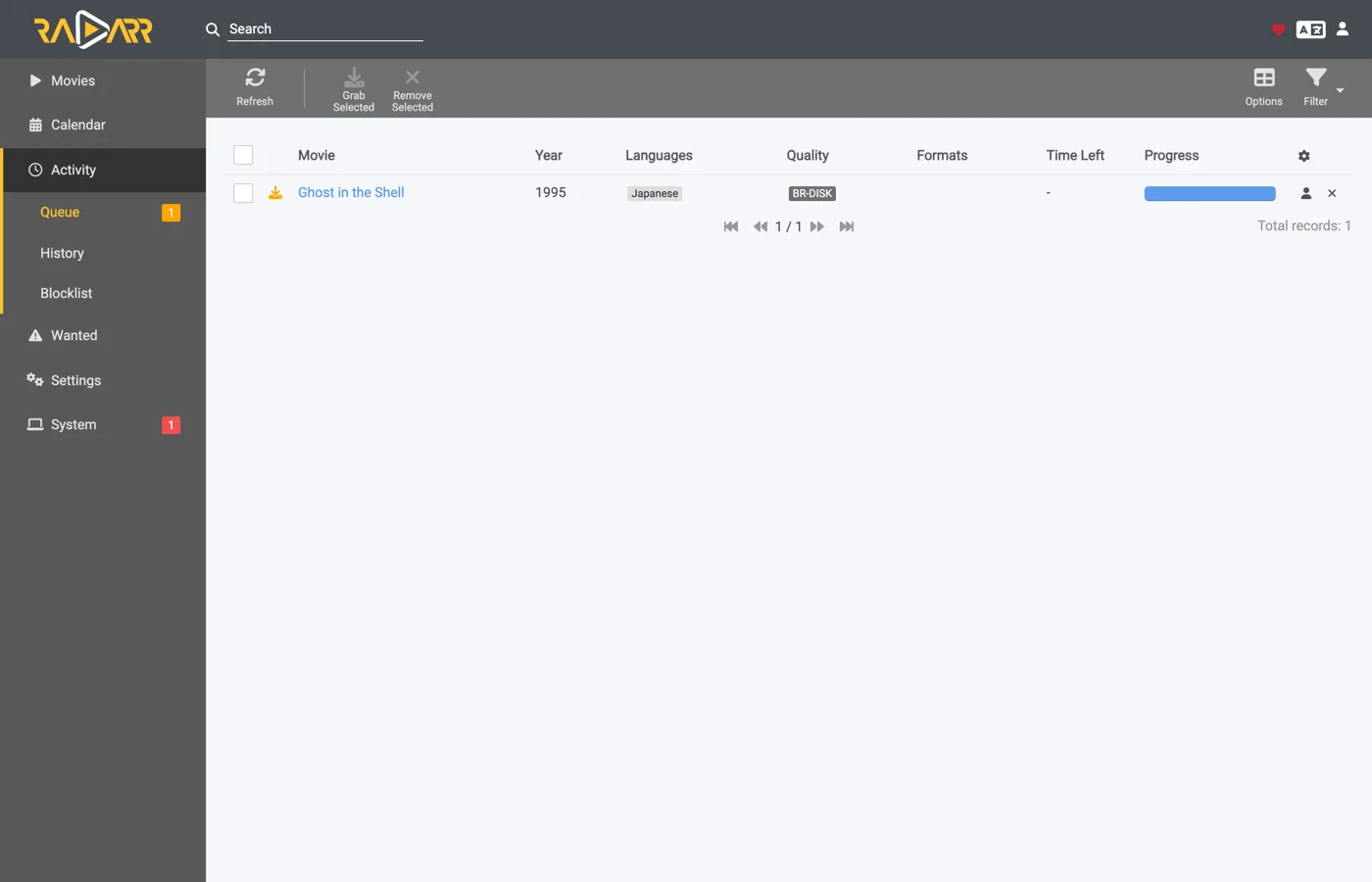
A grab the client decides not to import stays in the queue as a warning instead. The one in this screenshot's queue row is an upgrade the quality profile refused — visible, one click from Remove, and clearing nothing by itself:
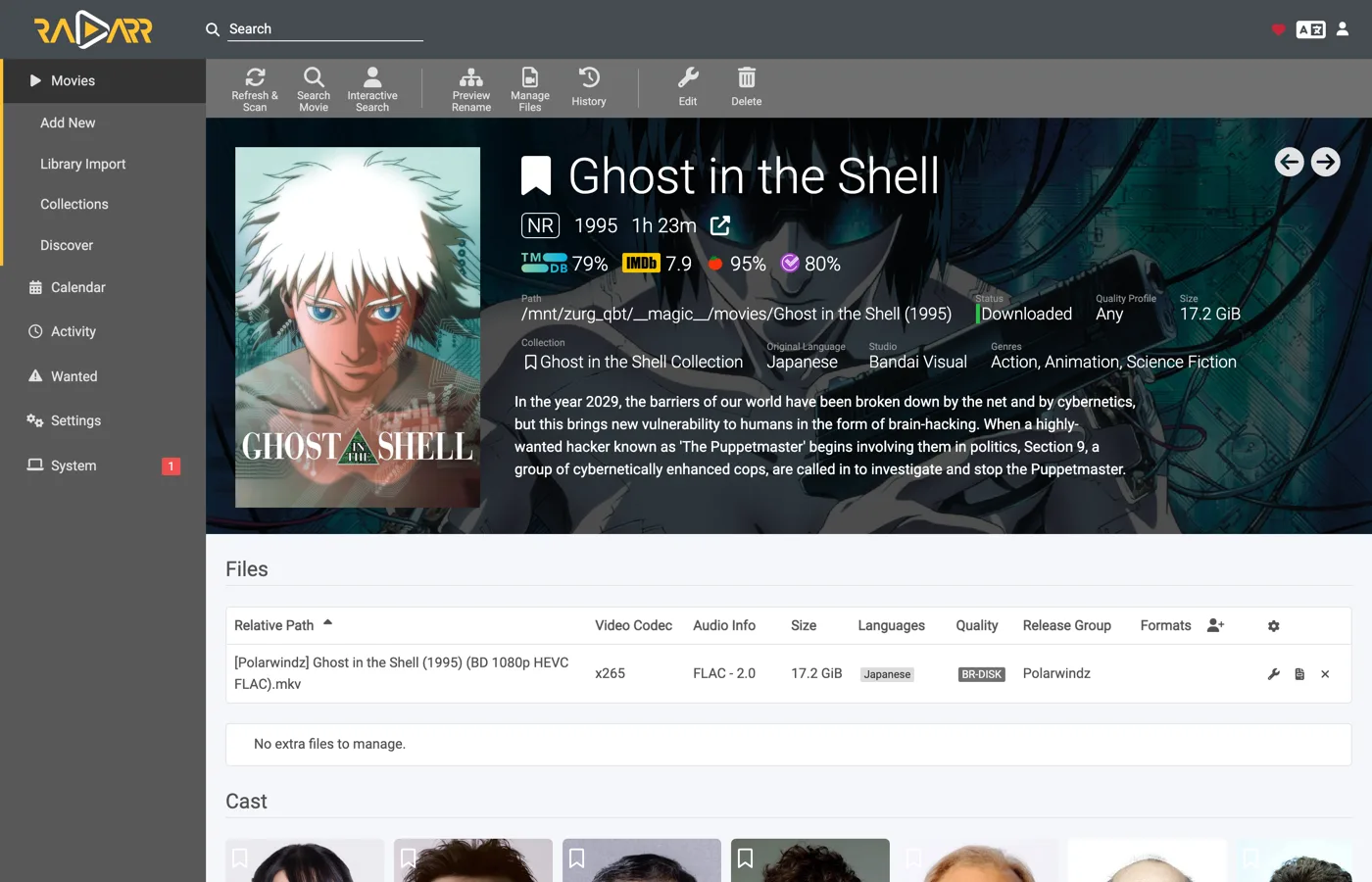
Status: Downloaded, Size 17.2 GiB — and nothing was downloaded to make that true. The bytes are read off the account when something plays the file.
Prove the file is real
The import moved the file into the root folder. Read both ends of one and ask ffprobe what it is:
$ F="/mnt/zurg_qbt/__magic__/tv/One Piece/Season 23/[AnoZu] One Piece S23E21 1080p CR WEB-DL AAC 2.0 H.264.mkv"

$ ls -la "$F"
-rw-rw-r-- 1 you users 1446325722 Aug 31 00:44 …mkv

$ dd if="$F" bs=1M count=1 >/dev/null
1048576 bytes (1.0 MB, 1.0 MiB) copied, 0.00592934 s, 177 MB/s

$ ffprobe -v error -show_entries format=duration,size,format_name \
    -of default=noprint_wrappers=1 "$F"
format_name=matroska,webm
duration=1415.808000
size=1446325722
That one is a Sonarr grab — an episode pulled the same way, imported into tv/One Piece/Season 23/. A 23-minute Matroska, read straight off the debrid account. The bytes arrive when something reads them, not when the *arr imports.
From Sonarr, it looks the same
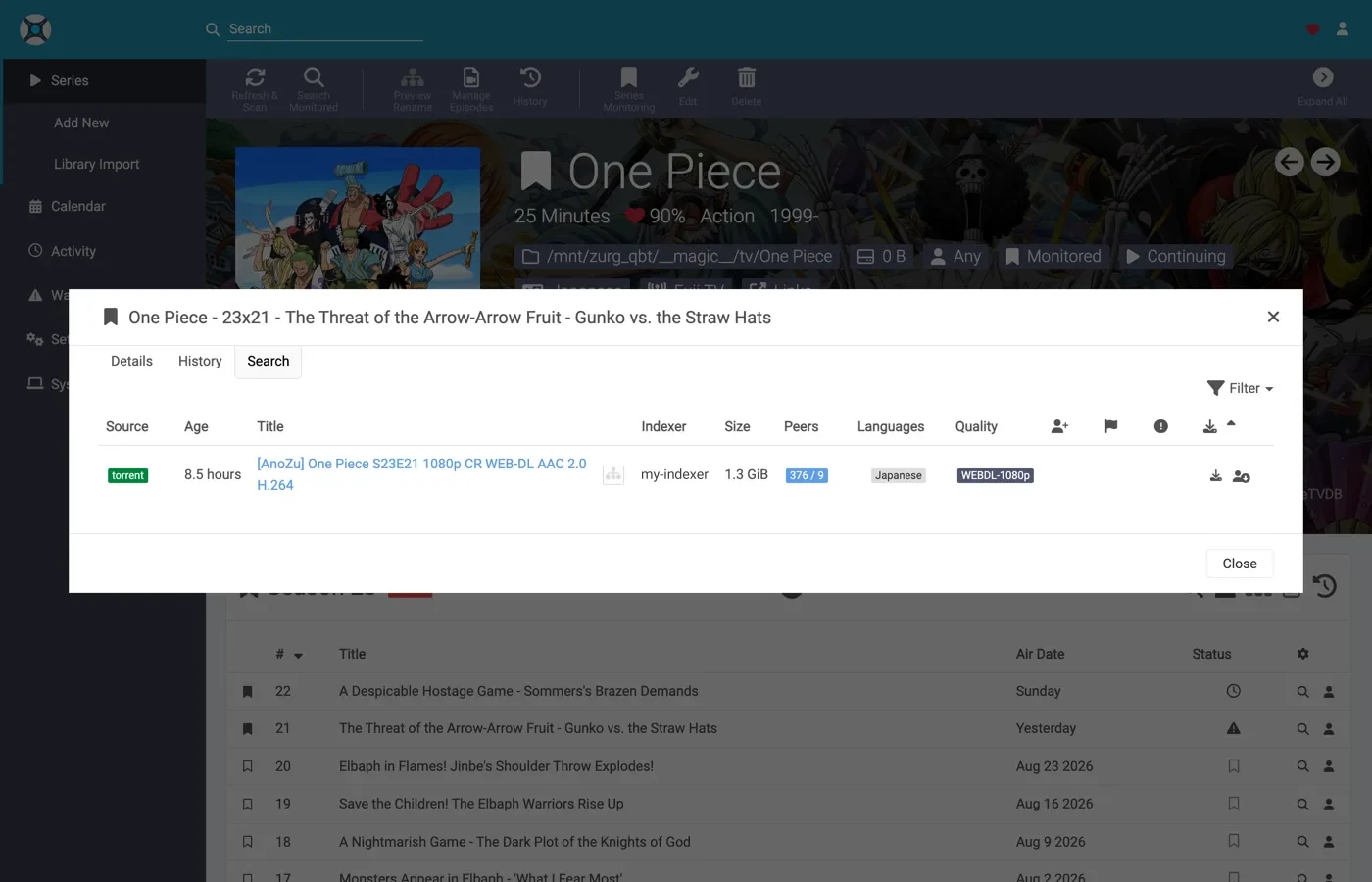
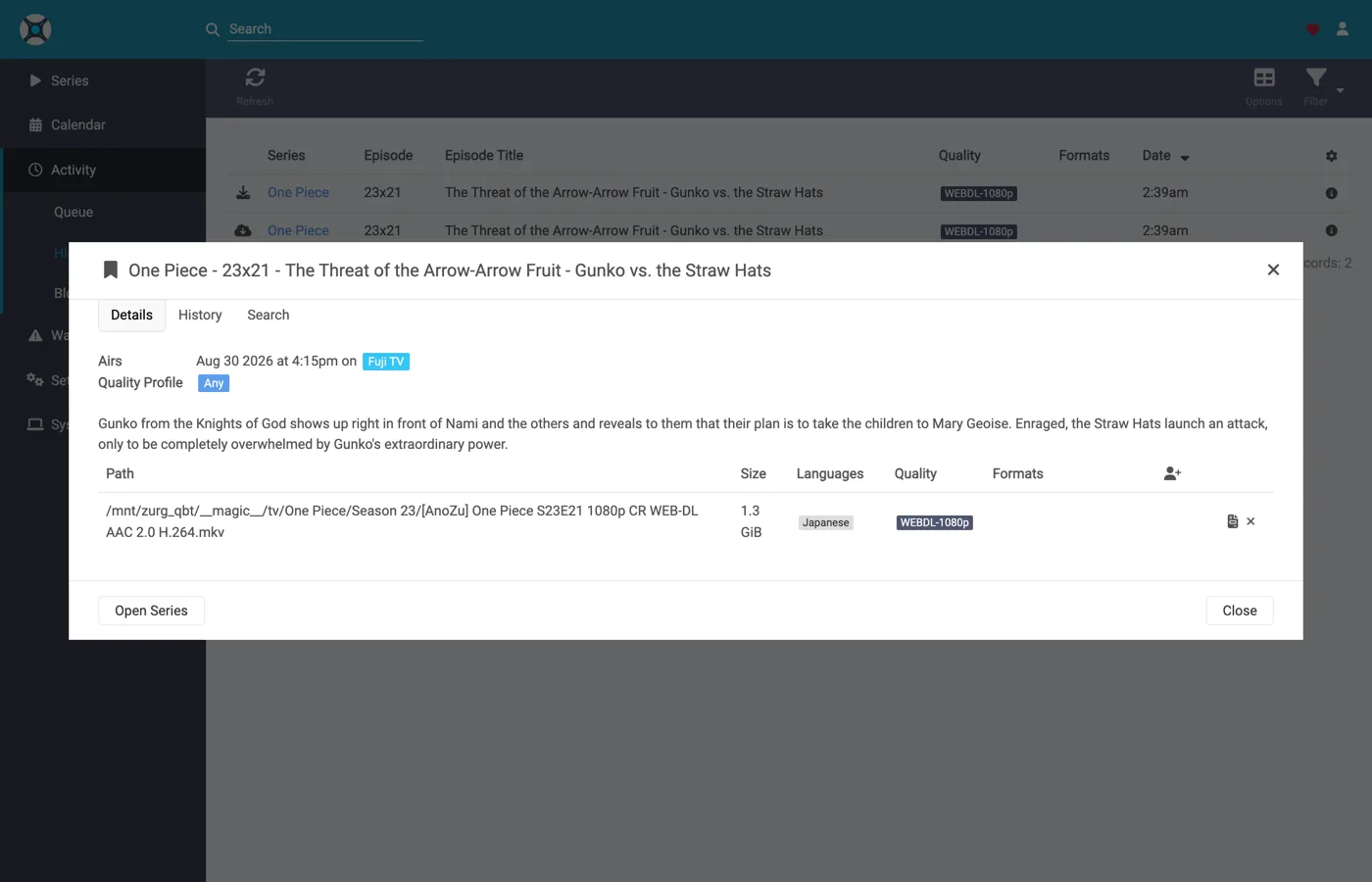
The same two history events, the same import-by-rename, and a queue that empties the moment the import lands — a cached release goes from grab to imported in a handful of seconds, which is why there is no mid-download screenshot of it here.
10. Prowlarr, manual grabs
Prowlarr speaks to the same endpoint — it shares the qBittorrent client code with the other two — but it is not an importer. It has no library and never imports anything; what it can do is push a release to the account by hand, which is exactly what its download client is for.
Prowlarr's first run is the same Forms-auth screen as the other two.
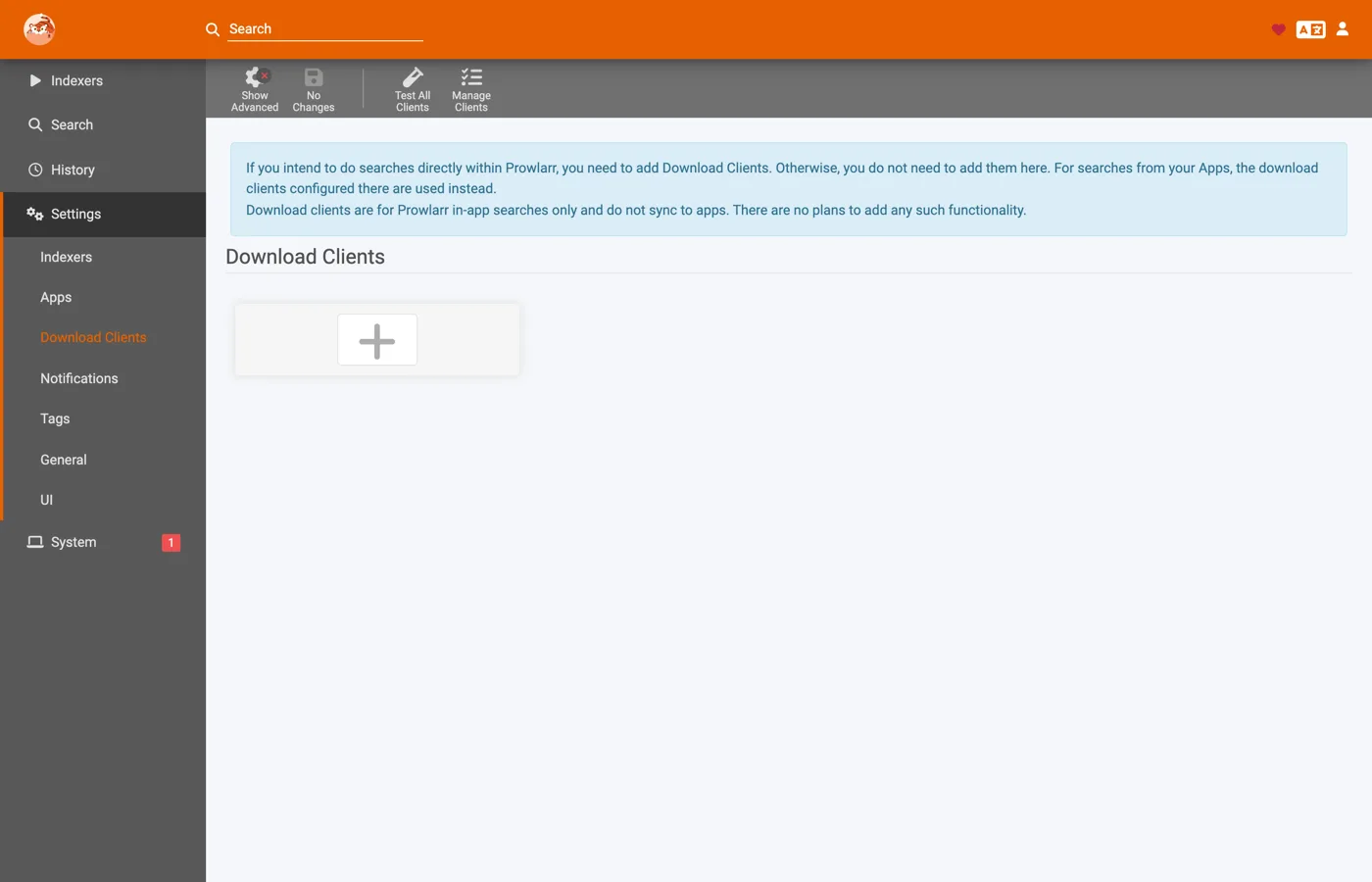
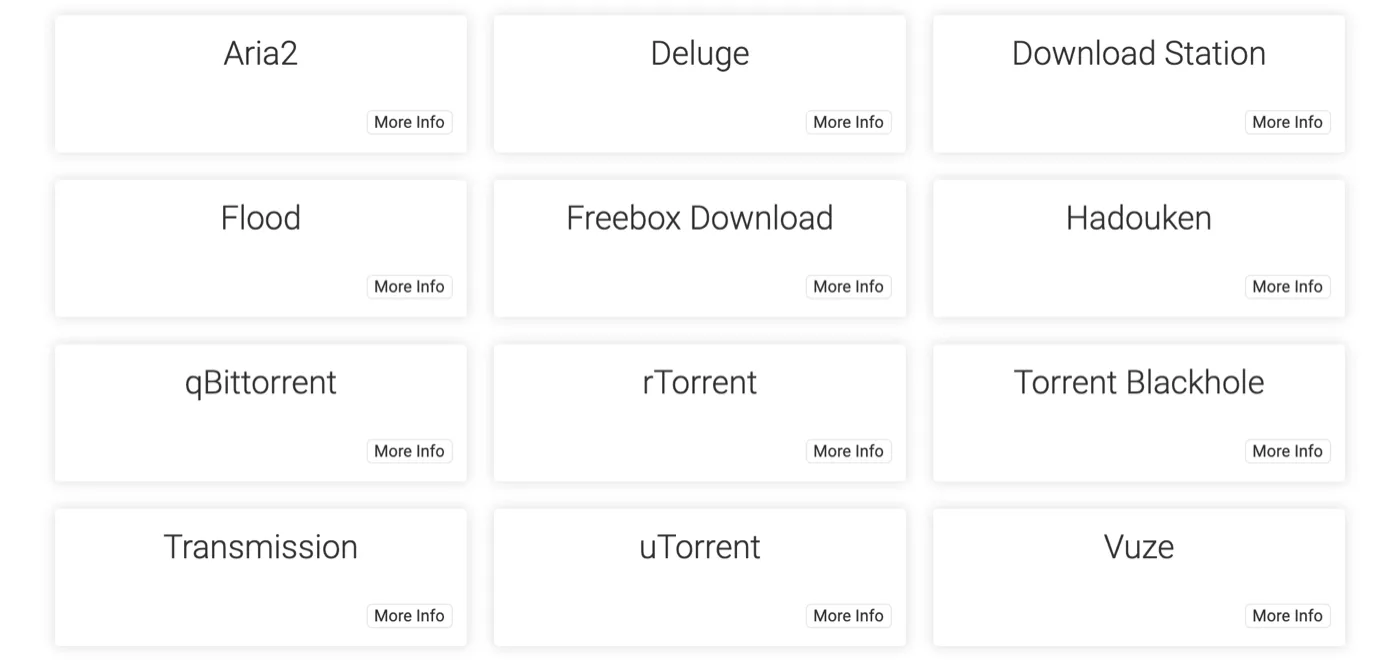
Settings → Download Clients → +, then qBittorrent — in Prowlarr's picker every client sits in one alphabetical list rather than the two columns the *arrs use. Same host, port and API key. Two fields differ from the *arrs:
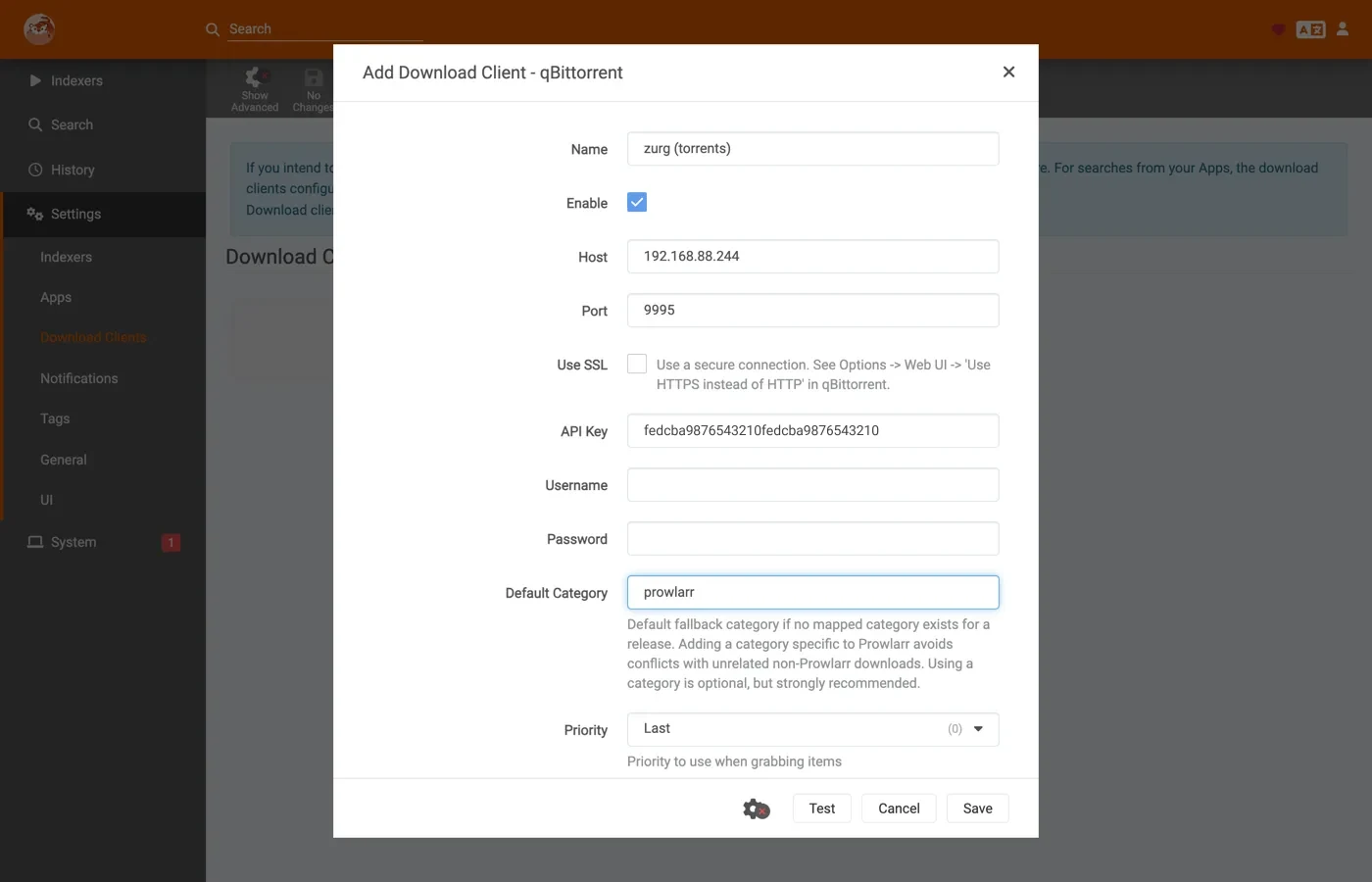
Test, green tick, Save.
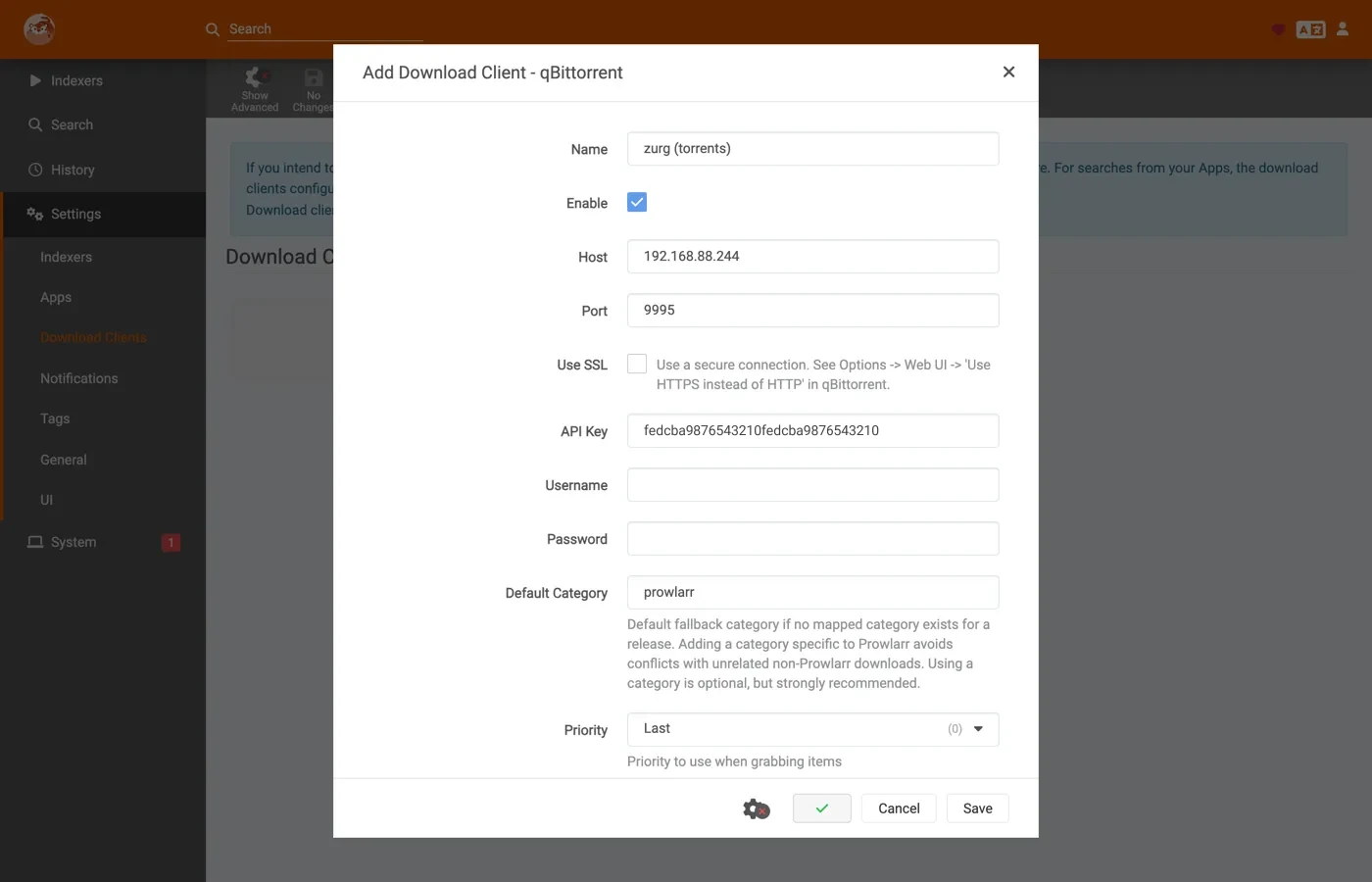
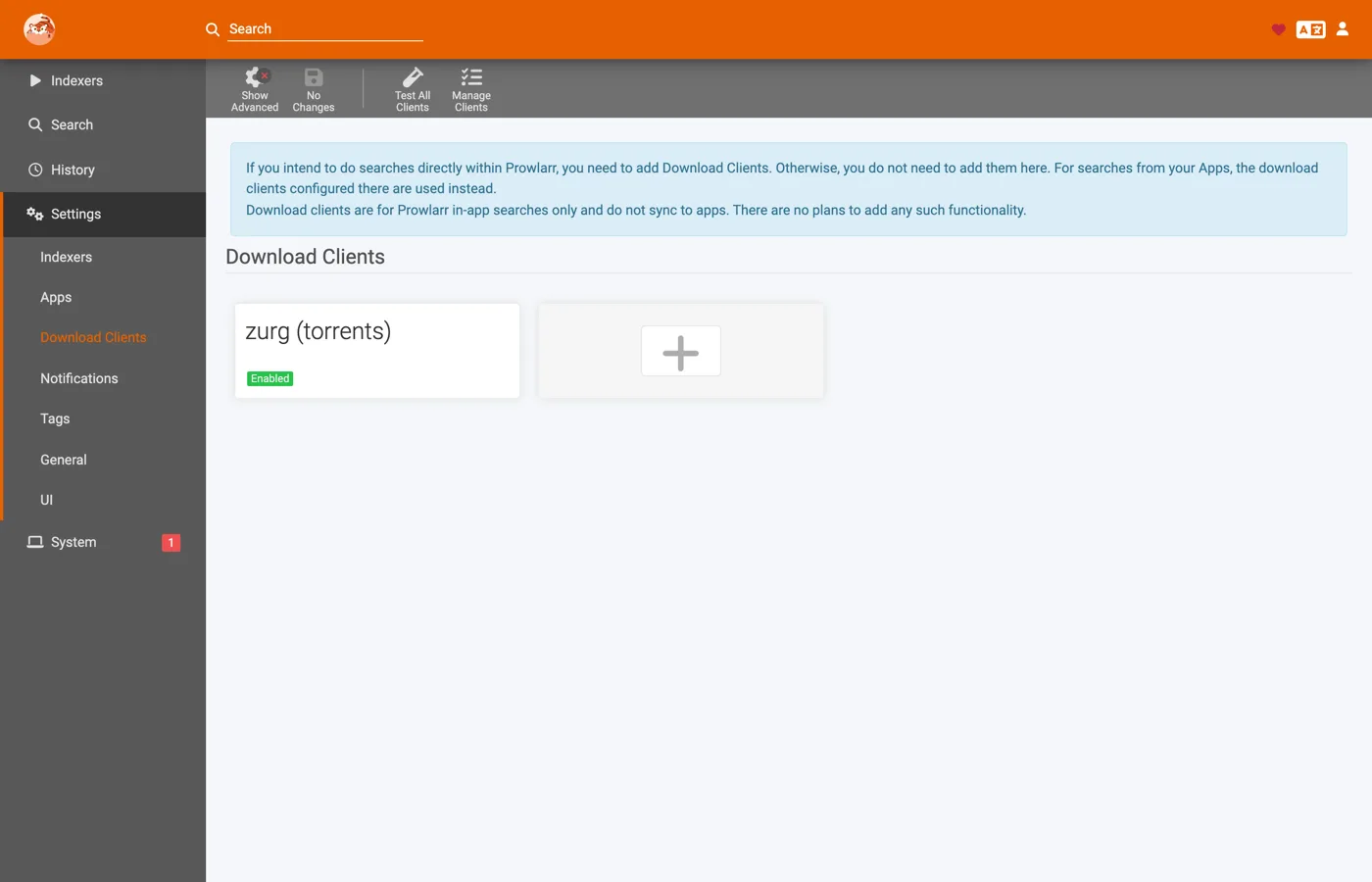
Then Search, type what you want, and push a row at the client:
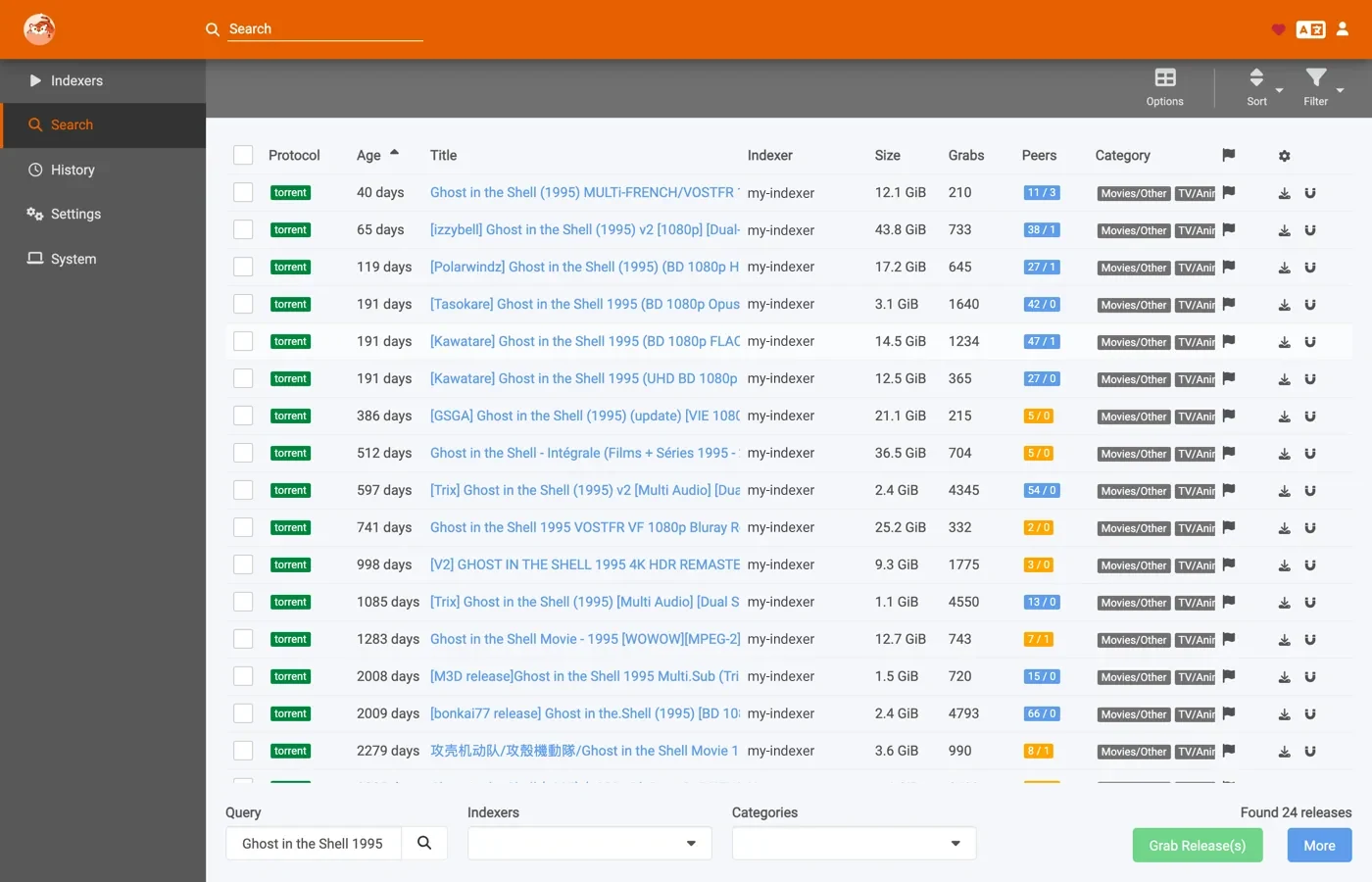
The release goes onto the account exactly as an *arr grab does — same add path, same categories, same __magic__ folder — and this one landed cached, finished inside a second. But nothing imports it. It sits in the account and serves from the mount, which is the point: Prowlarr's push is for put this on my debrid account now, not for the automated grab-import-clean pipeline. For that, keep Sonarr and Radarr pointed at the endpoint and let Prowlarr manage indexers.
11. Adding a release by hand
zurg's dashboard has no add button. You can still hand zurg a release yourself and send it to the right Sonarr or Radarr. Add it through this endpoint with that app's category. Each app only looks at its own category. Four apps with four categories each see only their own adds.
KEY=your-qbittorrent-api-key
curl -H "Authorization: Bearer $KEY" http://localhost:9999/api/v2/torrents/add \
  -F 'urls=magnet:?xt=urn:btih:<hash>&dn=Movie.Title.2012.1080p.WEB-DL' \
  -F category=radarr4k
A .torrent file works too. Send it as
-F 'torrents=@Movie.Title.2012.1080p.WEB.torrent' in place of urls.
Four things decide whether the app imports it.
-
The film or show has to be in that app already. It imports only what it can match to something it manages.
-
The name has to say what it is. A magnet's name is its
dn. A.torrentfile's name is its filename. zurg ignores qBittorrent'srenamefield. Radarr could not parseSinteland held it as Unable to parse download.Sintel.2010.1080p.WEB-DLimported. Give the name a year. -
Get the name right before the app first sees it. Once Radarr has called a download unparseable it keeps that verdict until Radarr restarts. Adding it again with a better name did not change it. After a restart it imported.
-
The category is only a label. A category that is not in
qbittorrent.categoriesis accepted. It just does not show up in the category list. You can move a release to another app later. The app that owns the new category imports it on its next check.
curl -H "Authorization: Bearer $KEY" http://localhost:9999/api/v2/torrents/setCategory \
  -F hashes=<hash> -F category=radarr
A release that is already on your account works the same way. That covers one you sent there from DMM. zurg sees it is already in the library and records it under the category without adding it twice. A release you never add through this endpoint stays invisible to Sonarr and Radarr. zurg shows them only what came through it.
Measured on 2026-10-04 on an AllDebrid account with Radarr 6.3. Each film was
imported by rename into __magic__/movies and nothing was copied. A Radarr set
to another category never saw it. Sonarr was not tested.
12. Plex reads one set of folders
An import does not take a release out of zurg's own folders. A film Radarr placed in __magic__/movies is still in movies and in __all__. So Plex has to read one set of folders and never both.
If your Plex libraries already point at movies and shows then leave them. The *arr grabs appear there without any change. Add the __magic__ folders to Plex only if you want a library made of nothing but *arr imports and then take the other folders out. Plex with both finds every title twice.
Never add the root of __magic__ either. It holds __magic__/__all__ which is the whole library again.
13. Indexers, and DMM for sponsors
Sonarr and Radarr search through Prowlarr. Any public torrent indexer works here because zurg adds the magnet to your debrid account. Some public sites sit behind Cloudflare and Prowlarr refuses to add them without FlareSolverr. Skip those.
If you sponsor zurg then DMM is an indexer too. It searches DMM's whole library and ranks what your debrid account already holds at the top. Those grabs are instant.
- Sign in at debridmediamanager.com/torznab and copy your API key.
- In Prowlarr open Indexers → Add Indexer and pick Generic Torznab.
- Put in the URL for your account and the key. Leave API Path at
/api.
TorBox and Premiumize need your key for that service linked in DMM first. The DMM page shows where. Add /cached to the end of the URL to leave out anything your account does not hold yet.
Prowlarr tests the indexer when you save it. A refused key means the sponsorship has lapsed or the key is wrong and the error says which. Prowlarr then hands DMM to Sonarr and Radarr by itself. One key allows 20 searches a minute across all your apps.
14. Your Plex watchlist
Sonarr and Radarr can follow your Plex watchlist. Anything you add on Plex gets added and searched and lands through zurg like any other grab.
In each app open Settings → Import Lists → + → Plex Watchlist and press Authenticate with Plex.tv. Set the root folder to your __magic__ folder and turn on search on add. Radarr picks up the movies on the list and Sonarr picks up the shows.
zurg has a watchlist of its own that grabs from indexers you give zurg directly. Use one or the other. With both, the same title gets grabbed twice.
To follow other lists such as a genre list see Lists in Sonarr & Radarr.
If the import copies instead of moving
Everything above depends on the import being a rename. Two things decide that and zurg has no say in either. One is how the container reaches the mount. A save path and root folders on two volumes copy every import whatever else is set.
The client will only move an imported file when it believes it is free to remove the download afterwards, which is three things at once: Remove Completed on, a finished-and-paused torrent, and a seed limit it can see has been reached. zurg reports the last two exactly as they have to be — every completed torrent comes back paused, at ratio 0 against a ratio limit of 0. Remove Completed is the one that is yours.
With it off the client copies instead, and off a debrid mount a copy means reading every byte of the release back over the network and writing it to local disk. The release in step 9 would go from a rename that moved nothing to a 17 GiB download, to import a file that was already there.
Nothing in the *arr says so. The import is reported as successful either way and the history row looks the same. The difference shows only in zurg's log:
zurg's own mount writes the copy straight into data/local. zurg only hears the delete. A PUT of a media file arriving while an import is in flight is that import copying through some other mount. The /magic/ page says the same thing more slowly: it reports the size of data/local, which is where a copying client's bytes land and where nothing else would put them. If that number grows every time something imports, this is why.
Turn Remove Completed back on and the next import is a rename again. Use Hardlinks instead of Copy is not a substitute — the client only consults it once it has already decided to copy, so it cannot turn a copy back into a move.
Timeouts, and cached-only mode
A grab that stops moving comes off the account it is on and is offered to the next. One key decides it:
qbittorrent:
download_timeout_mins: 15What counts as moving is a change of stage or a rise in progress, judged on the raw fraction the account reports rather than whole percent — one percent of a 100 GB release is a gigabyte. A release the account is unpacking is exempt from the clock: that stage sits at one figure for as long as it takes.
Fifteen is measured, not chosen. AllDebrid parks a healthy job in its own queue with every counter at zero; two runs out of two sat there for 580 and 622 seconds before downloading in seconds and finishing. A ten-minute default would have abandoned both. The captures, and the table mapping each account's own wordings onto the five states the *arrs understand, are in Torrent lifecycle.
What a timeout deletes. The instance on that account, and only that one: the delete reaches an instance zurg added itself for this grab and that never finished, and nothing else. Once no account is left the grab is reported errored with a reason naming every account and what it did.
A torrent you delete by hand on the account is only noticed on Real-Debrid, which answers an unknown id with a 404 and means it. TorBox answers HTTP 500 with a database error, which is also what it answers when its own database is unhappy, and AllDebrid's error does not separate the two — so on those two zurg keeps asking and the no-movement clock is what ends it. On Real-Debrid the grab moves to the next account immediately.
The whole add is budgeted at 75 seconds. The *arrs cancel a torrents/add at 100 seconds and report the expiry as a connection failure, with no way to raise it. Every account shares the one deadline, so three accounts fit comfortably and a fourth gets whatever the first three did not spend.
Cached-only mode is the one worth knowing as a policy choice: the refusal happens inside the add, synchronously, and a synchronous refusal is the only signal the *arrs act on — they fail the grab and move to the next release in the list. Everything after the add reaches them as a warning about a download in progress, which they wait on. Set download_timeout_mins: 0 and an uncached release is rejected on the spot instead of being downloaded. How the question gets answered is each service's own business:
What works, and what does not
Works:
- The connection test in all three clients — API version, authentication, the category and the torrent list.
- Grabbing, queue, history, import by rename, and the post-import cleanup, in Sonarr and Radarr.
- Re-grabbing a release the account already holds. The *arr gets the finished torrent back and imports it; the account keeps one copy.
- Multiple accounts: a grab is offered to each in the order of
providers:, and a refusal or a stall moves to the next. - Pushing a release by hand from Prowlarr.
Does not:
- The qBittorrent Web UI. This is the API only; there is no page to open.
- Seeding, queueing and priorities. There is no swarm. Pause, force-start, reprioritise, recheck, relocate and share limits are accepted and do nothing.
- Failure as a first-class state. qBittorrent's API has no way to say a download failed, so a release no account would take reaches the *arr as a warning, never as a blocklist entry. It is visible in the queue with the reason attached, one click from Remove → Blocklist and Search, but it does not clear itself and nothing re-grabs unattended. This is the real difference from the SABnzbd endpoint, which can report a failed job and have the client react.
- Adding by plain HTTP URL.
torrents/addtakes magnets and uploaded.torrentfiles. Both *arrs send one of those; a barehttp://…/x.torrentis refused. - Basic auth on the endpoint. The API key is the only gate.
One grab does vanish from the queue rather than warning. If no account ever took the release — none holds the hash and none is fetching it — it is reported errored after ten minutes and dropped from the torrent list after a day. There is no download to report a state for, and a queue entry for one that does not exist is worse than none. Every other failure stays visible.
Blocked release names, Real-Debrid only. RD refuses some releases on the name alone. Since 14 October 2026 that is eleven strings. WEB-DL, WEB.x264 and WEB.H264 count only in exactly that case, so web-dl, Web-Dl and the scene's WEB.h264 are fine. WEBRip, BDRip, HDRip, DVDRip, HDTV.x264, HDTV.XviD, BluRay.x264 and p.BluRay.DTS count in any case. That last one needs a p right before it as in 1080p.BluRay.DTS. A 2002.BluRay.DTS release is fine. zurg knows the patterns and refuses such a grab immediately rather than spending an add slot and a minute of retries on a refusal that was certain. The client fails that grab and takes the next release, which is what you want. On TorBox and AllDebrid the same release is added normally.
Troubleshooting
Where the state lives
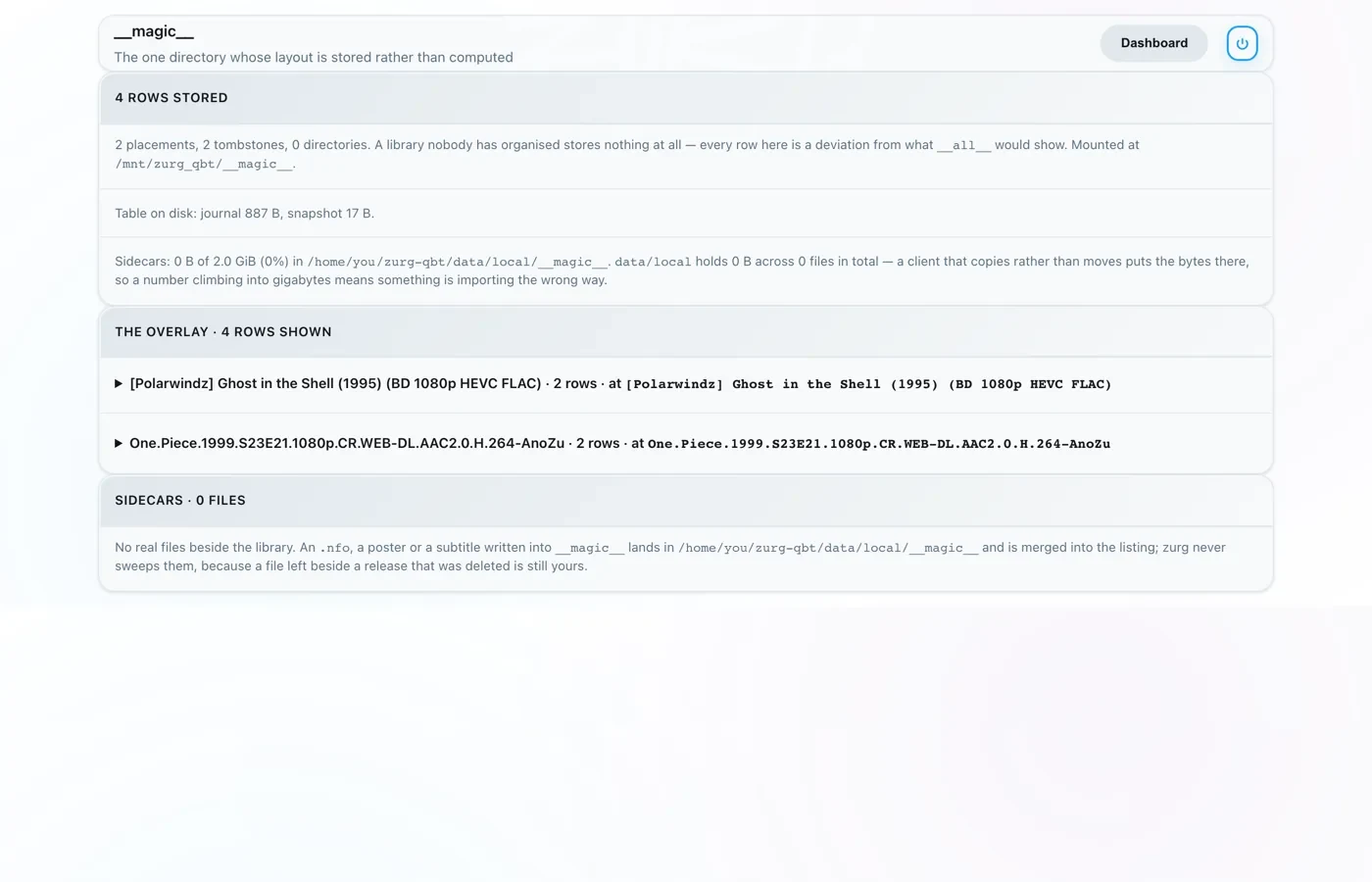
The __magic__ page on zurg's dashboard shows the results of the imports: placements are files the clients moved, tombstones are the job folders they deleted afterwards, and the releases the endpoint took are listed as rows against the folders they were imported out of.
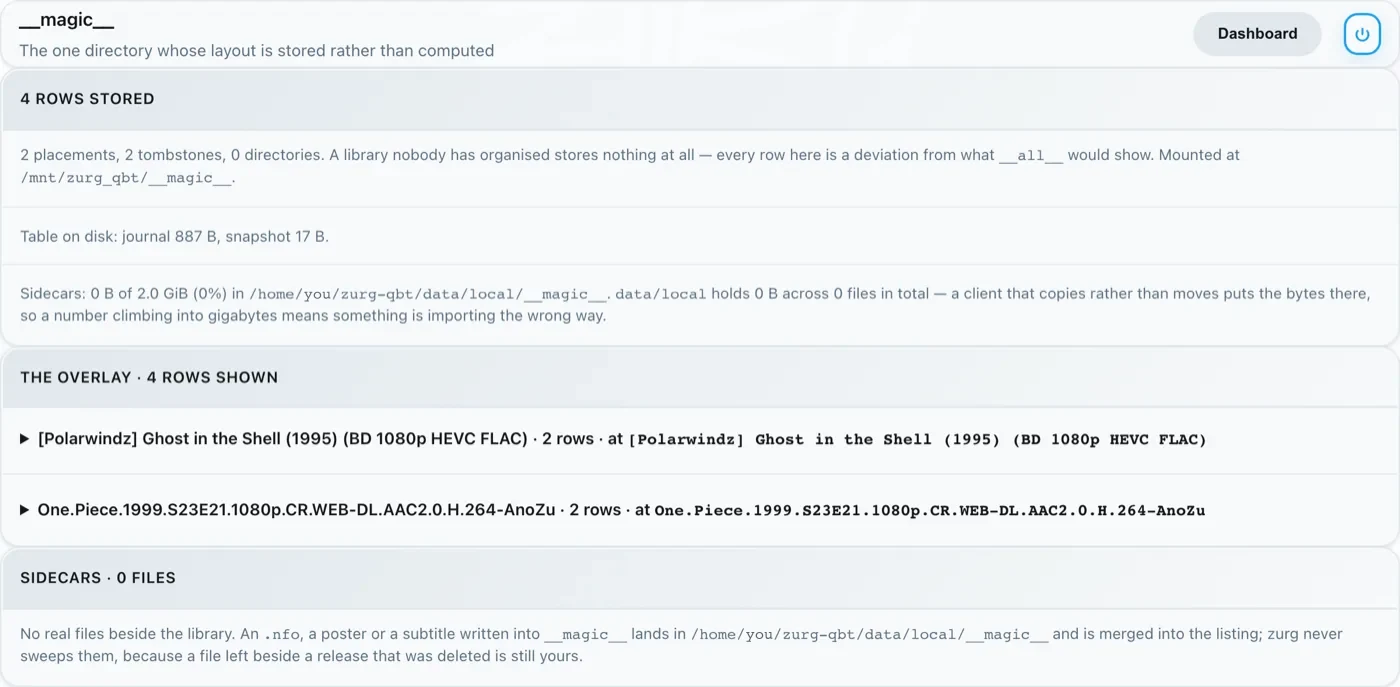
The reference has every qbittorrent: key, and the client contract — written against the Sonarr and Radarr source — is the specification the endpoint answers to, with the file and line of every claim.