Sonarr and Radarr, step by step
There are three ways to use Sonarr and Radarr with zurg. Pick the one that matches the account you have.
The first two can run side by side. They share the same __magic__ folder.
Point Sonarr and Radarr at zurg and they grab from Usenet without a Usenet client — no download, no unpack, no disk. Every step below, with the screen you should be looking at.
This is the Usenet half. SABnzbd carries NZBs and nothing else; the torrent half is a separate endpoint answering the same two clients as a qBittorrent, and the two share this folder — see Sonarr & Radarr for torrents.
Everything below was captured against zurg nightly-993-g99bcf9a4, Sonarr 4.0.19.2979 and Radarr 6.3.0.10514, on a live install with a real Usenet account. Host and user names have been changed to you@zurg-server. Indexer names read my-indexer. API keys and library counts are illustrative. Nothing else in the captured output was altered.
Before you start
Three things have to be true. Check all three now — every one of them fails later as something that looks unrelated.
- zurg has an
nzbprovider. Without one there is nothing to read what the endpoint writes, and every job sits queued for ever. zurg says so at startup. See Usenet. magic.enabledistrue. Without it the completed directory does not exist and every import fails. See__magic__.- The mount is visible to the *arr at the path zurg reports. If Sonarr runs in a container, read
step 8 before you configure anything.
Check the first two straight out of the config file, in zurg's working directory:
$ grep -A6 '^providers:' config.yml
providers:
- type: nzb
  nntp:
    host: news.example.com
    port: 563
    tls: true
    username: <redacted>
    password: <redacted>

$ grep -A4 '^magic:' config.yml
magic:
  enabled: true
  allow_delete: false
  sidecar_max_mb: 32
  sidecar_budget_mb: 2048
allow_delete: false is the safe default and does not affect imports — a delete inside __magic__ hides the entry rather than removing content from the account.
1. Turn the endpoint on
Two ways, same result. Both write to config.yml and both need a restart: the routes that serve __magic__ and the SABnzbd endpoint are registered once, when zurg starts.
Option A — the dashboard
Open zurg's dashboard, click Config, and scroll to __magic__ & Download Clients. Turn on Serve __magic__ and SABnzbd Endpoint, then set SABnzbd Categories to tv, movies.

Config is where the setting lives; Magic is where you will watch grabs arrive later.
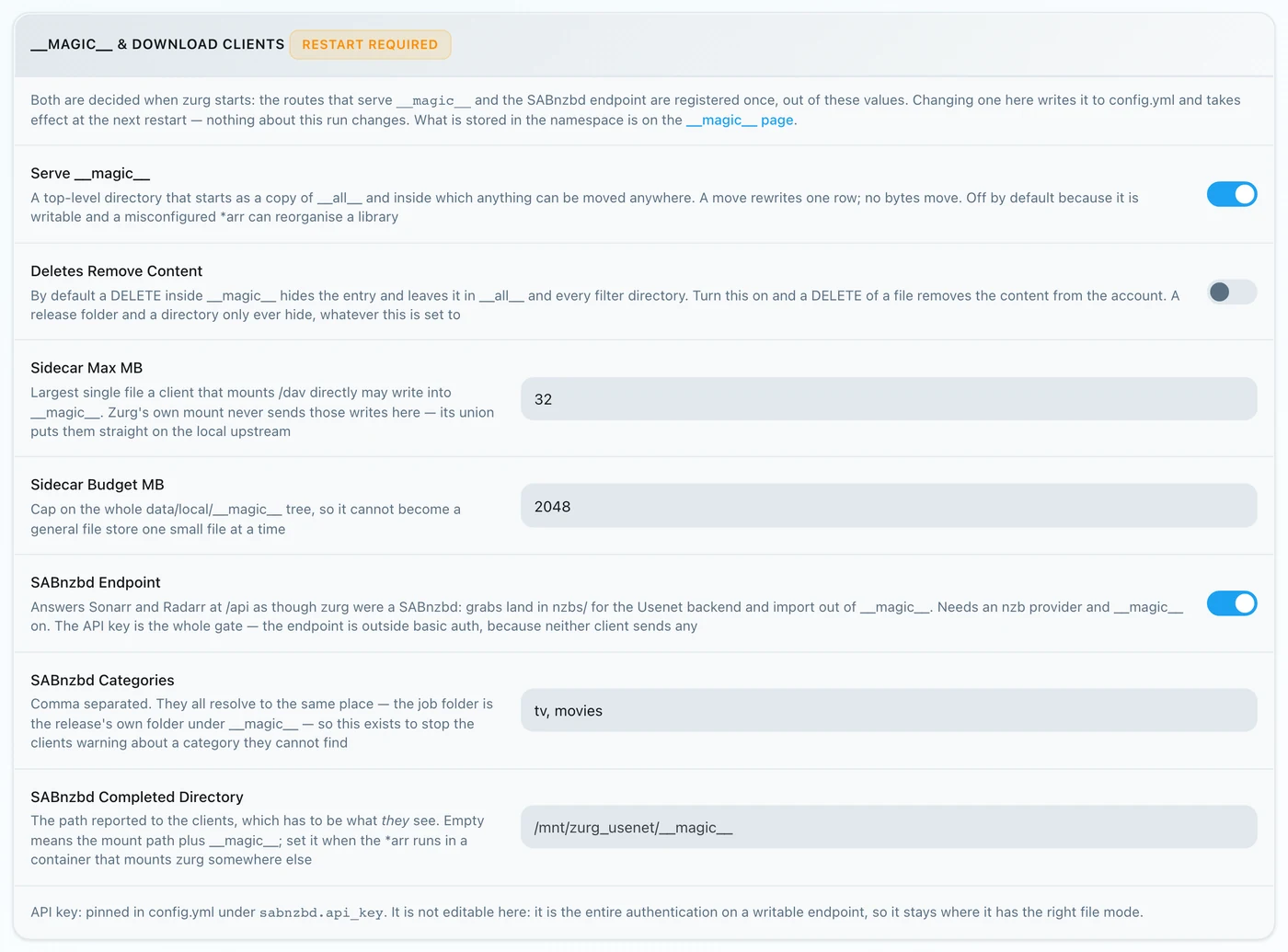
Leave SABnzbd Completed Directory empty unless your *arr mounts zurg somewhere other than zurg does — see
Option B — config.yml
Add the block by hand and restart zurg.
magic:
  enabled: true

sabnzbd:
  enabled: true
  api_key: ""          # empty = zurg generates one and keeps it
  categories: [tv, movies]
  complete_dir: ""     # empty = <mount_path>/__magic__/__all__
The categories are not folders. They all resolve to the same place — a job's folder is the release's own folder under __magic__/__all__. The list exists only so Sonarr and Radarr stop warning about a category they cannot find. If Sonarr's category is tv, tv must be in this list.
Restart zurg, then confirm the provider took:
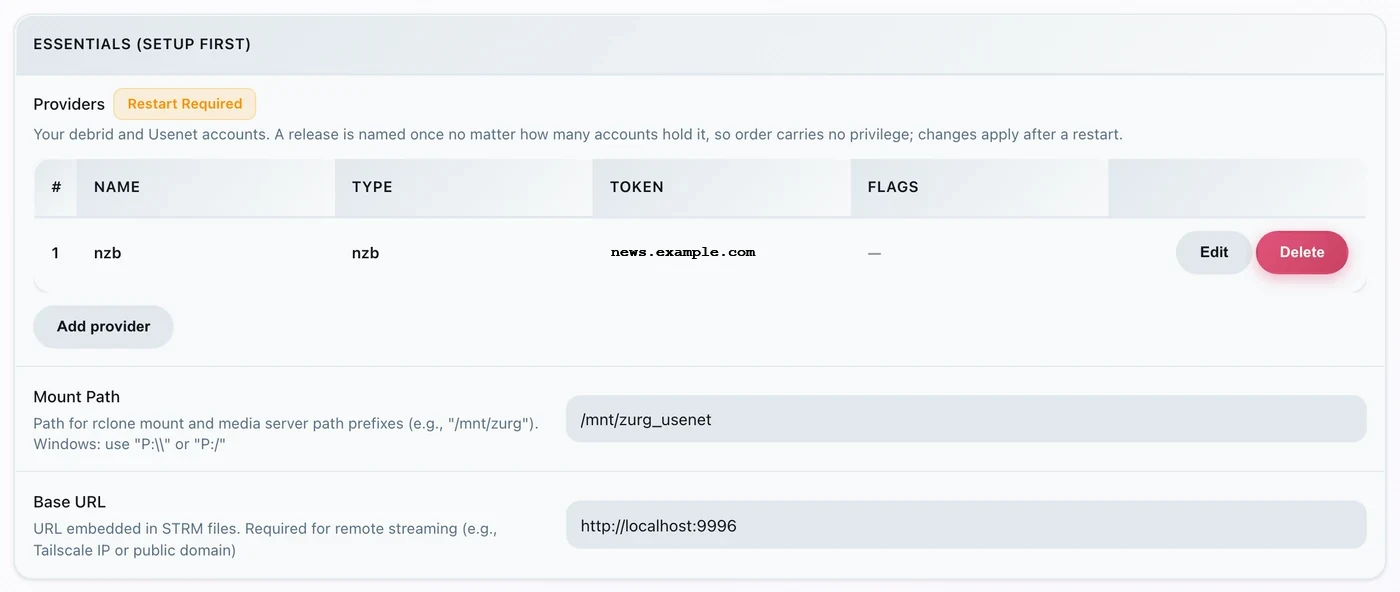
One nzb row is all the endpoint needs.
2. Find the API key
The API key is the entire authentication on this endpoint, so get it right once and don't paste it anywhere public.
If you left api_key empty, zurg generated one on first start, wrote it to data/sabnzbd-apikey, and logged it once:
$ cat data/sabnzbd-apikey
0123456789abcdef0123456789abcdef

$ journalctl -u zurg-usenet | grep 'generated API key'
SABnzbd: generated API key 0123456789… — paste it into Sonarr or Radarr,
or pin it as sabnzbd.api_key in config.yml
Illustrative key — yours will differ. The file survives restarts, so the key is stable once generated.
If you set api_key yourself, it is in config.yml and no file is written. The dashboard tells you which of the two you are in, at the bottom of the block in step 1 — it reads either pinned in config.yml under sabnzbd.api_key or generated and kept in data/sabnzbd-apikey.
This endpoint is outside zurg's basic auth. Neither Sonarr nor Radarr ever sends basic auth to a download client, and their HTTP layer turns a 401 into "unable to connect" with nothing actionable in it — so zurg deliberately exempts /api. The API key is the whole gate. Treat the port the way you treat the rest of zurg's: on a trusted network, or behind something that is.
3. Prove it answers
Do this before touching Sonarr. It takes ten seconds and it separates "zurg is wrong" from "the *arr is wrong" for the rest of the setup.
$ SAB=0123456789abcdef0123456789abcdef
$ ZURG=192.168.88.245:9996

$ curl -s "http://$ZURG/api?mode=version&apikey=$SAB&output=json"
{"version":"4.5.1"}

$ curl -s "http://$ZURG/api?mode=get_config&apikey=$SAB&output=json" \
    | jq '.config.misc.complete_dir, [.config.categories[].name]'
"/mnt/zurg_usenet/__magic__/__all__"
[ "*", "tv", "movies" ]
complete_dir is the path zurg will hand the clients — check now that it is a path they can open.
Then check that a wrong key is actually refused:
$ curl -s "http://$ZURG/api?mode=queue&apikey=wrongkey&output=json"
{"status":false,"error":"API Key Incorrect"}

$ curl -s "http://$ZURG/api?mode=queue&output=json"
{"status":false,"error":"API Key Required"}
mode=version is not an authentication test. It answers {"version":"4.5.1"} even with a wrong key — that is how real SABnzbd behaves, and zurg copies it. Use mode=queue or mode=get_config when what you actually want to test is the key.
Both URL shapes work, so either is fine in the client's URL Base field:
If /api returns a plain 404, sabnzbd.enabled is still false or zurg has not been restarted since you changed it.
4. Make the root folders
Make them before you add them, because the *arr's Add Root Folder dialog browses the live filesystem and will not offer a folder that does not exist.
$ mkdir -p /mnt/zurg_usenet/__magic__/tv /mnt/zurg_usenet/__magic__/movies

$ ls -d /mnt/zurg_usenet/__magic__/tv /mnt/zurg_usenet/__magic__/movies
/mnt/zurg_usenet/__magic__/movies
/mnt/zurg_usenet/__magic__/tv
Substitute your own mount_path for /mnt/zurg_usenet. The folder names are yours to choose; tv and movies just match the categories.
The root folder goes beside the completed directory, not at it and not above it. zurg hands the clients __magic__/__all__, which is your library as __all__ lists it. Your root folders sit next to it, at __magic__/tv and __magic__/movies. Not __magic__/__all__, not __magic__ itself and not /mnt/zurg_usenet. Both clients raise a health check when a root folder is the download client's output folder, and Radarr also raises one when a root folder contains it. Siblings trip neither, and a manual import pointed at the completed directory then has one release to look at rather than your whole library.
This is what getting it wrong looks like. Both are real, from the two clients. They were taken before the completed directory moved down to __magic__/__all__, so the paths in them are one level up from yours — the two rules they show are the same ones:

Sonarr with the completed directory itself added as a root folder — it warns because the root folder is the output folder.

Radarr with /mnt/zurg_usenet added — it warns for the parent too, which Sonarr does not. Move the root folder beside the completed directory and both warnings go.
5. Add the client in Sonarr
A brand-new Sonarr blocks everything behind a first-run screen. Pick Forms (Login Page), set a username and password, and click Save.
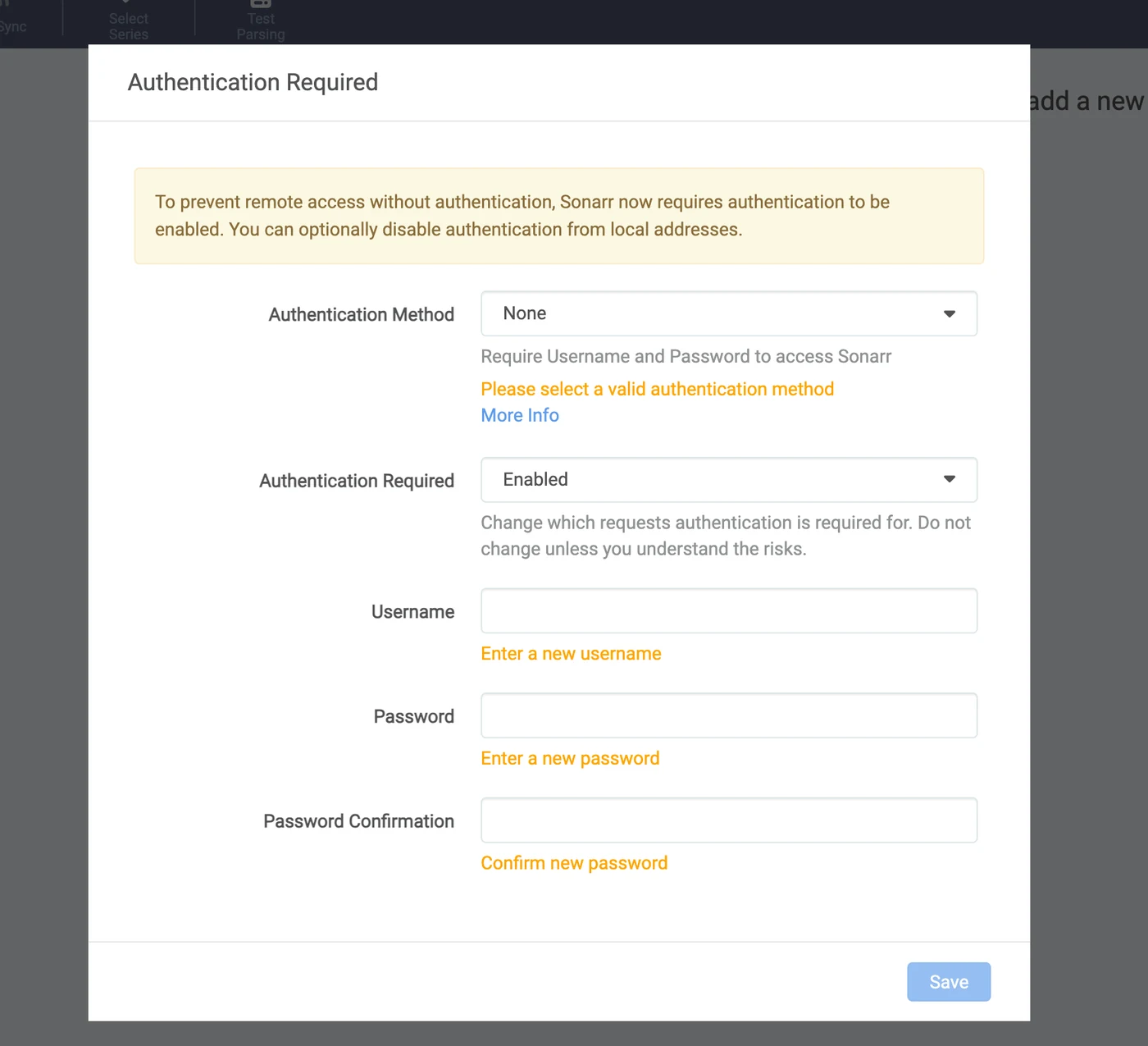
It will not let you past until Authentication Method is something other than None.
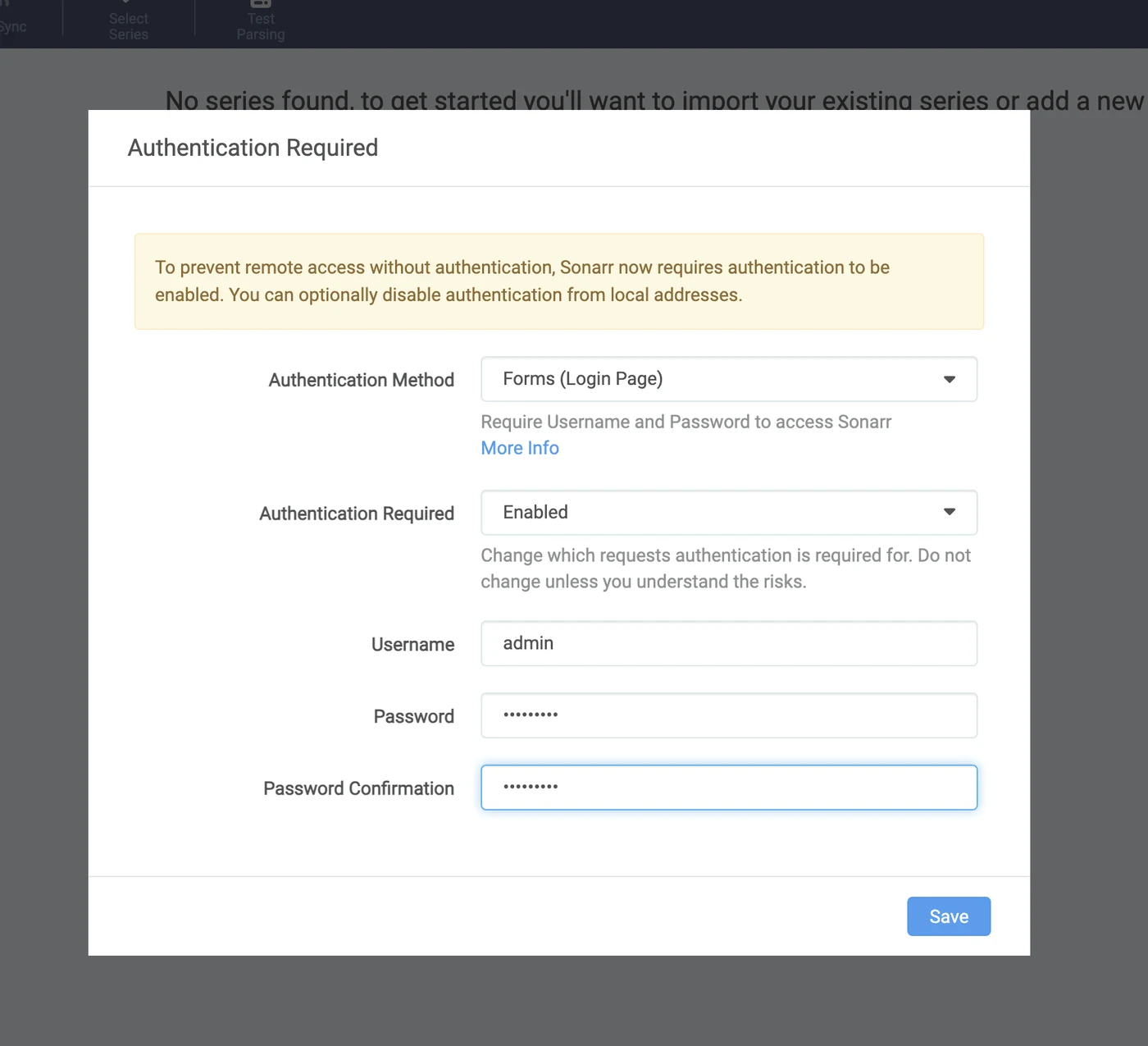
After Save you are signed out once and land on the login page.
Settings → Download Clients
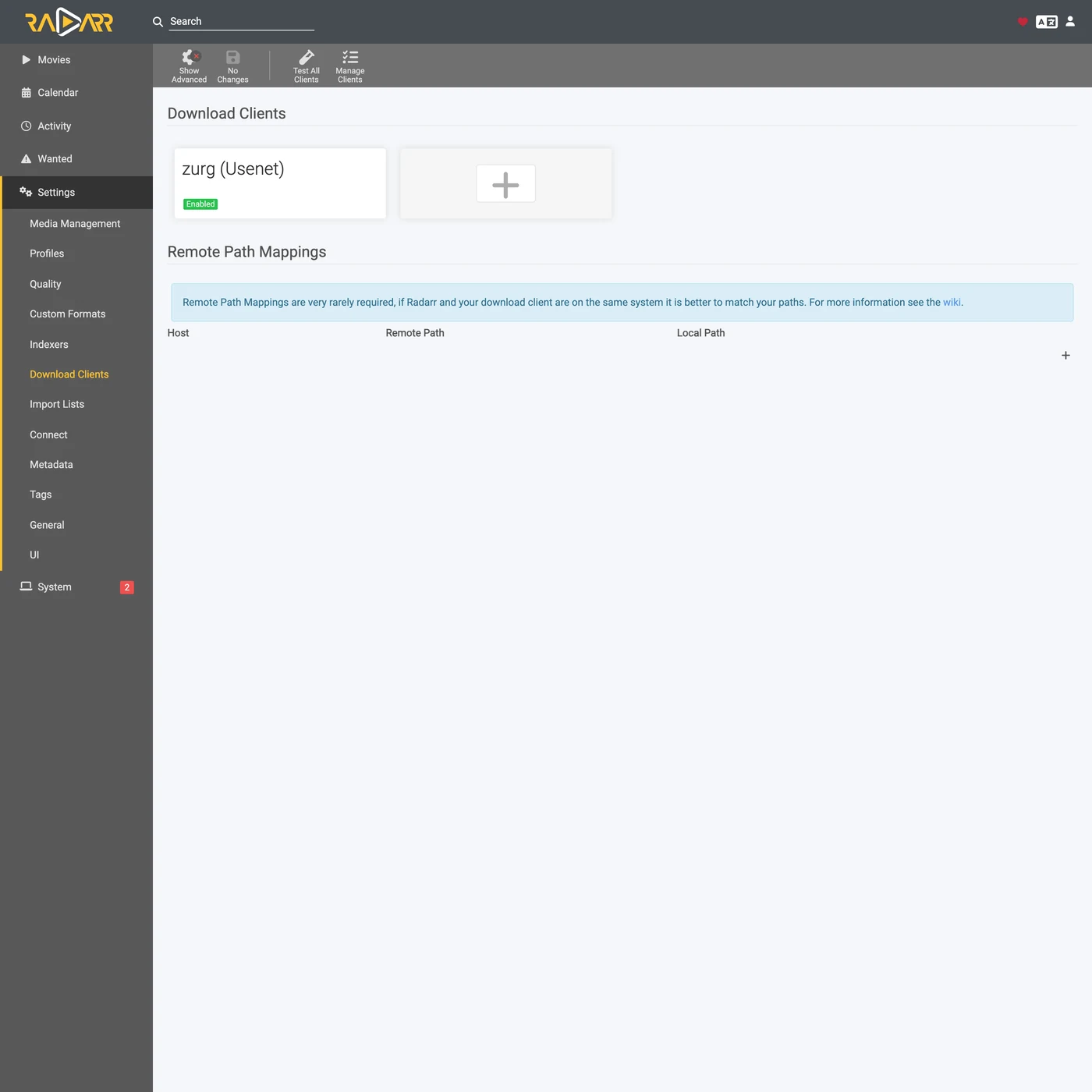
Go to Settings → Download Clients. On a fresh install there is nothing here but the + card.
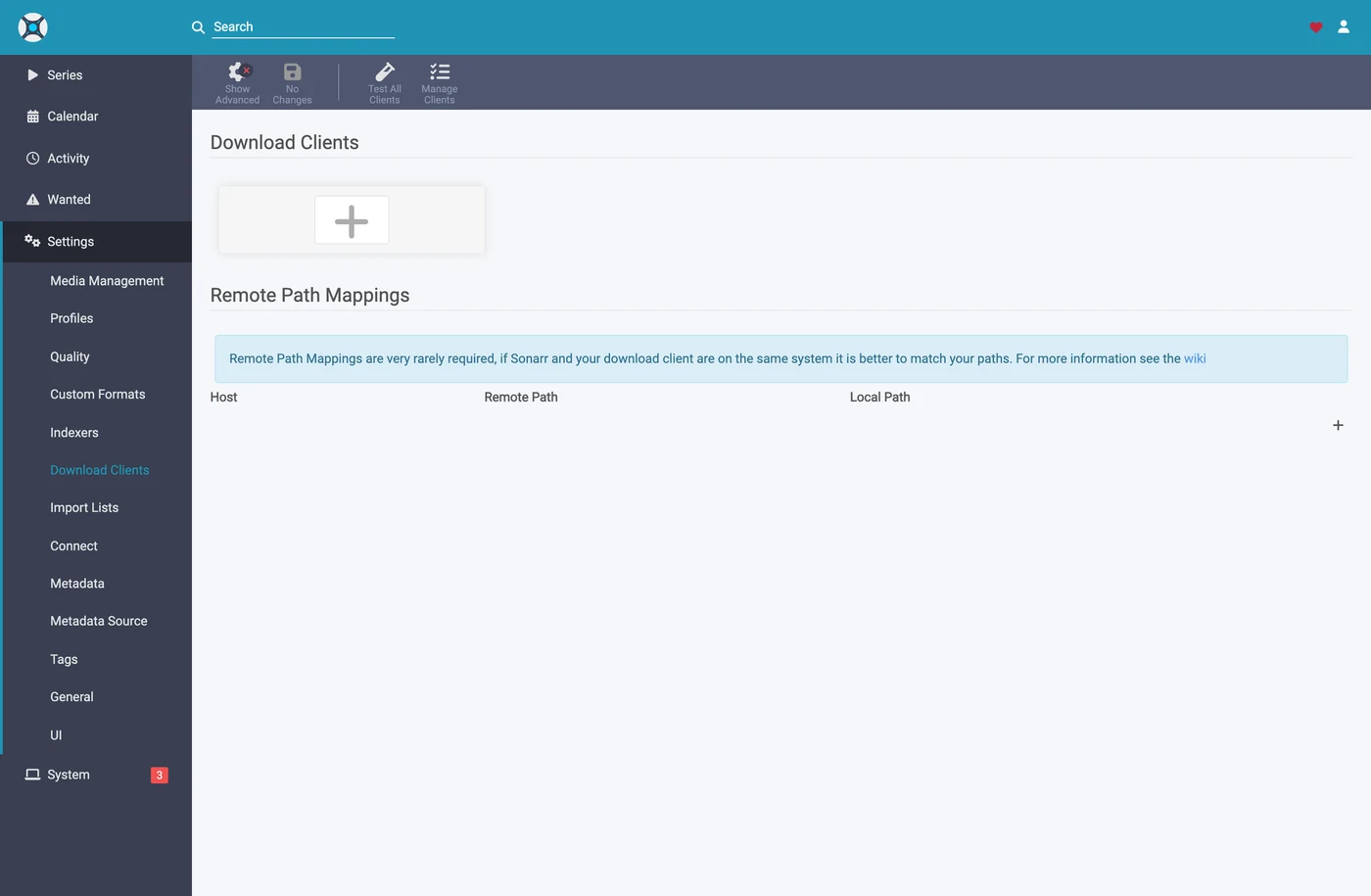
Click the + under "Download Clients" — not the one further down under "Remote Path Mappings".
Choose SABnzbd from the Usenet column.
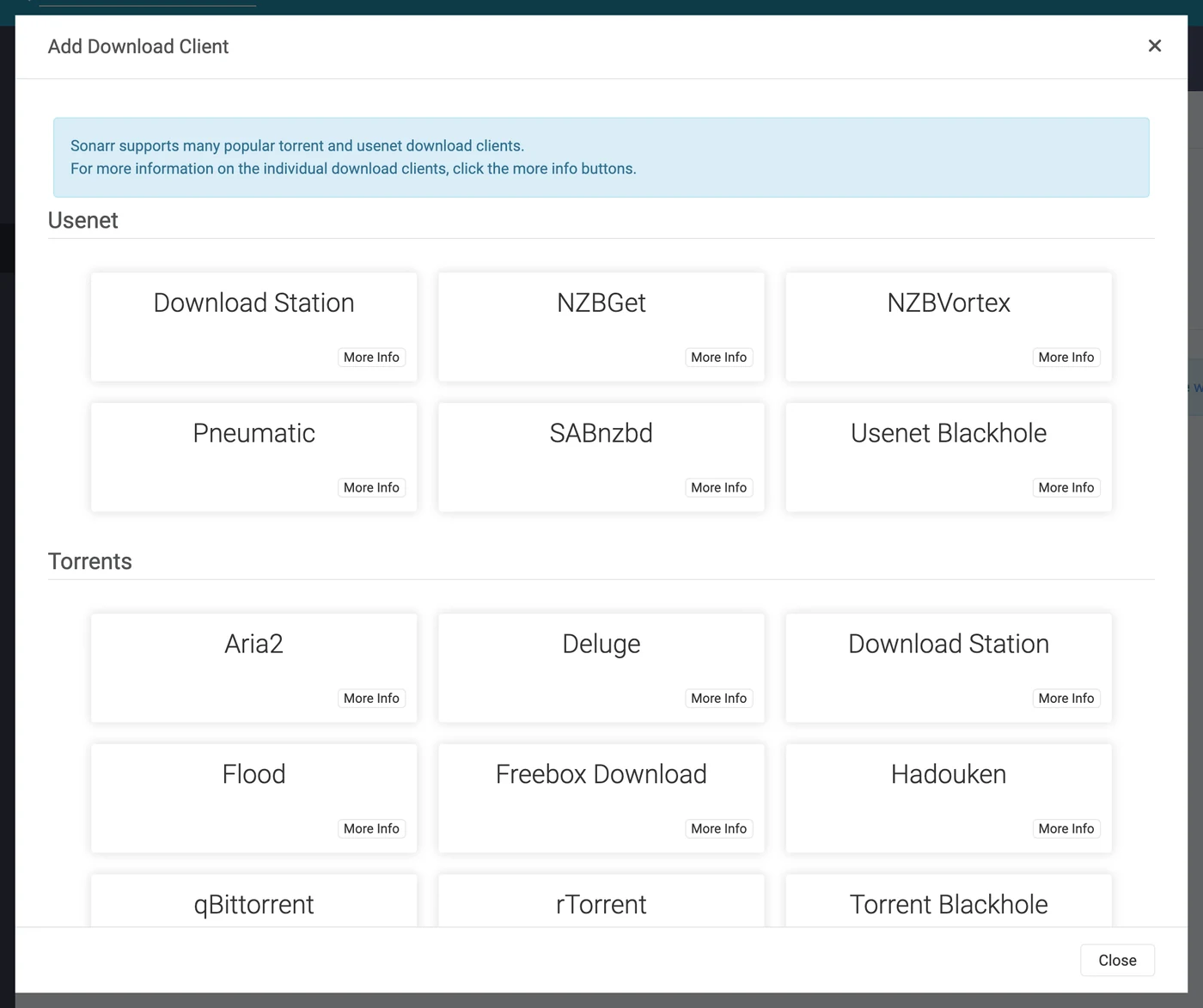
zurg impersonates SABnzbd specifically, so nothing else in this list will work.
The dialog opens with SABnzbd's own defaults — localhost, port 8080, no key.
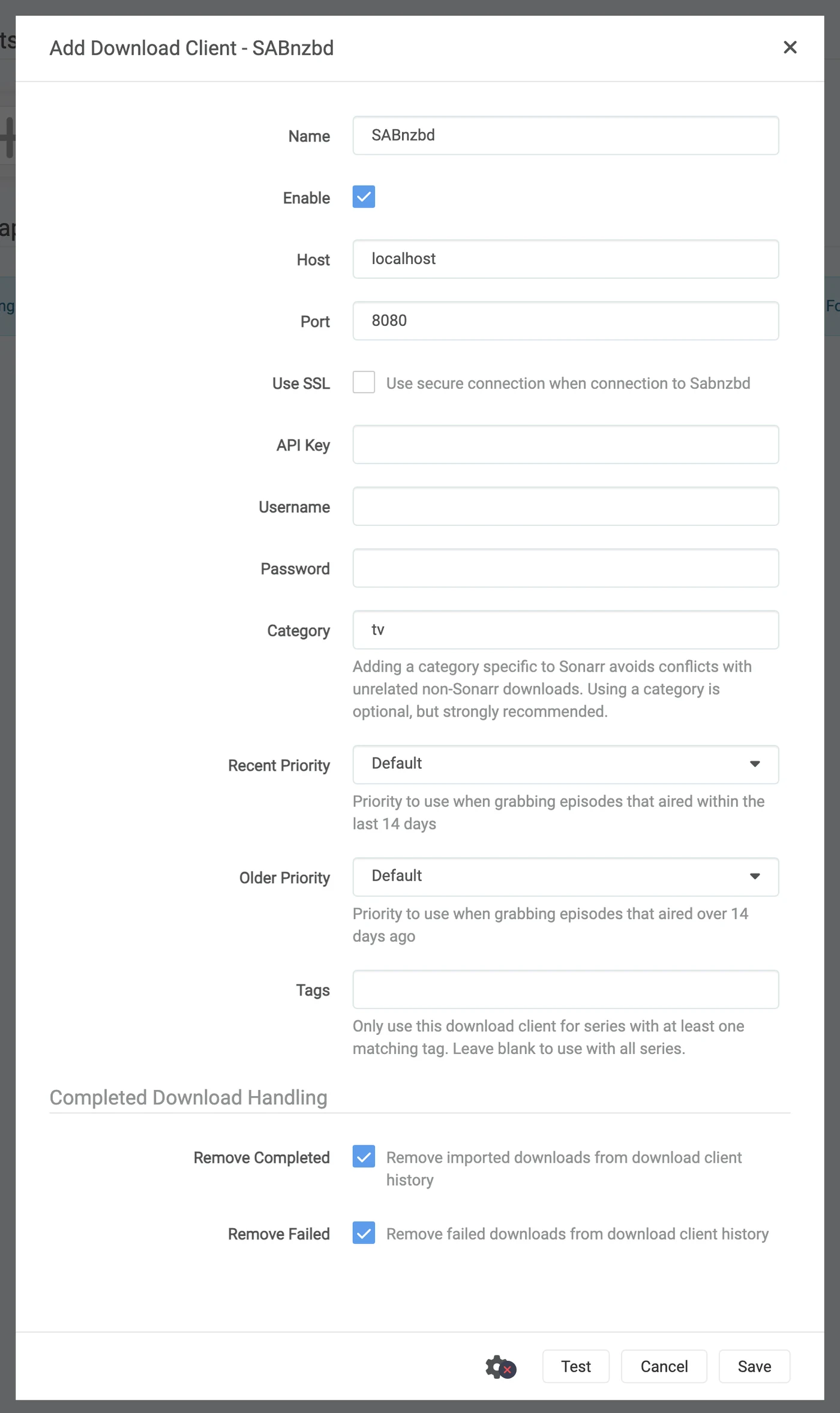
What to put in each field
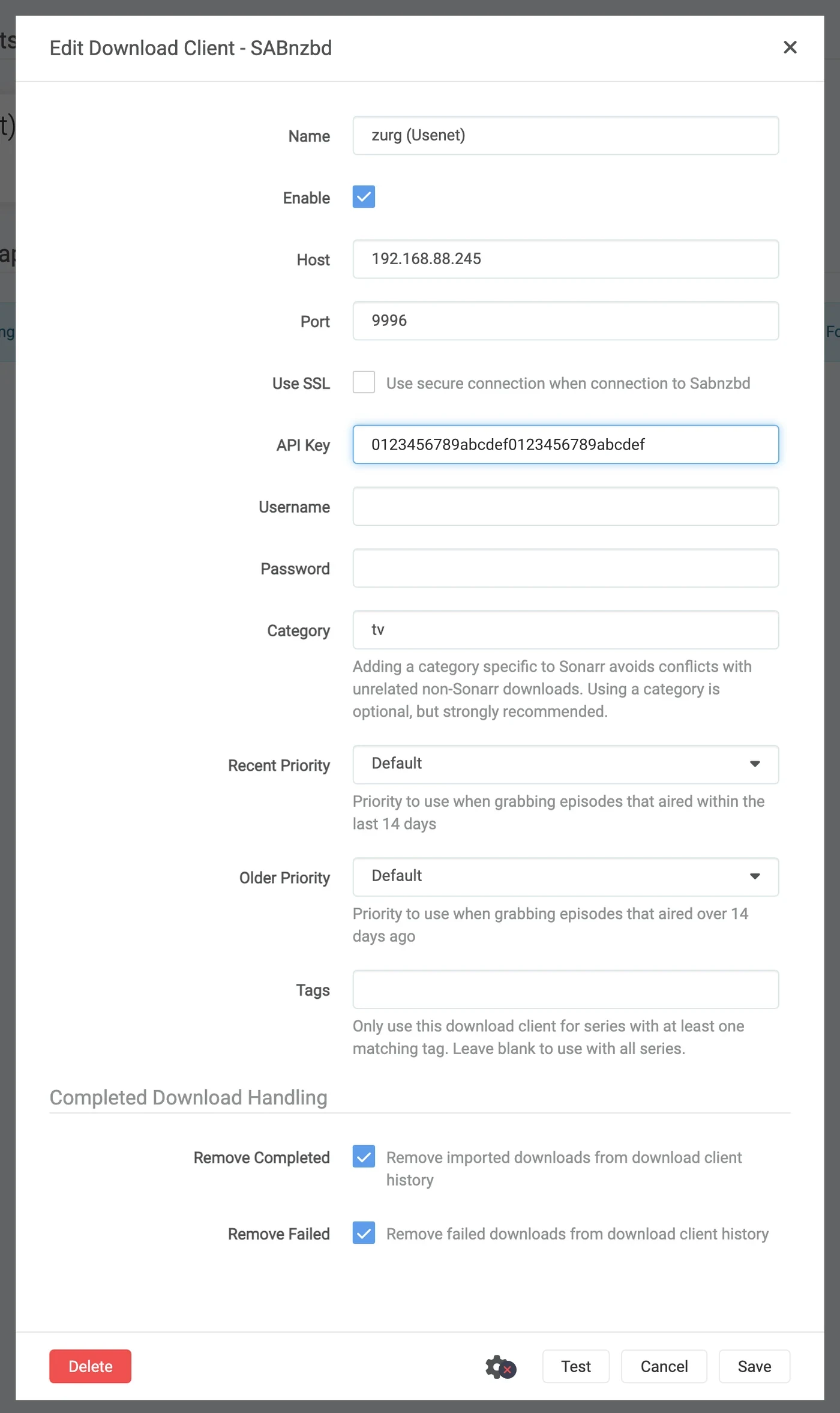
The API key shown is illustrative — paste your own.
In Docker, "localhost" and the hostname both lie. Inside a container, localhost is the container, and the machine's own hostname usually resolves to 127.0.1.1 — which is also the container. Use the host's LAN or Tailscale IP, never localhost and never the bare hostname, even when both work fine from your shell.
Click Test. A green tick means all four of the client's checks passed: version, API key, global config, and the category.

Now click Save.
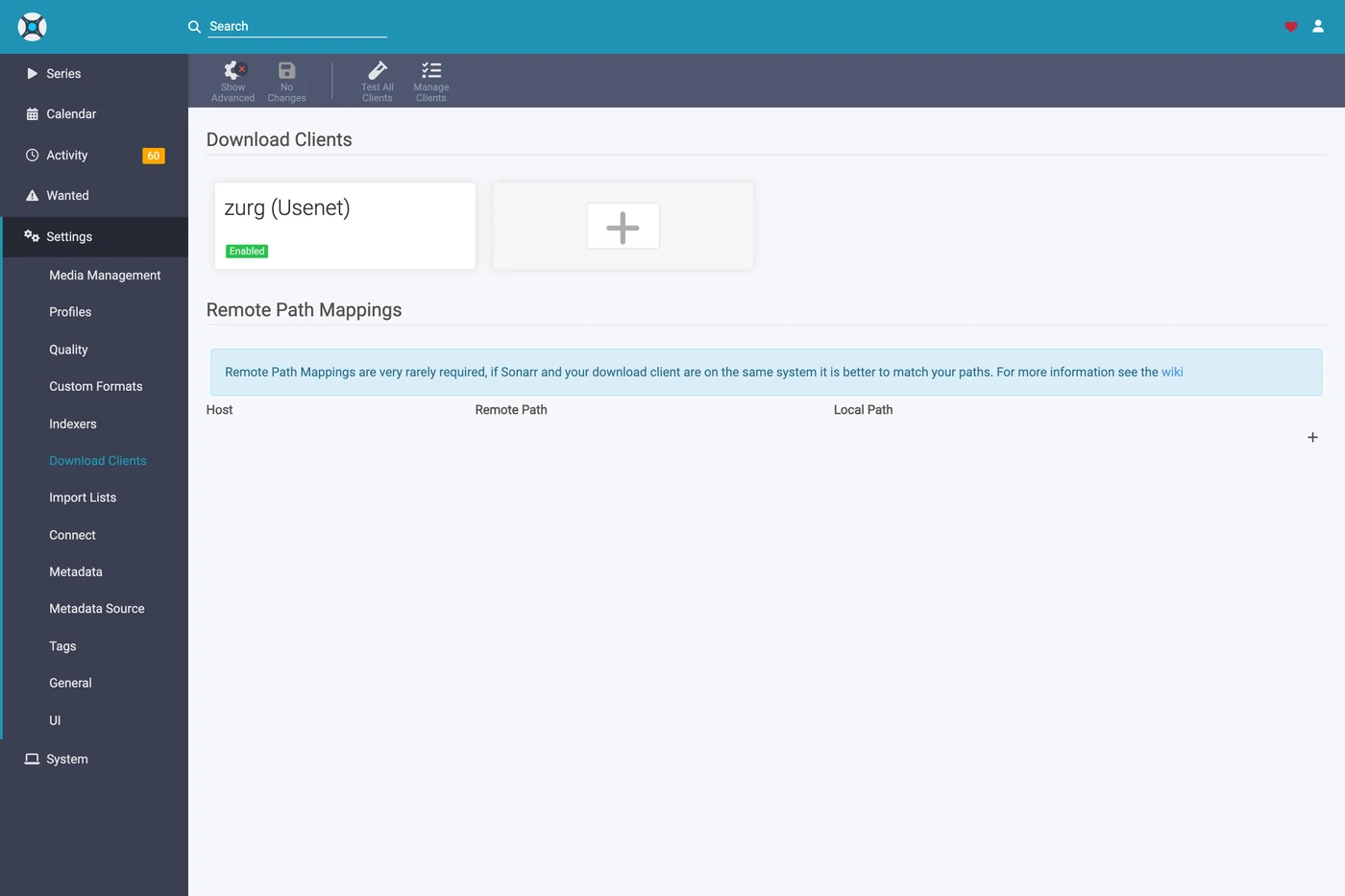
6. Add the root folder in Sonarr
Go to Settings → Media Management and scroll to the bottom.
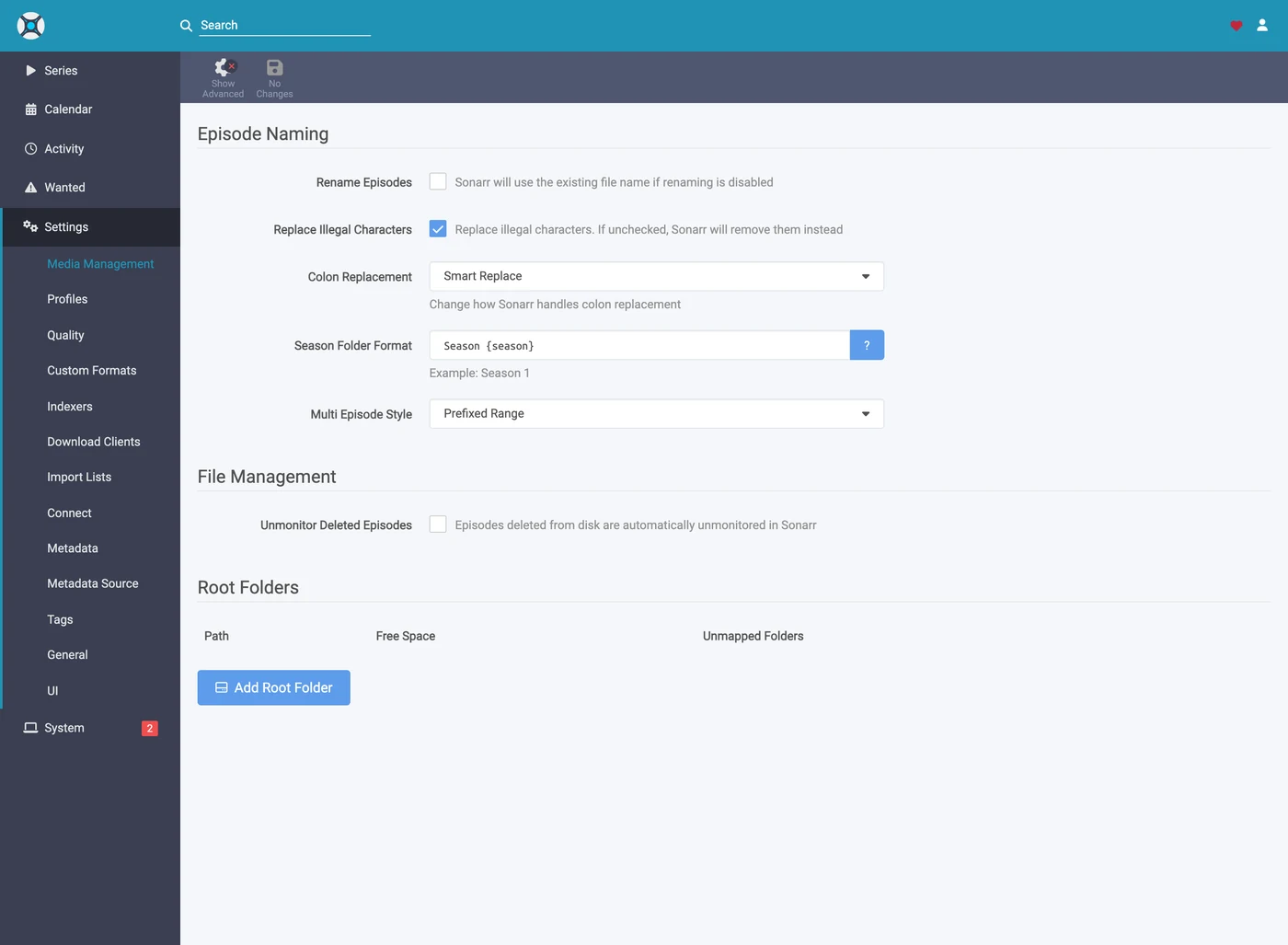
Click Add Root Folder. A file browser opens on the container's filesystem.
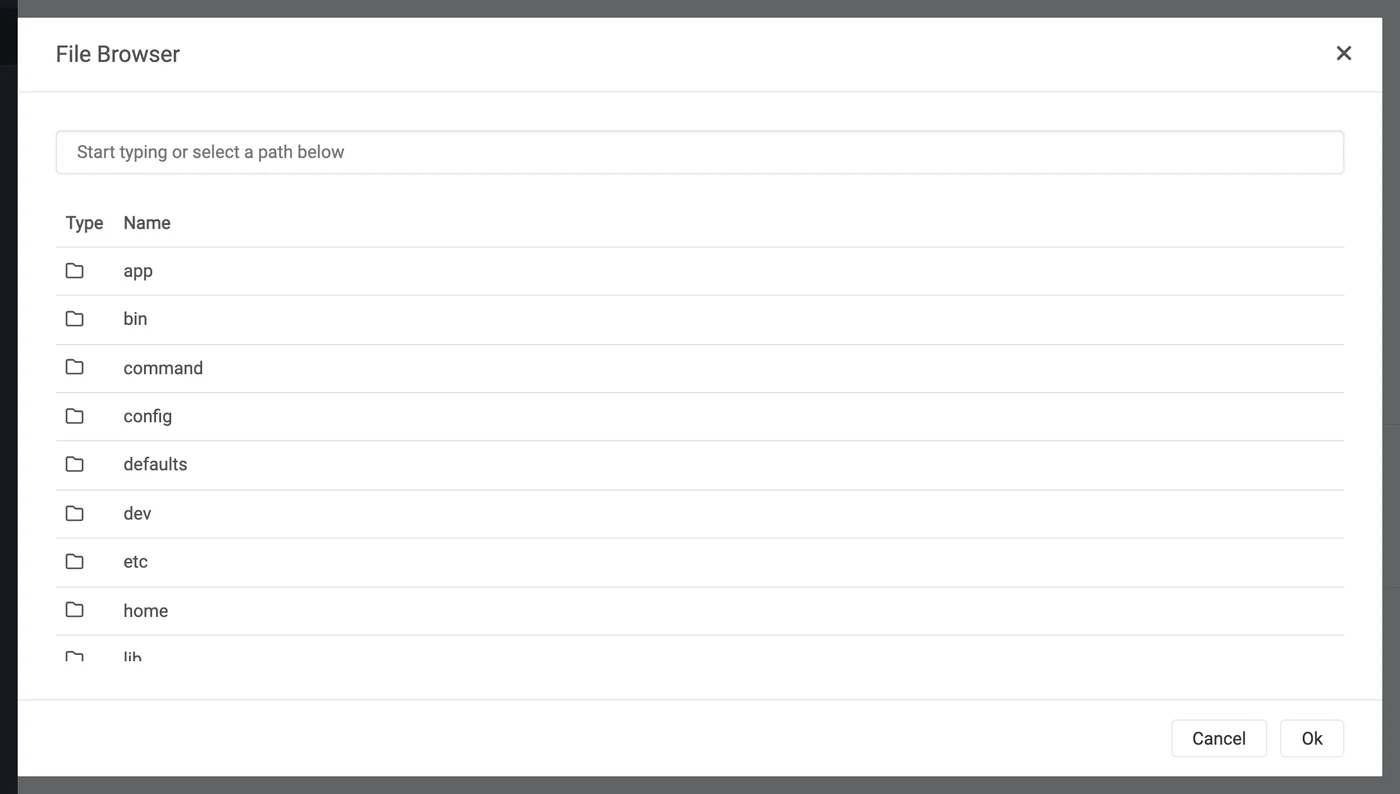
Type the path into the box at the top. If the mount is genuinely visible to Sonarr, what is inside __magic__ appears as you type — __all__ with every release in it, and whatever you made beside it. That is the fastest proof you will get that the bind mount is correct.
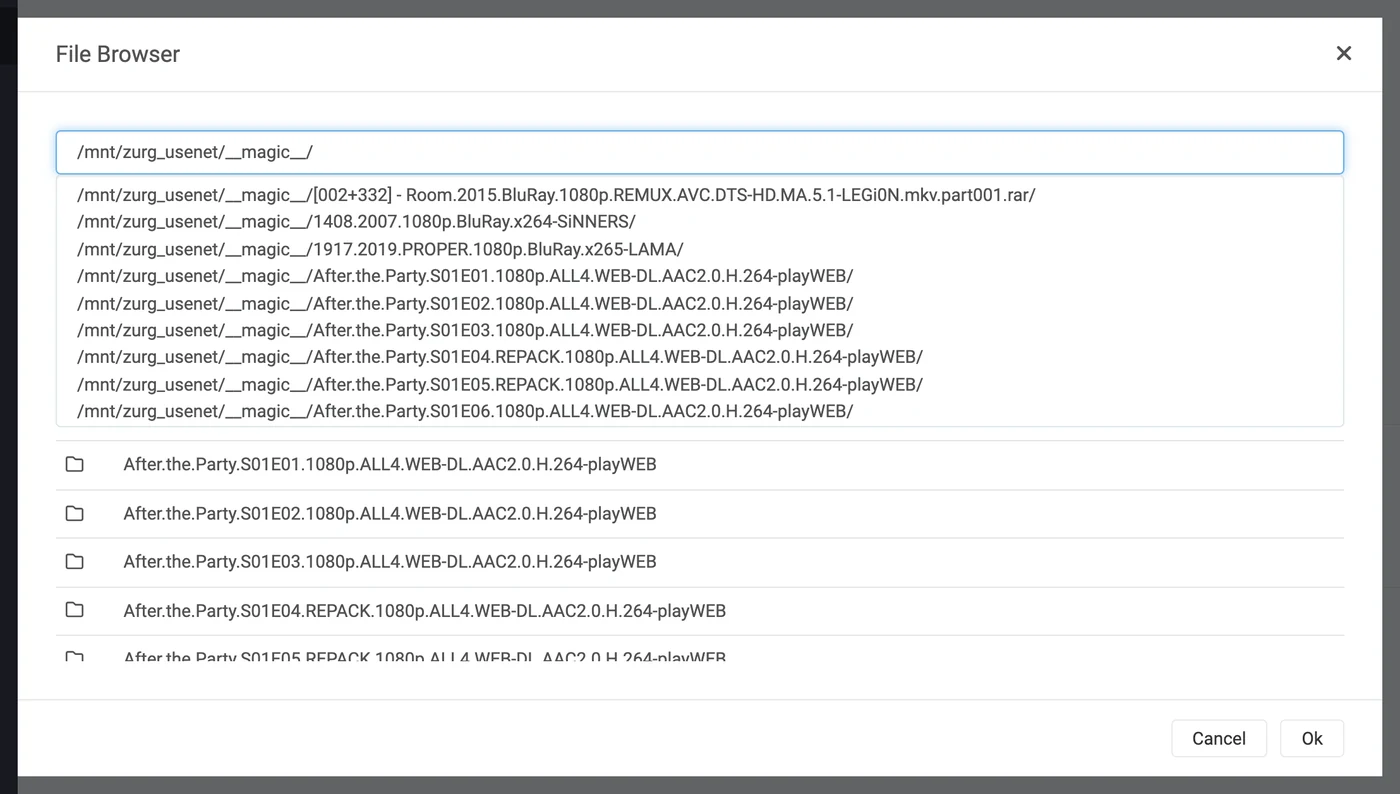
If this is empty or errors, stop and fix the mount before going further.
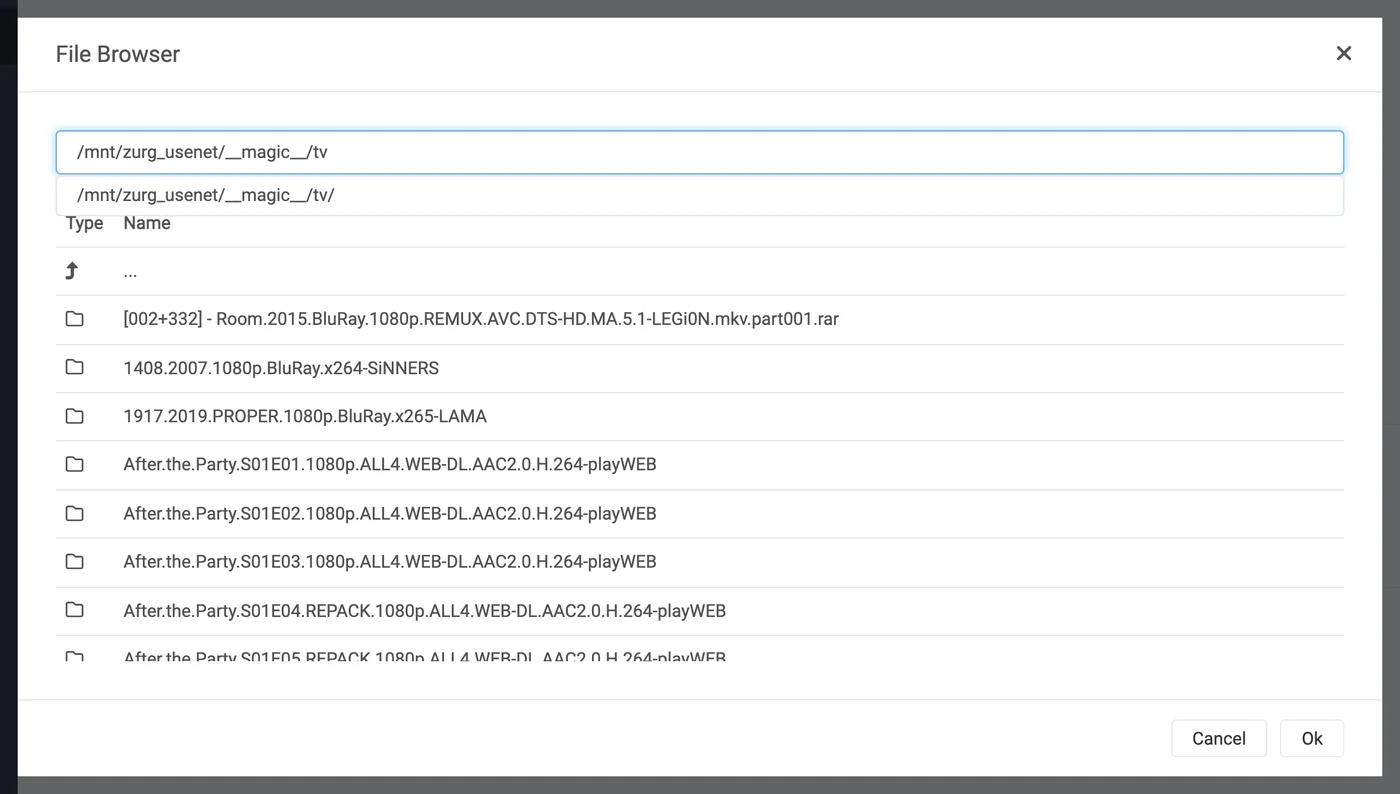
Finish the path at __magic__/tv and click Ok.
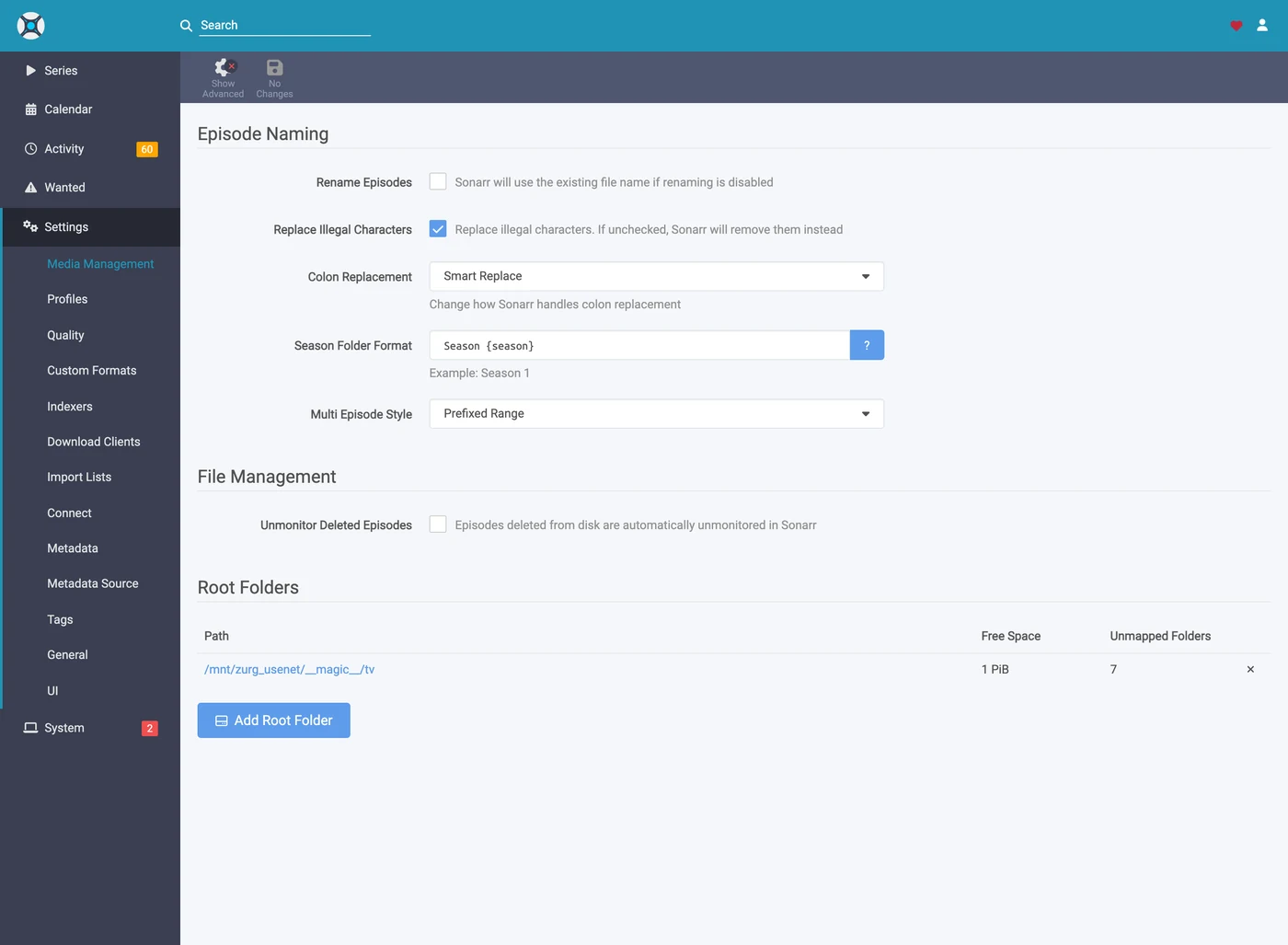
Free Space reading a plausible number means Sonarr can stat the mount; Unmapped Folders counts releases already sitting there.
7. Do the same in Radarr
Identical, with two values changed: the category is movies and the root folder is __magic__/movies.
Radarr's first run works the same way — set Forms auth, then sign in.
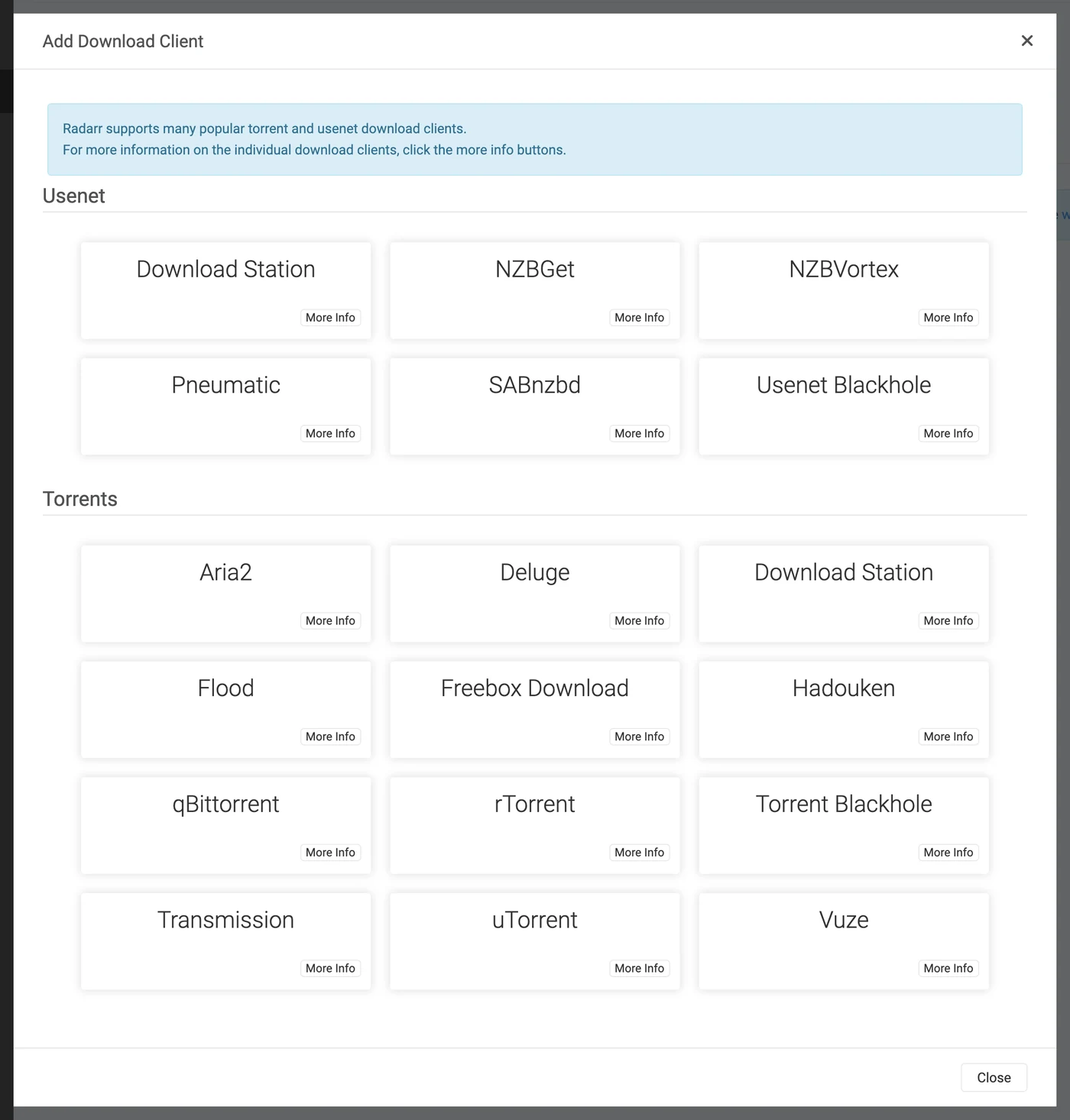
Settings → Download Clients → +, then SABnzbd under Usenet.
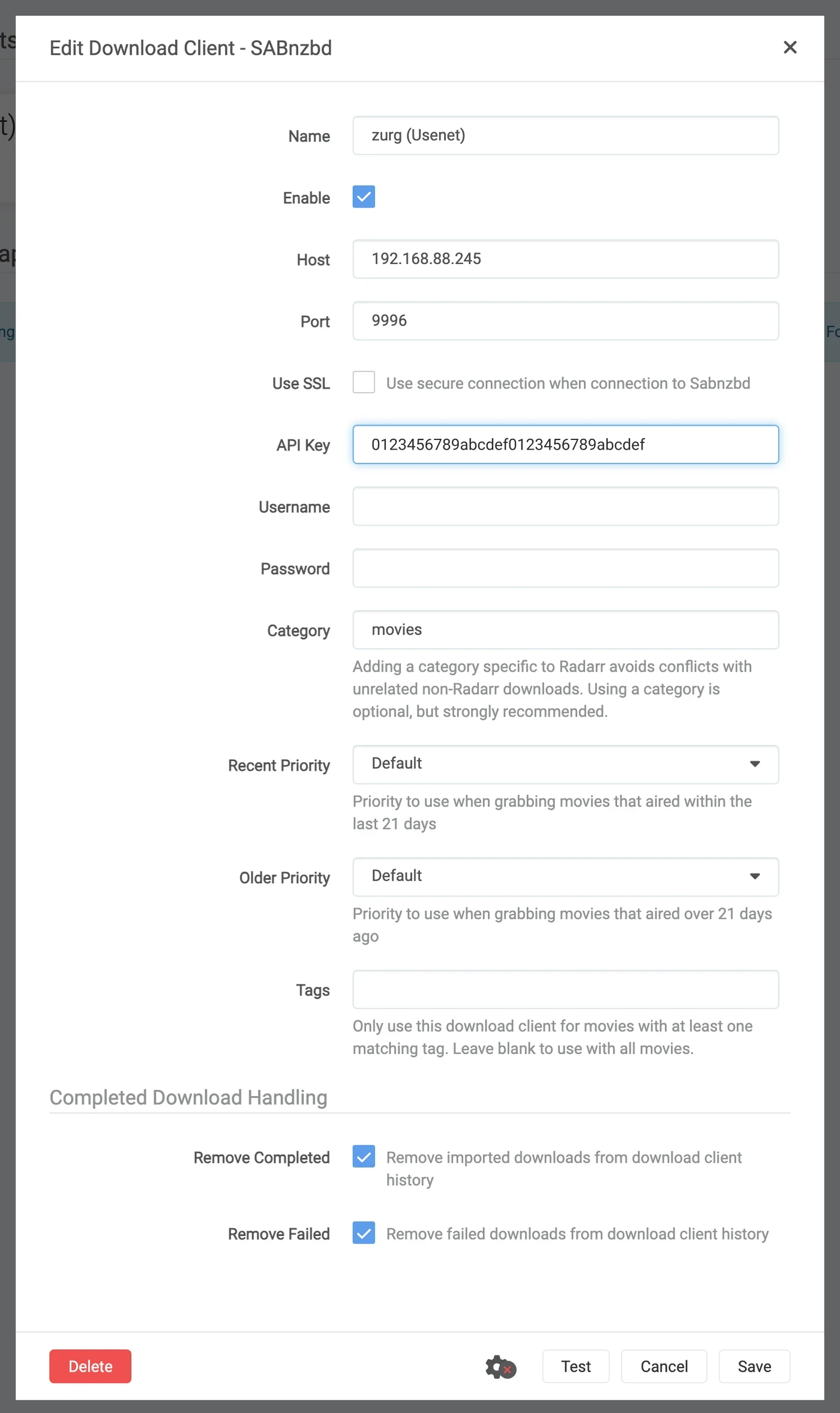
Same host, same port, same key. Only Category differs — movies, not tv.

Test, green tick, Save.
Then Settings → Media Management → Root Folders → Add Root Folder, and add /mnt/zurg_usenet/__magic__/movies.
One zurg, two clients, one queue. zurg's queue and history are filtered by category and nothing else. Two Sonarrs both using tv will see each other's jobs; Sonarr on tv and Radarr on movies will not. Keep one client per category and this never comes up.
8. If your *arr is in Docker
Three separate problems. The second one costs a download on every import. The third does not bite until the first time zurg restarts.
The path zurg reports must be a path the client can open
If the container mounts the library somewhere other than zurg does, every import fails with download doesn't contain intermediate path or a remote-path health check. Fix it either way — both are fine:
- Set
sabnzbd.complete_dirto the path the client sees. Simplest when one client, or several that agree, mount the library at the same place. - Add a remote path mapping in the *arr. Use this when different clients mount it differently.
sabnzbd:
  complete_dir: "/data/zurg/__magic__/__all__"   # what the *arr sees, not what zurg sees
For the second, go to Settings → Download Clients and use the + under Remote Path Mappings — the lower one on the page, not the one you used in step 5.
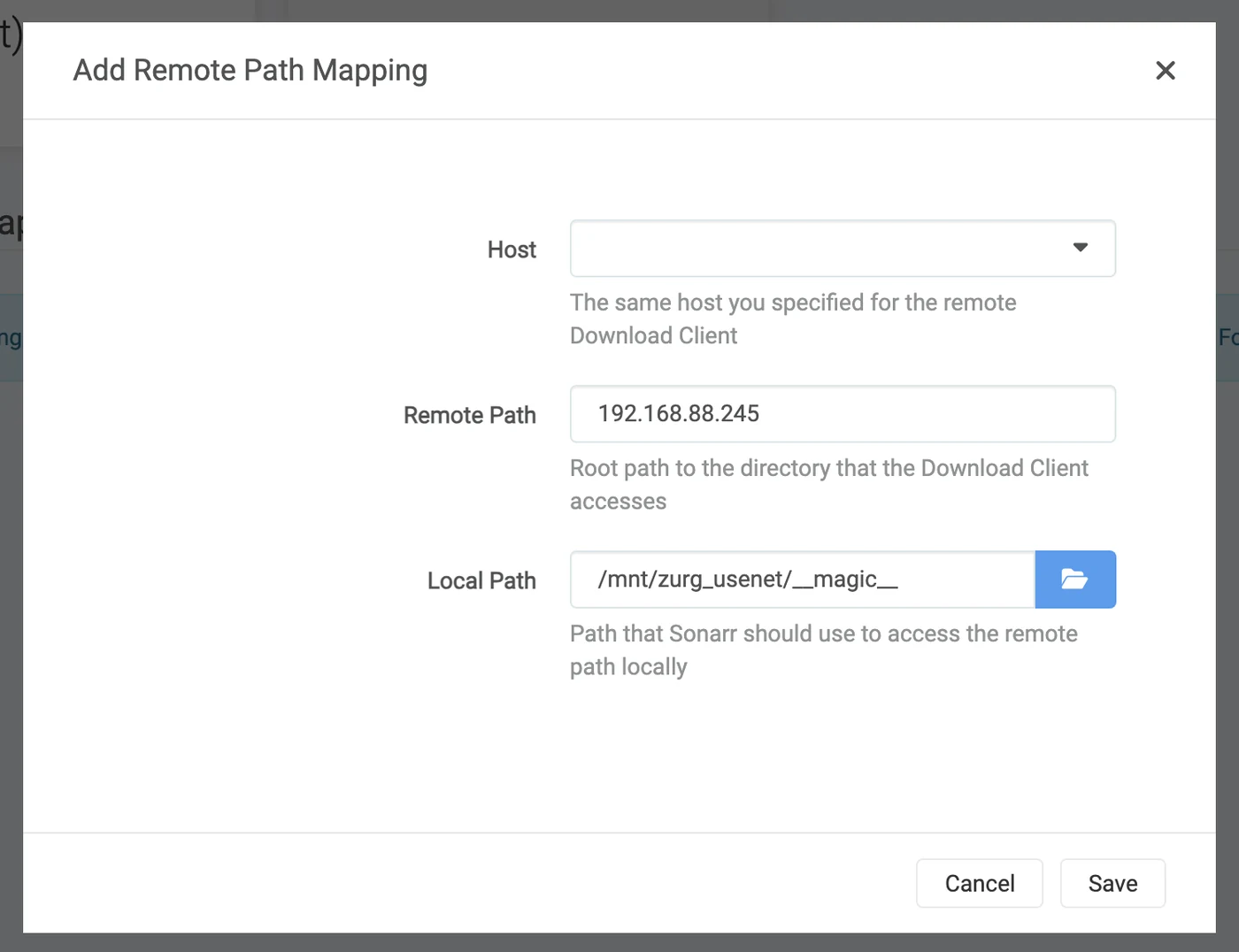
Host must be exactly the host string you typed into the download client. Remote Path is what zurg reports; Local Path is where the client sees it.
One volume for the download folder and the root folders
An import out of __magic__/__all__ into __magic__/tv is free because it is a rename. A rename only works inside one mount. Give the container the two folders as two volumes and it sees two filesystems. Both are zurg's mount underneath and it still does not matter.
    volumes:                                        # do not do this
      - /mnt/zurg_usenet/__magic__/__all__:/downloads
      - /mnt/zurg_usenet/__magic__/tv:/tv
The kernel refuses the rename inside the container. Sonarr and Radarr then copy the file and delete the original without saying so. Every import downloads the whole release from your account and writes it to zurg's disk. The import still succeeds. It is just slow. One 1.46 GB episode took 50 seconds and 2.9 GB of traffic this way. With one volume it took one second and read nothing.
Give the container one volume that holds zurg's whole mount. Reach the download folder and the root folders through it. The bind in the next section does exactly that. A remote path mapping or complete_dir then points the client at __all__ inside that same volume.
A manual import set to Hardlink/Copy Files copies too. Pick Move Files.
Bind the mount's parent, not the mountpoint
This is the one that costs an afternoon. It is also the one volume the section above asks for. Restarting zurg unmounts /mnt/zurg_usenet and mounts it again. A container that bound the mountpoint itself keeps the fuse connection it was started with — which is now dead. Every read then answers Socket not connected, and because both clients check free space on the root folder before they grab, every release is silently rejected:
FreeSpaceSpecification: Socket not connectedNothing in either client says the mount is stale, the folder still appears inside the container, and an interactive grab pushed straight at the client still works. What it looks like is an *arr that has quietly stopped searching.
Bind the parent with rslave, and the remount arrives as a sub-mount event the container follows:
    volumes:
      - type: bind
        source: /mnt          # the parent, not /mnt/zurg_usenet
        target: /mnt
        bind:
          propagation: rslave
Check a container after any zurg restart. You want a size, not an error:
$ docker exec radarr df -h /mnt/zurg_usenet
Filesystem      Size  Used Avail Use% Mounted on
zurg{PGSq4}:    1.0P     0  1.0P   0% /mnt/zurg_usenet
The petabyte is zurg reporting a virtual filesystem, not a disk — that is expected, and it is what satisfies the *arr's free-space check.
9. Watch one grab go through
Add one thing, grab it by hand, and follow it the whole way. Everything below is a real grab through the setup above.
Grab it
Open a movie (or an episode), click Interactive Search, and pick a release.
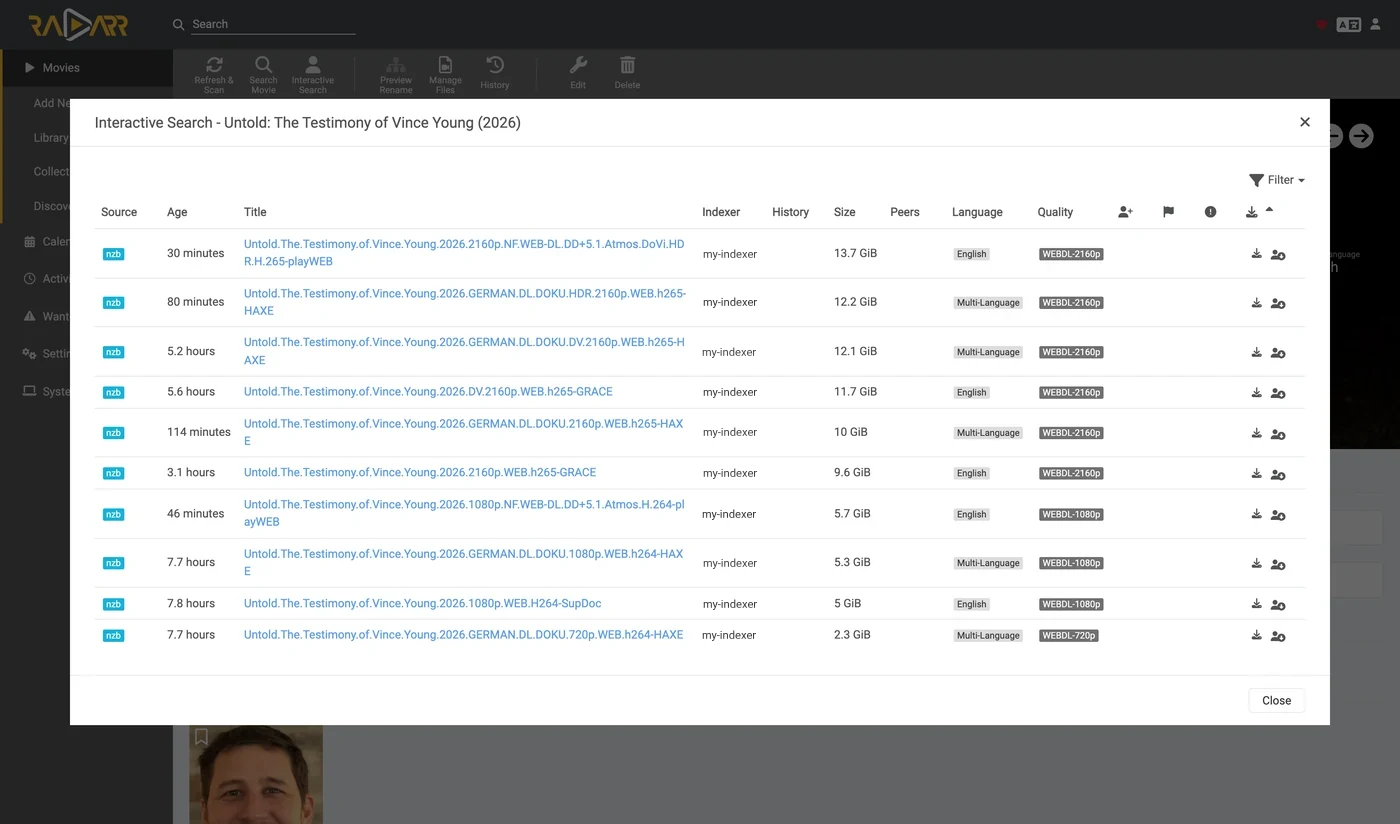
The Source column reads nzb — that is the protocol zurg can take.
Click the circled-arrow button at the end of the row to grab it. If the release does not match cleanly, the client asks you to confirm the mapping first:
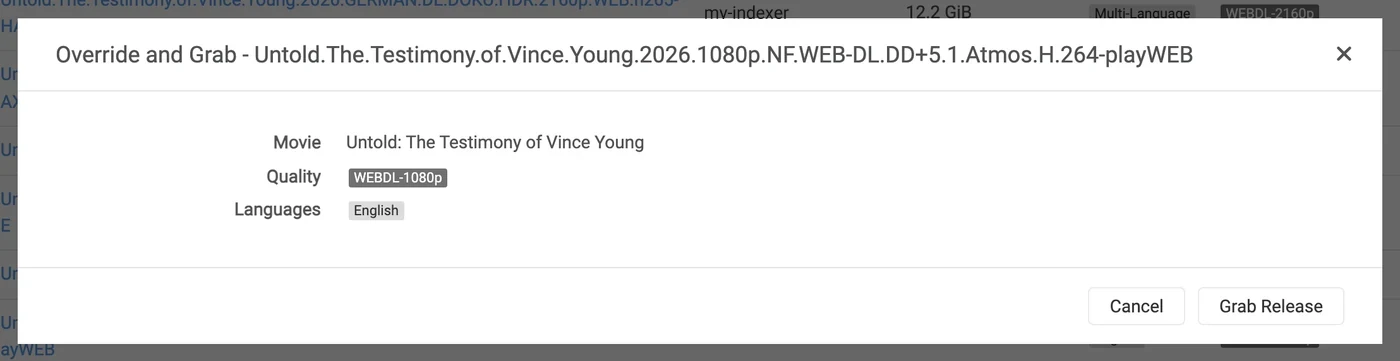
Override and Grab appears when the client wants you to confirm what the release is. Check the mapping and click Grab Release. A normal automatic grab never shows this.
It lands in the queue
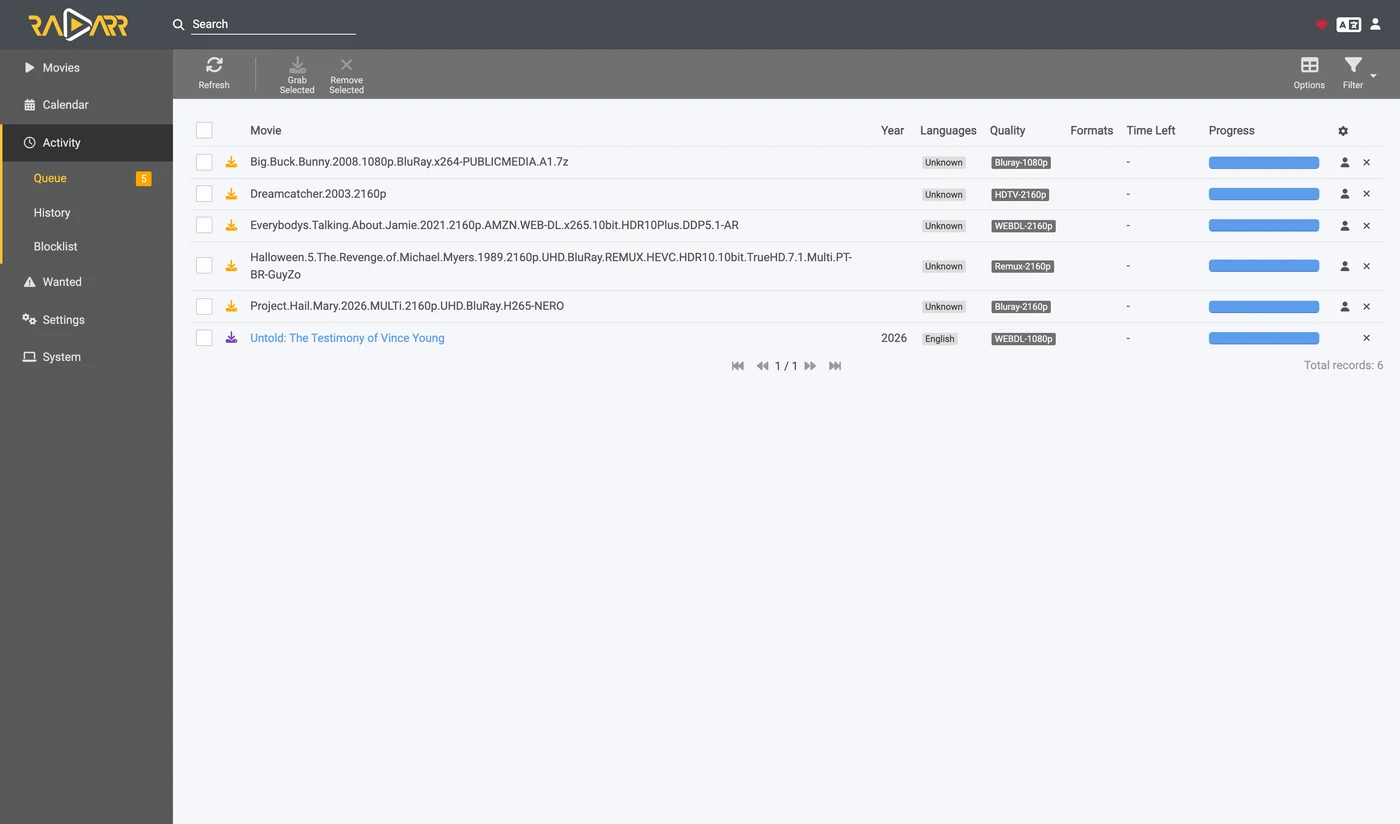
Activity → Queue immediately after the grab. Note the progress bar: it is full, and Time Left is a dash. There is no download to measure, so a job is queued or completed and nothing in between. The other rows here belong to a second Radarr pointed at the same zurg on the same category — see the note in step 7.
zurg writes the NZB and reads it
Aug 25 14:44:03 zurg-server zurg[3034965]: INFO  nzb  Loaded NZB
  Last.Week.Tonight.with.John.Oliver.S13E22.480p.WEB.x264-RMTeam.nzb: 4 files
Aug 25 14:50:28 zurg-server zurg[3034965]: INFO  nzb  Loaded NZB
  Untold.The.Testimony.of.Vince.Young.2026.1080p.NF.WEB-DL.DD+5.1.Atmos.H.264-playWEB.nzb: 9 files
Loaded NZB … : N files is the line that says the NZB parsed. If a job sits queued for ever, this line is what is missing.
The import happens
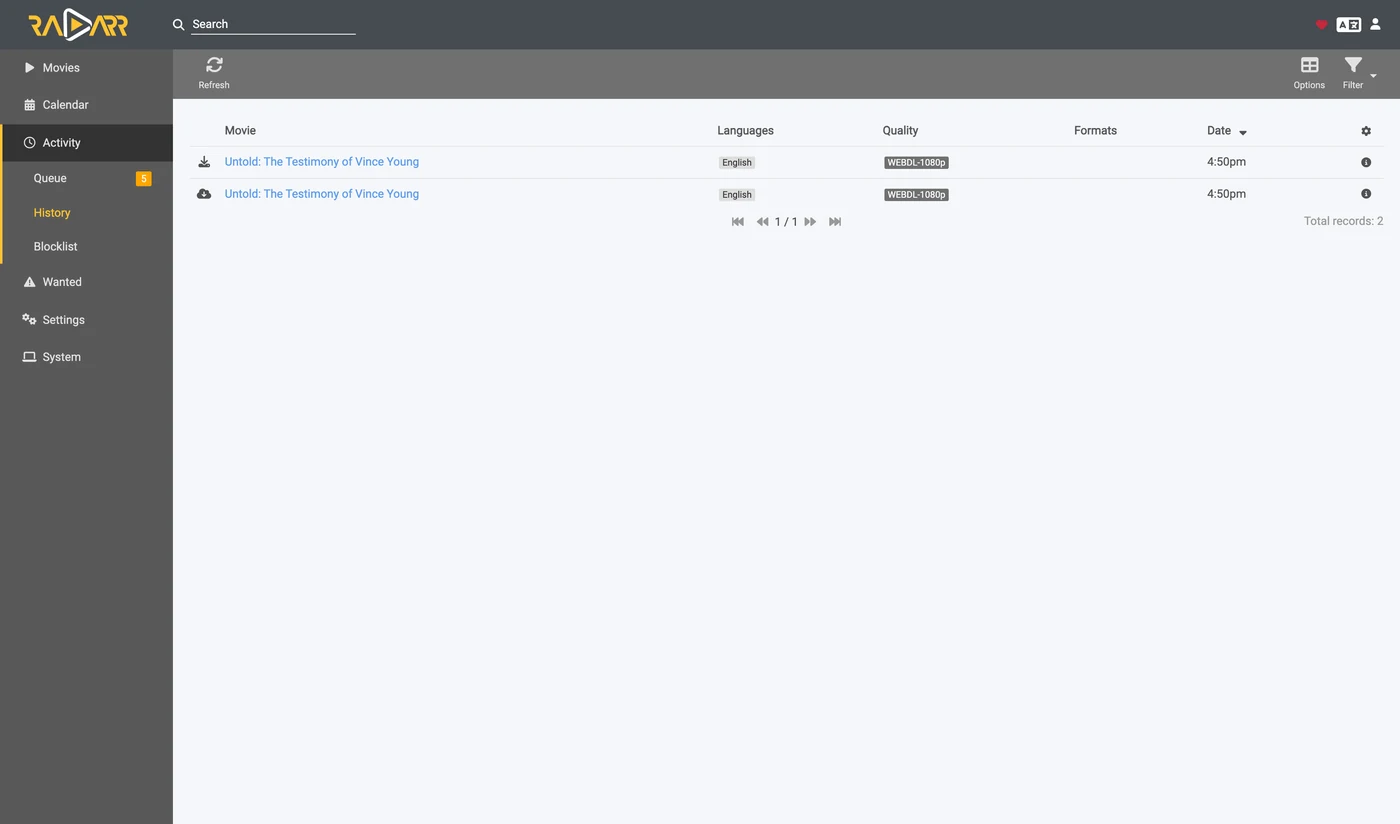
Activity → History. Two events, seconds apart: Grabbed, then Movie Imported.
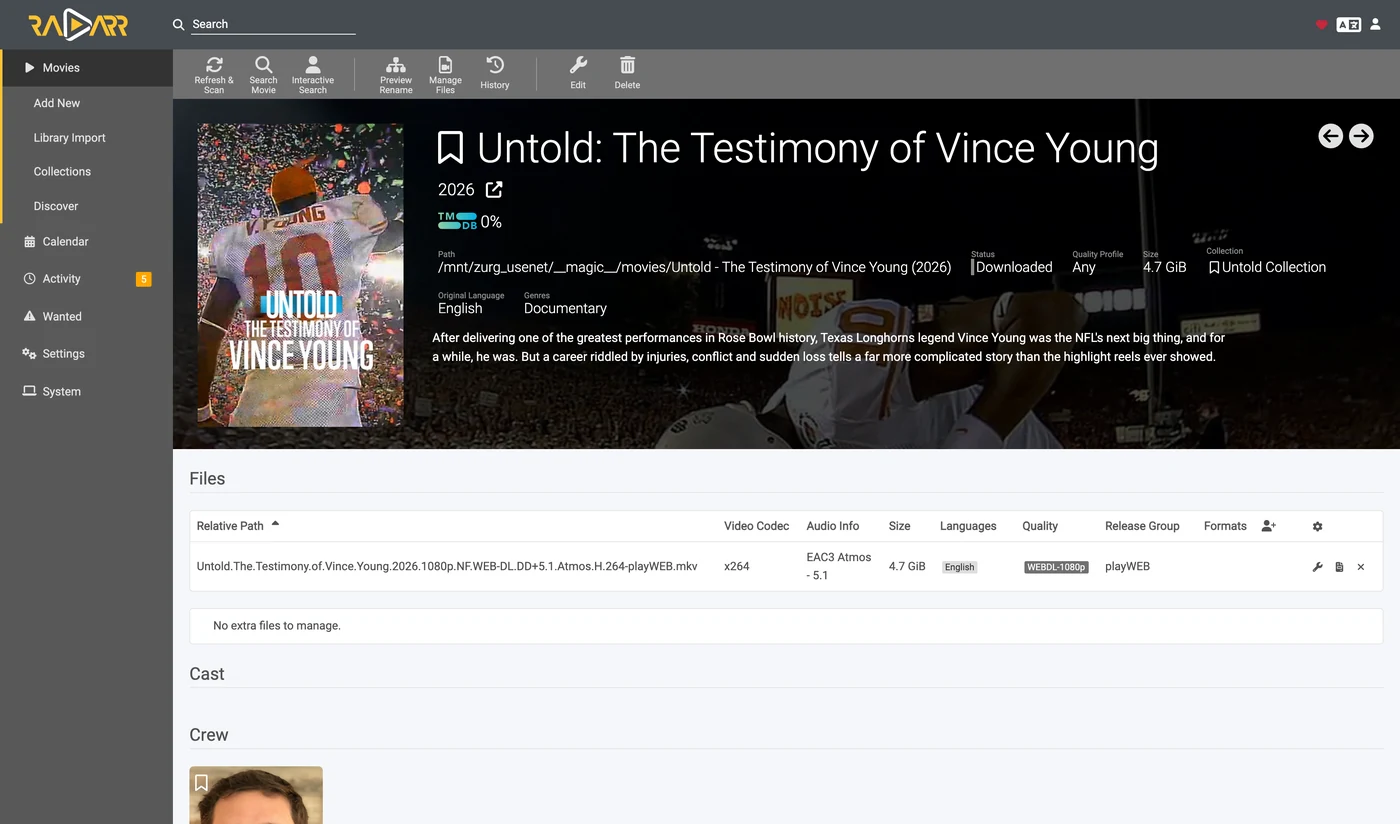
Status: Downloaded, Size 4.7 GiB — and nothing was downloaded.
Prove the file is real
The import moved the file into the root folder. Read both ends of it and ask ffprobe what it is:
$ ls -la "/mnt/zurg_usenet/__magic__/movies/Untold - The Testimony of Vince Young (2026)/"
-rw-r--r-- 1 you you 4920958828 Aug 25 14:53 Untold.The.Testimony…playWEB.mkv

$ dd if="$F" bs=1M count=1 >/dev/null
1048576 bytes (1.0 MB, 1.0 MiB) copied, 0.0429446 s, 24.4 MB/s

$ ffprobe -v error -show_entries format=duration,size,format_name \
    -of default=noprint_wrappers=1 "$F"
format_name=matroska,webm
duration=4709.440000
size=4920958828
A 78-minute Matroska, streamed out of Usenet articles on demand. The bytes arrive when something reads them, not when the *arr imports.
10. Adding a release by hand
Sometimes Sonarr or Radarr never grabs the release you want. The indexers it searches might not carry it, or a quality profile or custom format turns it down. You can hand zurg the NZB yourself under the category of the app that should import it. That app then imports it as if it had grabbed it.
If the release is on an indexer the app searches, try the app first. Interactive Search lists rejected releases too. Grabbing one sends it to zurg like any other grab. Radarr grabbed an IMAX release its profile turned down for scoring 0 against a required custom format, and imported it.
$ SAB=0123456789abcdef0123456789abcdef
$ ZURG=192.168.88.245:9996

# an NZB file you already have (the upload field is called name, as in SABnzbd)
$ curl -s "http://$ZURG/api?mode=addfile&apikey=$SAB&cat=movies" \
    -F 'name=@Movie.Title.2024.1080p.WEB-DL.nzb'
{"status":true,"nzo_ids":["SABnzbd_nzo_…"]}

# or a link to one, which zurg downloads itself
$ curl -s -G "http://$ZURG/api" \
    --data-urlencode mode=addurl --data-urlencode "apikey=$SAB" --data-urlencode cat=movies \
    --data-urlencode 'name=https://indexer.example/getnzb/<id>?r=<indexer-key>' \
    --data-urlencode nzbname=Movie.Title.2024.1080p.WEB-DL
{"status":true,"nzo_ids":["SABnzbd_nzo_…"]}
--data-urlencode keeps the link's own ? and & inside name. The job shows
up in the app's queue on its next check, within a minute.
Five things decide what happens next.
-
The film or show has to be in that app already. It imports only what it can match to something it manages.
-
The name has to say what it is. The job takes the NZB's filename, or
nzbnamewhen you pass one. Withoutnzbname,addurluses the filename the indexer serves. Give the name a year. -
The category picks the app.
cat=moviesreaches the Radarr whose download client usesmovies. Each app only looks at its own category. -
The quality profile does not block it. The file you already have can. Radarr checks neither the allowed qualities nor a minimum custom format score on import. It imported a 720p BluRay at score 0 into a profile that only allows 2160p and requires a score of 100. It also imported a 1080p WEBRip into a film whose profile only allows 720p. It then took a 1080p BluRay over it as an upgrade and deleted the WEBRip. A WEB-DL added after that stopped in Activity as Not an upgrade for existing movie file. Activity → Queue → Manual Import brings it in anyway and replaces the file.
-
A failure is yours to clear. The app never blocklists or removes a download it did not grab. A release whose articles had aged off the news servers came back Failed from zurg and stayed in Radarr's queue as Download has failed wasn't grabbed by Radarr, skipping automatic download handling. Remove it from the queue and pick another release.
Measured on 2026-10-10 with Radarr 6.3, using both addfile and addurl, including
a profile that requires a custom format built from a release name. Every
import was a rename into __magic__/movies and nothing was copied. Sonarr was
not tested.
Thanks to .telmen on Discord for asking how to do this with Usenet.
Watching from zurg's side
zurg's /magic/ page lists every NZB the endpoint has ever been handed. It is read-only — a job is removed by the client that created it, and the record is kept for a week after that so a poll racing a delete answers the same way twice.
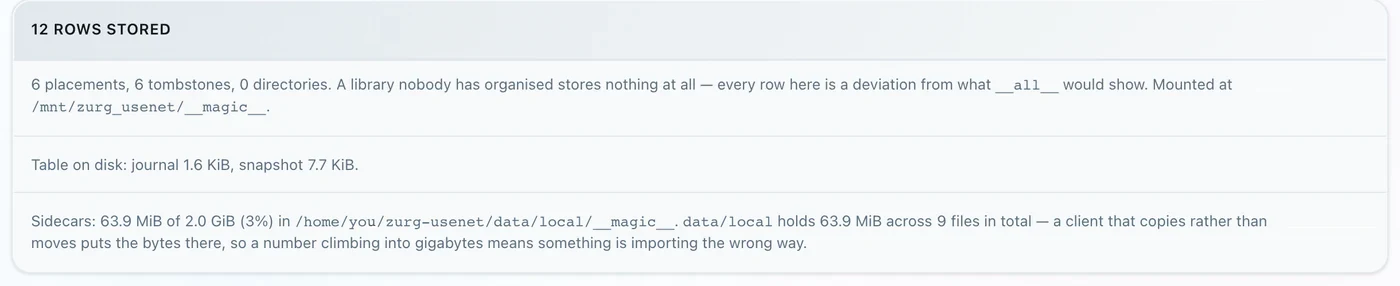
Placements are files the clients moved; tombstones are the job folders they deleted afterwards. A rising sidecars number is the warning sign: it means a client is copying rather than moving.
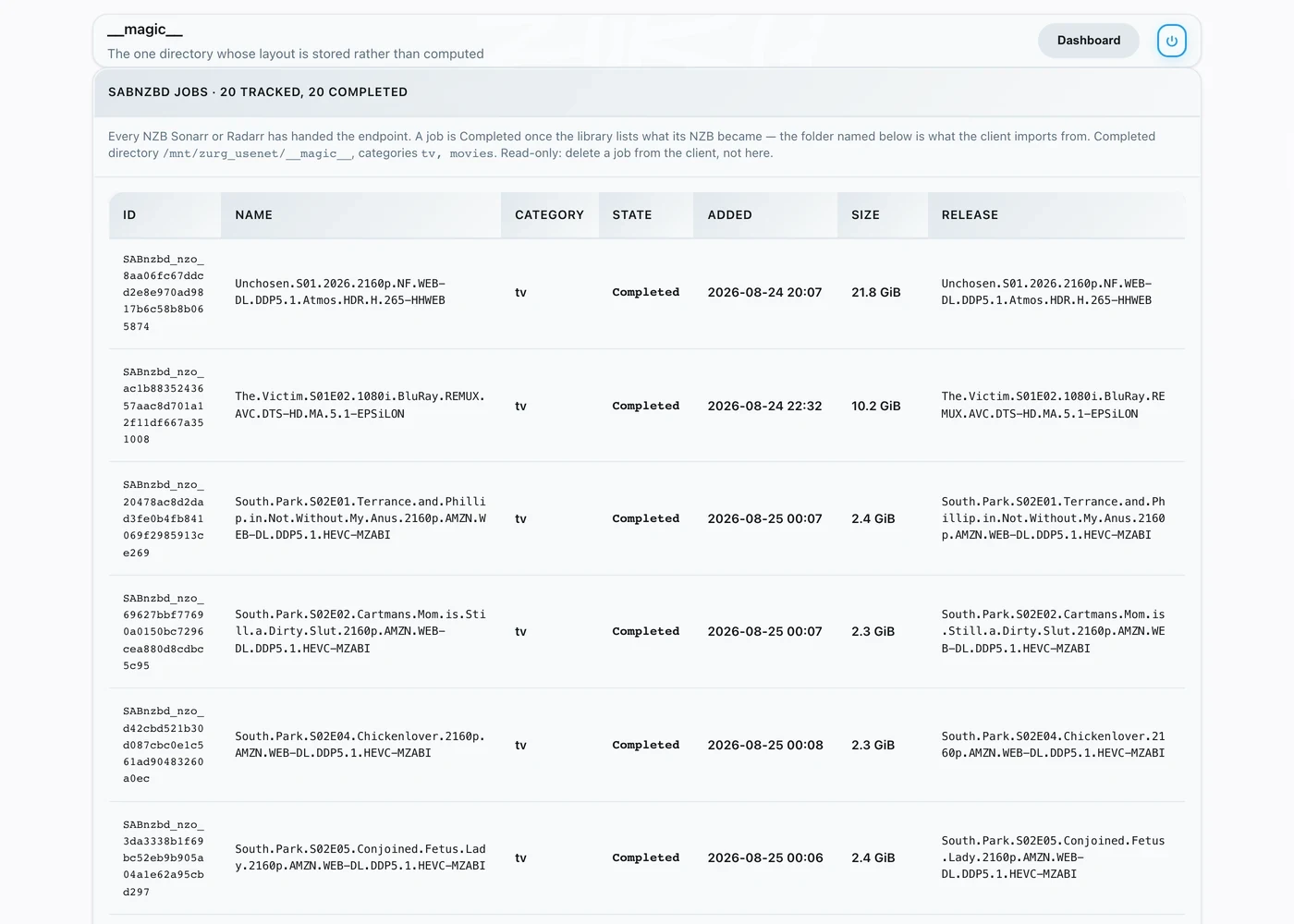
State is the whole story — Queued means zurg is not done with the release yet, whether because the library has not listed it, its file sizes have not settled, or its articles have not been checked; Completed means it is ready to import; and Release names the folder the client imports from.
That Release column is read off the library at every poll, not stored. Rename the release in zurg's dashboard, let a repair rebuild it, or let zurg add a suffix because two releases share a name — the job follows it.
What works, and what does not
Works:
- The connection test, all four checks, in both clients.
- Grabbing, queue, history, import by rename, and the post-import cleanup.
- Re-grabbing the same release. The job id comes from the NZB's filename, so it names the same job rather than a second one. A re-grab of a release an earlier import already emptied is reported Failed. Its folder under
__magic__/__all__has nothing left to import and Failed makes the client blocklist it and take another. The grab that did the emptying keeps reporting Completed until the client deletes it. - Removing a job from the queue, with or without deleting the NZB.
mode=addurl, for a human or an automation passing a URL instead of uploading. Neither *arr uses it.
Does not:
- No progress. A job is queued or completed; there is no percentage between, because there is no download to measure. The queue reports the NZB's declared size so the row is not blank.
- No pause, resume, speed limit, priority or post-processing script. SABnzbd has all of these; zurg has nothing to apply them to.
del_fileson a history delete is ignored. The client means "the job folder is yours again", but the file it just imported is still served out of that NZB. The folder it wanted gone is gone — it deleted that itself, through the mount.- Basic auth cannot protect this endpoint. The API key is the only gate.
The failure signal. A release with nothing importable in it is reported Failed, and both clients blocklist it and grab an alternative. That covers a release whose files are all broken, deleted or filtered away; one holding nothing but .par2, .sfv and sidecars; one whose every file is a shape nothing plays, which is what an obfuscated post naming its RAR set .z001….z133 looks like; and an archive already opened and found to hold no media. A RAR set is content, not scaffolding: zurg streams the video straight out of it. If a release really does carry something zurg has no extension for, widen addl_playable_extensions rather than blocklisting it.
The articles are checked before a job is reported finished. zurg waits until the library lists the release and its file sizes have settled. Then it asks the news servers about the start and the end of each content file. That is the first sixteen articles and the last one. It also downloads the first article of each file. That is up to sixty-four of them plus a few more of a release with only a few files. Some news servers still say an article exists after its content was taken down and only a download shows that. A downloaded article also shows it belongs to this post and not to another upload. The job stays Queued until that answers. Damage the sample does not reach is not caught here. It turns up on the read that reaches it. A release whose articles are gone gets a PAR2 repair first and is checked again once the repair has run. One that is whole again carries on. One still missing articles, or one nothing can repair, is reported Failed with a count of what is missing. That is a download failure, which is the one the clients act on: they blocklist it and grab an alternative unattended, rather than importing something that will not play.
A check that cannot finish does not wait for ever. Sometimes the check cannot complete at all. The connection pool may be down or the account throttled or the walk out of time. That is not an answer. The job stays Queued and is asked about again a minute later. zurg counts the attempts on the job so a restart does not forget them. After thirty failed attempts in a row that span at least three hours the job moves to history as Failed. The message carries the count and the span and the last error. An outage of outright refusals reaches thirty inside an hour and does not fail the queue for it.
A release that leaves the library fails its job. A release can be deleted from the dashboard or have its NZB removed from the watch directory or be dropped by every account. Its job stays Queued for fifteen minutes and then moves to history as Failed. The client blocklists it and grabs another. The wait is there for restarts. The library unlists every release while it loads and that must not read as a deletion. Nothing fails on this ground in the first fifteen minutes after zurg starts. A job whose release the library never listed is not affected because it is still arriving.