Windows, the binary, from scratch
One-line option
Run the optional sponsor bootstrap from PowerShell. It installs WinFsp through UAC, downloads zurg and runs the provider chooser and diagnostics:
irm https://raw.githubusercontent.com/debridmediamanager/zurg-site/main/public/install.ps1 | iexIt uses GitHub browser sign-in and installs into $HOME\zurg. Existing binaries and configs are preserved. Continue below for the manual route.
No Docker, no WSL: the zurg .exe in a folder, a config.yml you write once, and a Z: drive in Explorer. This page walks the whole thing in two passes — first RealDebrid with the qBittorrent endpoint, then a full reset and Usenet with the SABnzbd endpoint — because those are the two installs people actually make, and they exercise different halves of zurg.
Everything below was captured on a live install: Windows 11 Pro 23H2 (build 22631), PowerShell 5.1, WinFsp 2.0.23075, zurg 2026.08.30.0459-nightly-73-g5b4c9790, and a Real-Debrid account plus a Usenet news account. User names have been changed. API keys and library counts are illustrative. So are any credentials.
What you need
- zurg.exe — from the sponsor releases. This page assumes you have downloaded it.
-
WinFsp — zurg mounts the library through rclone, and rclone needs WinFsp for a drive letter on Windows. Install it silently, or from the installer:
$url = "https://github.com/winfsp/winfsp/releases/download/v2.1/winfsp-2.1.25156.msi" Invoke-WebRequest -Uri $url -OutFile "$env:TEMP\winfsp.msi" -UseBasicParsing Start-Process msiexec.exe -ArgumentList "/i", "$env:TEMP\winfsp.msi", "/qn", "/norestart" -Wait - An account — a Real-Debrid API token for the first pass, a news server for the second.
Nothing else. The built-in installer downloads rclone and ffprobe.
Recommended: let zurg finish the setup
Make a folder, put zurg.exe in it and run the installer from PowerShell:
New-Item -ItemType Directory -Force "$HOME\zurg" | Out-Null
Set-Location "$HOME\zurg"
# Copy the downloaded zurg.exe here, then:
.\zurg.exe setup
.\zurg.exe doctor
setup asks which providers to configure. Choose one or several of Real-Debrid, TorBox, AllDebrid and Usenet in priority order. It asks only for the selected credentials. It then:
- Creates and validates
config.yml. - Restricts its ACL to your user, SYSTEM and Administrators.
- Downloads
bin\rclone.exeandbin\ffprobe.exe. - Enables the rclone mount at
Z:. - Registers
\Zurg\zurgas an interactive logon task and starts it when a desktop user is logged in.
Choose another unused drive when needed:
.\zurg.exe setup --mount-path "Y:"Setup is safe to run again. It updates the generated task but does not replace an existing config.yml.
The interactive task is deliberate. WinFsp drive mounts belong to the Windows logon session that creates them. A normal Windows service runs in session 0 and its drive is invisible to Plex and Explorer on the desktop. This installer behavior was verified on Windows 11 on 4 September 2026.
The walkthrough below shows the files and configuration behind the installer and then builds Real-Debrid and Usenet download-client setups. The manual first run and scheduled-task recipe are useful when you want to assemble those pieces yourself.
1. Manual first run: zurg builds its own home
Make a folder, put the binary in it, run it once with no config file:
PS C:\Users\you> mkdir C:\Users\you\zurg
PS C:\Users\you\zurg> .\zurg.exe
zurg creates a provider-neutral default config, tells you what to do next and exits:
INFO  setup  Config file not found, creating default from config.simple.yml
INFO  zurg   Default config created at config.yml
INFO  zurg   Run zurg setup to choose provider(s), or add a providers block to config.yml, then rerun zurg.
Run .\zurg.exe setup to select providers and download the helpers. After setup the folder looks like:
C:\Users\you\zurg\
├── bin\                ffprobe.exe, rclone.exe
├── data\               library cache, keys, the __magic__ table
├── dump\
├── logs\               zurg.log, rclone.log
├── nzbs\               the Usenet watch directory (second pass)
├── strm\
├── config.yml
└── zurg.exe
The generated config.yml starts with an empty provider list and two directory filters. Setup fills the list from your choices. The manual examples below replace it with the config for each walkthrough.
2. The RealDebrid pass
The config
Overwrite config.yml with this — a Real-Debrid token, the qBittorrent endpoint on, and the mount as Z::
zurg: v1
providers:
  - type: realdebrid
    token: YOUR_RD_API_TOKEN

directories:
  shows:
    group: media
    group_order: 10
    filters:
      - has_episodes: true
  movies:
    group: media
    group_order: 20
    only_show_the_biggest_file: true

ffprobe_binary: bin\ffprobe.exe
rclone_binary: bin\rclone.exe

rclone_enabled: true
mount_path: "Z:"
rclone_extra_args:
  - "--links"

magic:
  enabled: true

qbittorrent:
  enabled: true
  api_key: ""          # empty = zurg generates one and keeps it
  categories: [tv-sonarr, radarr]
Three Windows specifics in there:
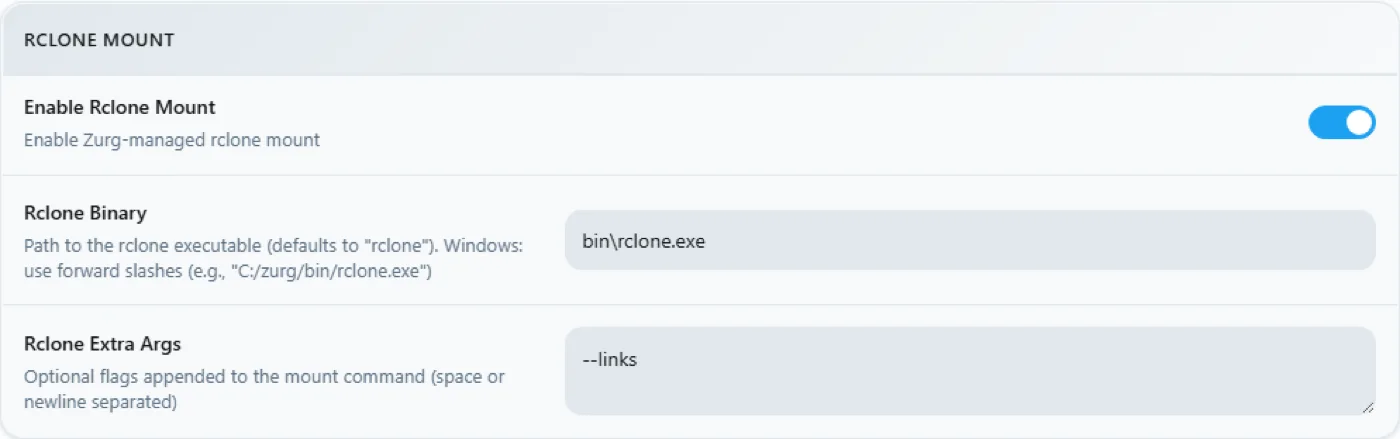
--linksis optional, and worth keeping anyway. zurg serves the library as an rclone union of a local and a remote half, and WinFsp asks the mount root whether it is a symlink the moment the drive appears. Without the flag rclone answers that one probe withERROR : symlinks not supported without the --links flag: /and mounts regardless — measured 2026-08-31 on zurg2026.08.31.0443-nightlyagainst rclone 1.74.2 and 1.75.0, the drive, both halves of the union and a__magic__write behaved identically with and without it. With the flag the same probe logsNOTICE: union root '': Symlinks support enabledinstead, and rclone will carry real symlinks if you ever put any underdata\local. Keep it and the log stays clean.mount_path: "Z:"is a drive letter here, not a POSIX path. Any free letter works.- Keep
magic.enabled: trueif you ever want Sonarr or Radarr importing from this machine — an import is a rename inside__magic__, and without it every import becomes a full download. The same applies to the Usenet pass below.
Start it and read the log
Start zurg the plain way for now — a PowerShell window in the folder:
PS C:\Users\you\zurg> .\zurg.exe --config config.ymlThe first thing it does is Real-Debrid's network test — it unrestricts test links at every download region and measures latency, taking about twenty seconds. Then the lines that matter:
INFO  network_test  Network test completed!
INFO  zurg          Provider realdebrid ready (type=realdebrid)
INFO  router        __magic__ serves sidecar files from data\local\__magic__
INFO  router.qbittorrent  qBittorrent API on /api/v2 and /qbittorrent/api/v2, save path Z:/__magic__/__all__, categories tv-sonarr, radarr
INFO  router.qbittorrent  qBittorrent: generated API key fedcba9876543210fedcba9876543210 — paste it into Sonarr or Radarr's API Key field, or pin it as qbittorrent.api_key in config.yml
INFO  zurg          Starting server on http://[::]:9999
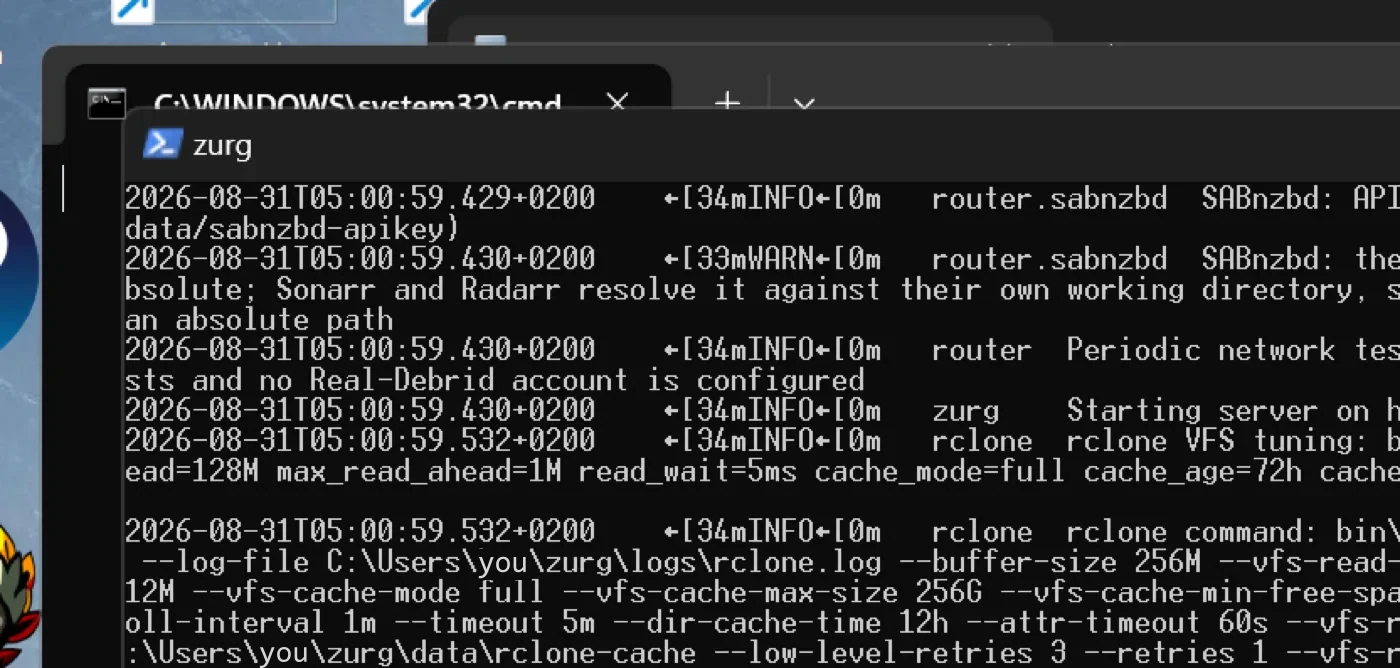
INFO  rclone        rclone started with mount Z:, union local C:\Users\you\zurg\data\local
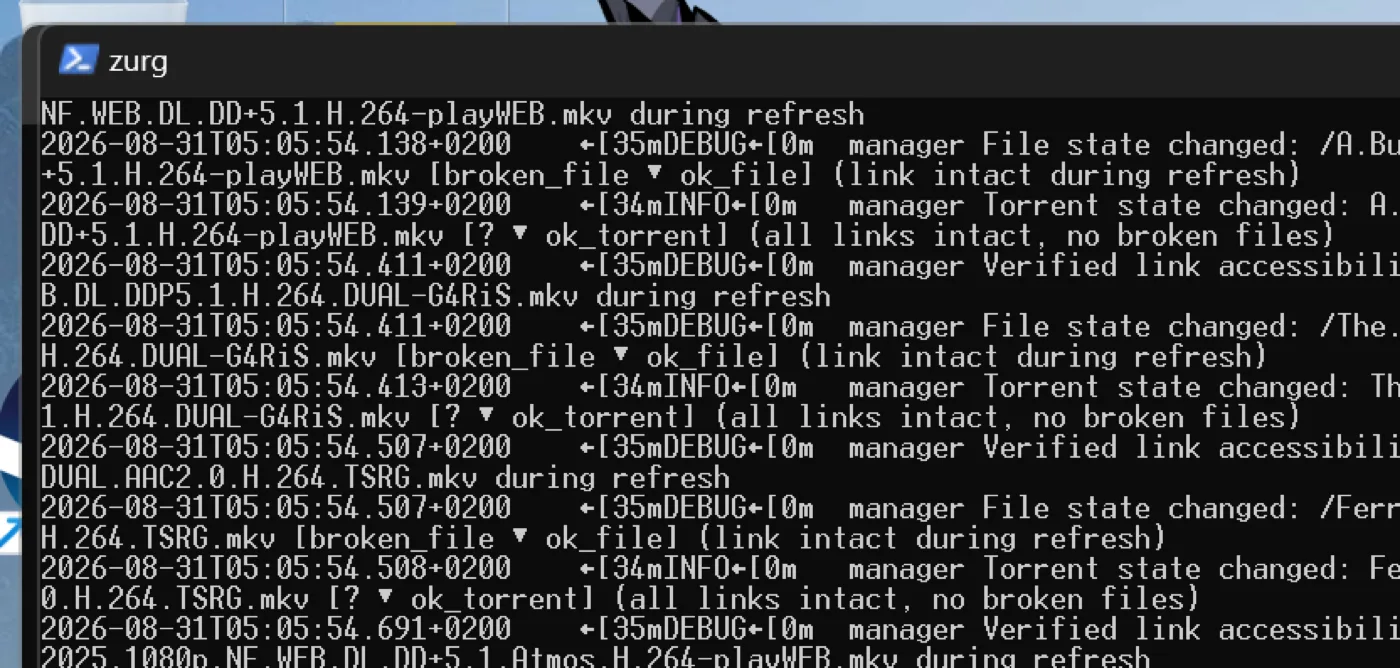
The generated key is also in data\qbittorrent-apikey. Then the library walk begins — the first start reads every torrent on the account, and on a large account that takes a while. The walk shares the provider's API budget with everything else on the account. While it walks, __magic__ answers Library is still loading — that is expected, not a fault.
Three warnings you may see, all known and none fatal:
The dashboard
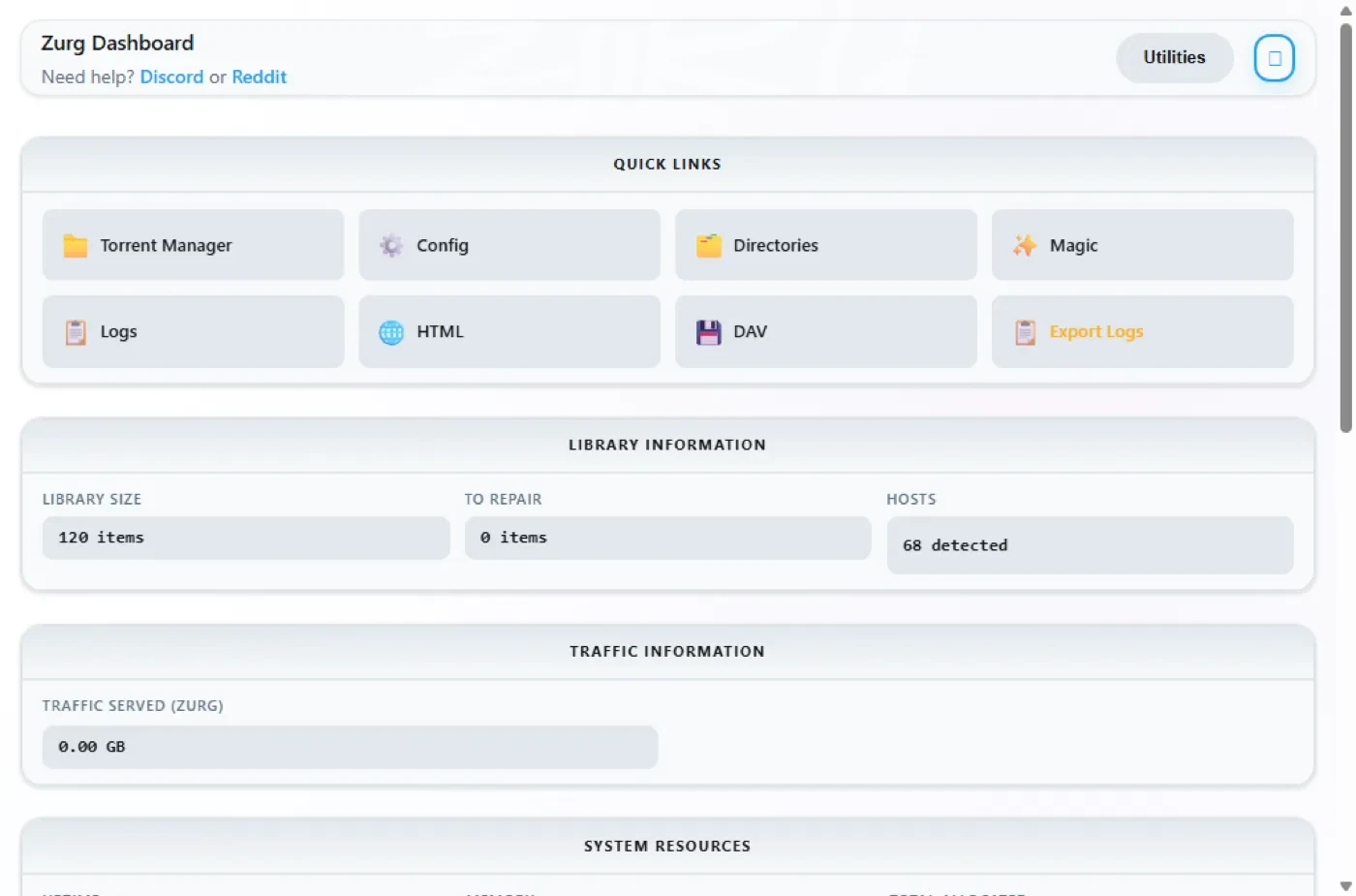
http://localhost:9999/ — library size climbing as the walk proceeds, traffic served, memory. The Quick Links are the whole UI: Torrent Manager, Config, Directories, Magic, Logs.
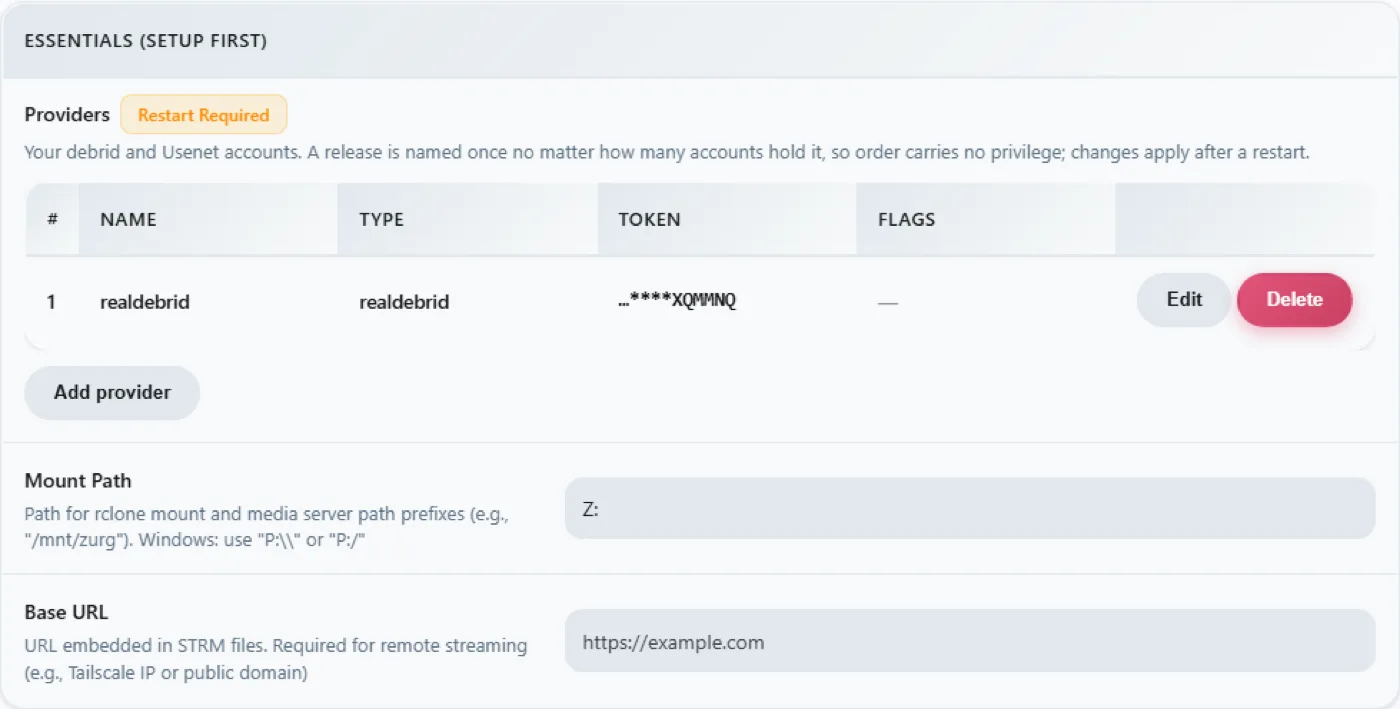
Config is where everything lives after the first run. The providers block shows the one account:
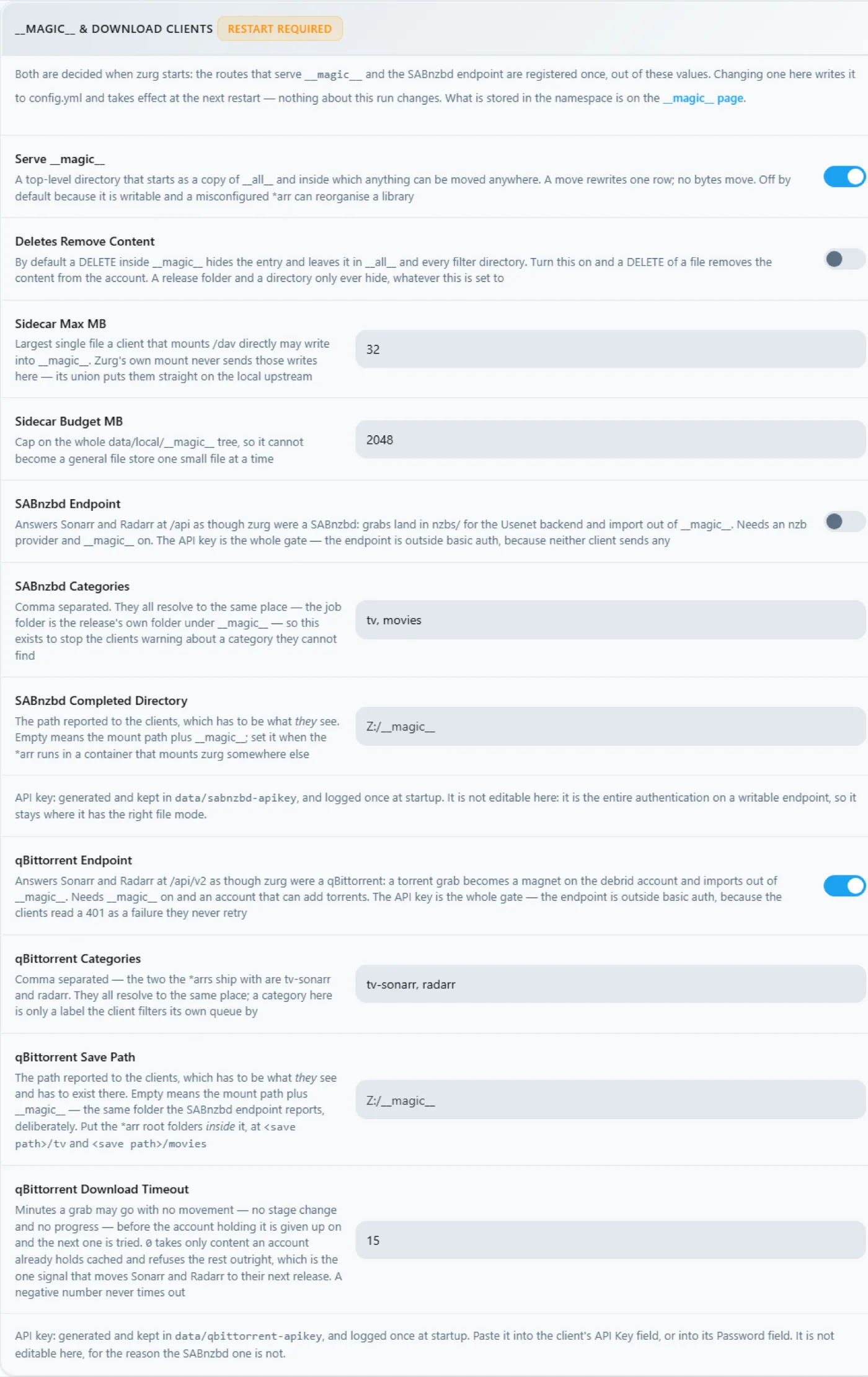
The download-client block — the same toggles you set in config.yml, editable here, every change stamped Restart Required, which is literal: both endpoints register their routes once at startup.
And the mount block, showing the drive letter and the rclone supervision:
The Z: drive
When zurg runs, Z: is a petabyte-scale filesystem in Explorer:
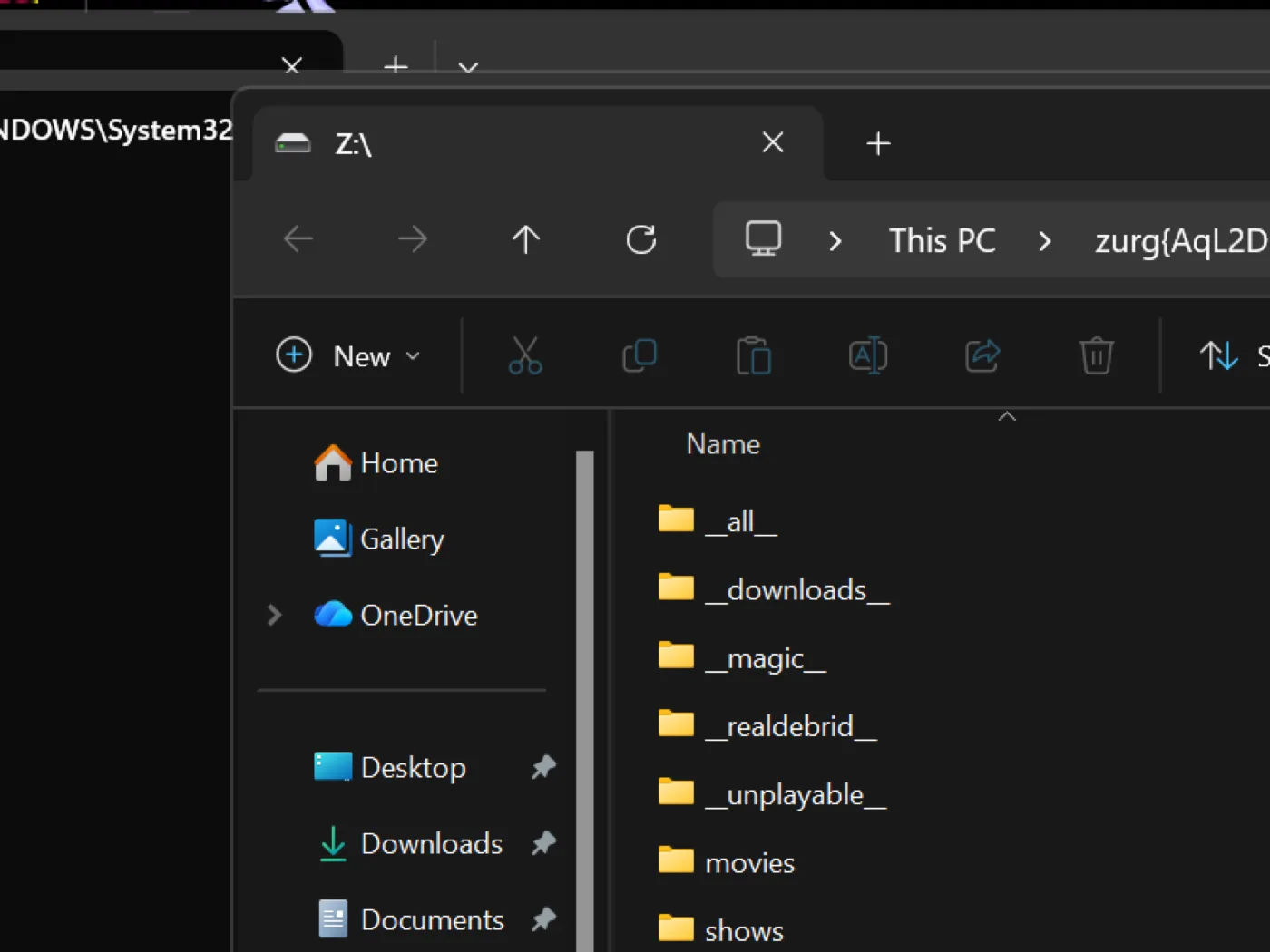
But only if zurg runs where Explorer can see it — and that is the one genuinely Windows-shaped rule in this setup. A drive-letter mount belongs to the logon session that created it. Start zurg from an SSH connection or from a service and the mount exists, works, and is invisible to your desktop. This is not a bug in WinFsp or rclone; it is how Windows scopes drive letters.
Prove the qBittorrent endpoint
Same probes as on any platform, from any PowerShell:
PS> $KEY = Get-Content data\qbittorrent-apikey
PS> Invoke-WebRequest "http://localhost:9999/api/v2/app/webapiVersion"

# the healthy unauthenticated answer is a 403 — "the API is here, log in"
PS> Invoke-RestMethod "http://localhost:9999/api/v2/app/version" -Headers @{ Authorization = "Bearer $KEY" }
v5.0.4
PS> (Invoke-RestMethod "http://localhost:9999/api/v2/app/preferences" -Headers @{ Authorization = "Bearer $KEY" }).save_path
Z:/__magic__/__all__
And add a torrent to it. A .torrent file goes up with curl -F, or any client does it for you:
INFO router.qbittorrent qBittorrent: added op1176 (dc98af37…) to realdebrid as W7FRRMVJWUOMSThe release this install grabbed was not cached on the account, so the *arr-style queue showed a real download — progress climbing 2% → 10% → 50% → 75% → 99% over about six minutes with the rate Real-Debrid reported — and then:
INFO router.qbittorrent qBittorrent: op1176 (dc98af37…) finished on realdebridwith the torrent reporting finished and a folder to import from:
"content_path": "Z:/__magic__/__all__/[NanakoRaws] One Piece S01E1176 (THK TV 1080p HEVC AAC)"Reading the file through Z: pulled a megabyte in milliseconds — rclone's VFS read-ahead fronts the provider, so warm reads are local-disk fast and the articles stream in behind them.
One refusal worth knowing: the first release this install tried was named …WEBRip…, and Real-Debrid blocks some release names outright. zurg knows the patterns and refuses before spending an add slot:
WARN router.qbittorrent qBittorrent: realdebrid will not take op1176: it refuses that name outright, so the next account is triedPick a differently-named release and it goes through. The torrent walkthrough covers the whole endpoint in depth — timeouts, cached-only mode, failure semantics — and the client settings are the same as there, with two Windows notes: Host localhost when the *arr runs on the same machine, and the *arr must run in the same logon session as zurg for it to see Z: — see
3. Reset
Switching the install from Real-Debrid to Usenet is a wipe: stop zurg, delete everything the first pass created, keep the binary and bin\ so the helper downloads do not repeat.
PS> Stop-ScheduledTask zurg           # or close the console window
PS> taskkill /IM zurg.exe /F ; taskkill /IM rclone.exe /F
PS> cd C:\Users\you\zurg
PS> Get-ChildItem -Exclude zurg.exe, bin | Remove-Item -Recurse -Force
PS> Get-ChildItem

bin
zurg.exe
That Get-ChildItem -Exclude … | Remove-Item is the whole reset — config.yml, data\, logs\, nzbs\, all of it. What survives is exactly what a fresh install needs.
4. The Usenet pass
The config
Same skeleton, different provider — a news account instead of a debrid token, and the SABnzbd endpoint instead of the qBittorrent one:
zurg: v1
providers:
  - type: nzb
    nntp:
      host: news.example.usenet.com
      port: 563
      tls: true
      username: YOUR_NEWS_USERNAME
      password: YOUR_NEWS_PASSWORD
      connections: 8

directories:
  shows:
    group: media
    group_order: 10
    filters:
      - has_episodes: true
  movies:
    group: media
    group_order: 20
    only_show_the_biggest_file: true

ffprobe_binary: bin\ffprobe.exe
rclone_binary: bin\rclone.exe

rclone_enabled: true
mount_path: "Z:"
rclone_extra_args:
  - "--links"

magic:
  enabled: true

sabnzbd:
  enabled: true
  api_key: ""          # empty = zurg generates one and keeps it
  categories: [tv, movies]
Eight connections is plenty for streaming; the account's plan states its own cap.
Start it
PS C:\Users\you\zurg> .\zurg.exe --config config.ymlThe contrast with the first pass is immediate: no walk. An NZB library starts empty — there is nothing to fetch from anywhere until you put an NZB in it — so startup is the network test, the endpoint lines, and the news connection:
INFO  nzb       NZB articles are kept in memory for the life of the process (nzb_segments: resident)
INFO  zurg      Provider nzb ready (type=nzb)
INFO  router    __magic__ serves sidecar files from data\local\__magic__
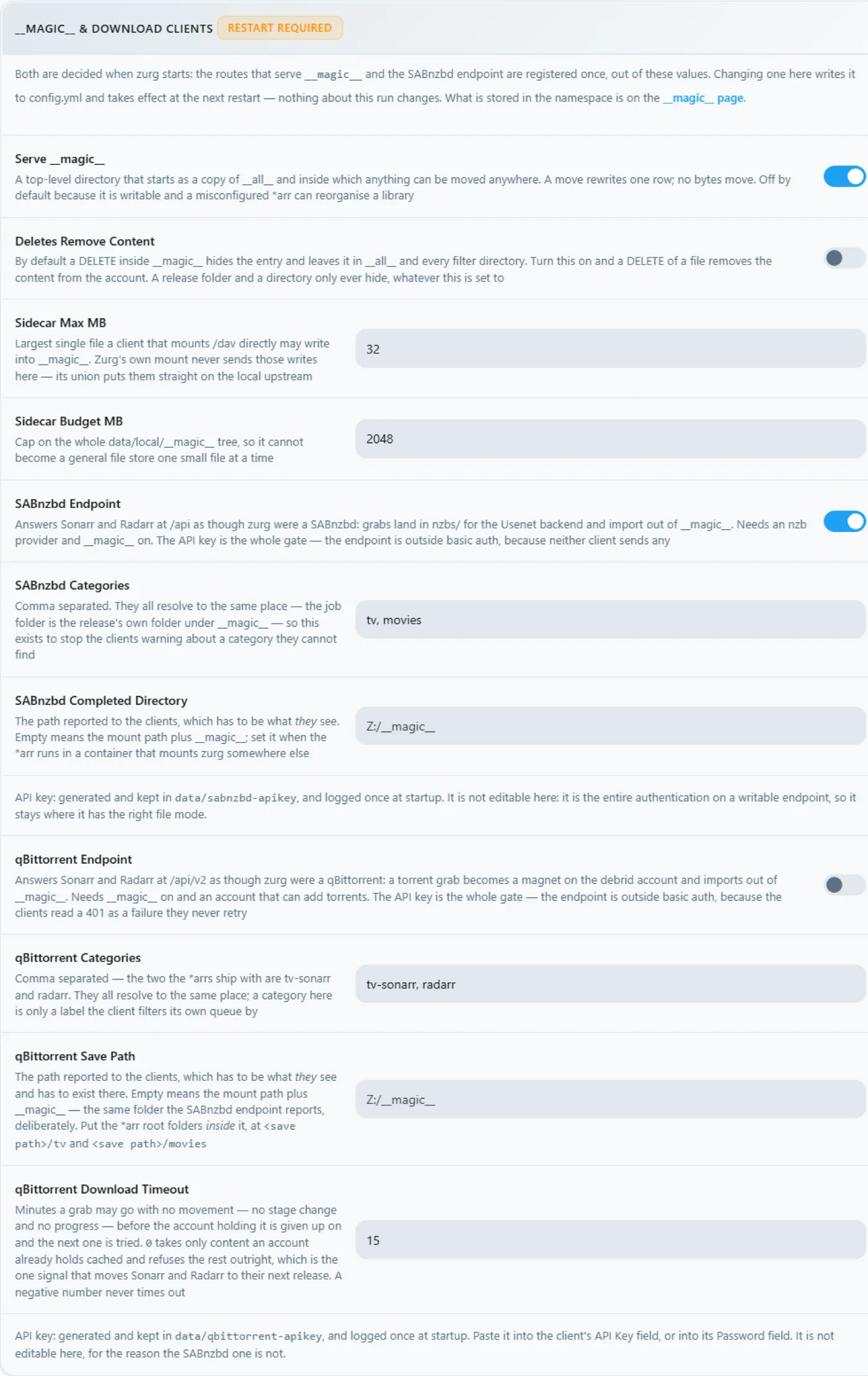
INFO  router.sabnzbd  SABnzbd API on /api and /sabnzbd/api, completed directory Z:/__magic__/__all__, categories tv, movies
INFO  router.sabnzbd  SABnzbd: generated API key 0123456789abcdef0123456789abcdef — paste it into Sonarr or Radarr, or pin it as sabnzbd.api_key in config.yml
INFO  zurg      Starting server on http://[::]:9999
INFO  rclone    rclone started with mount Z:, union local C:\Users\you\zurg\data\local
INFO  zurg      Usenet account nzb connected: nntps://news.example.com:563 (8 connections)
zurg dials the news server the moment it starts and keeps the connections warm, TLS and all. The SABnzbd key lands in data\sabnzbd-apikey.
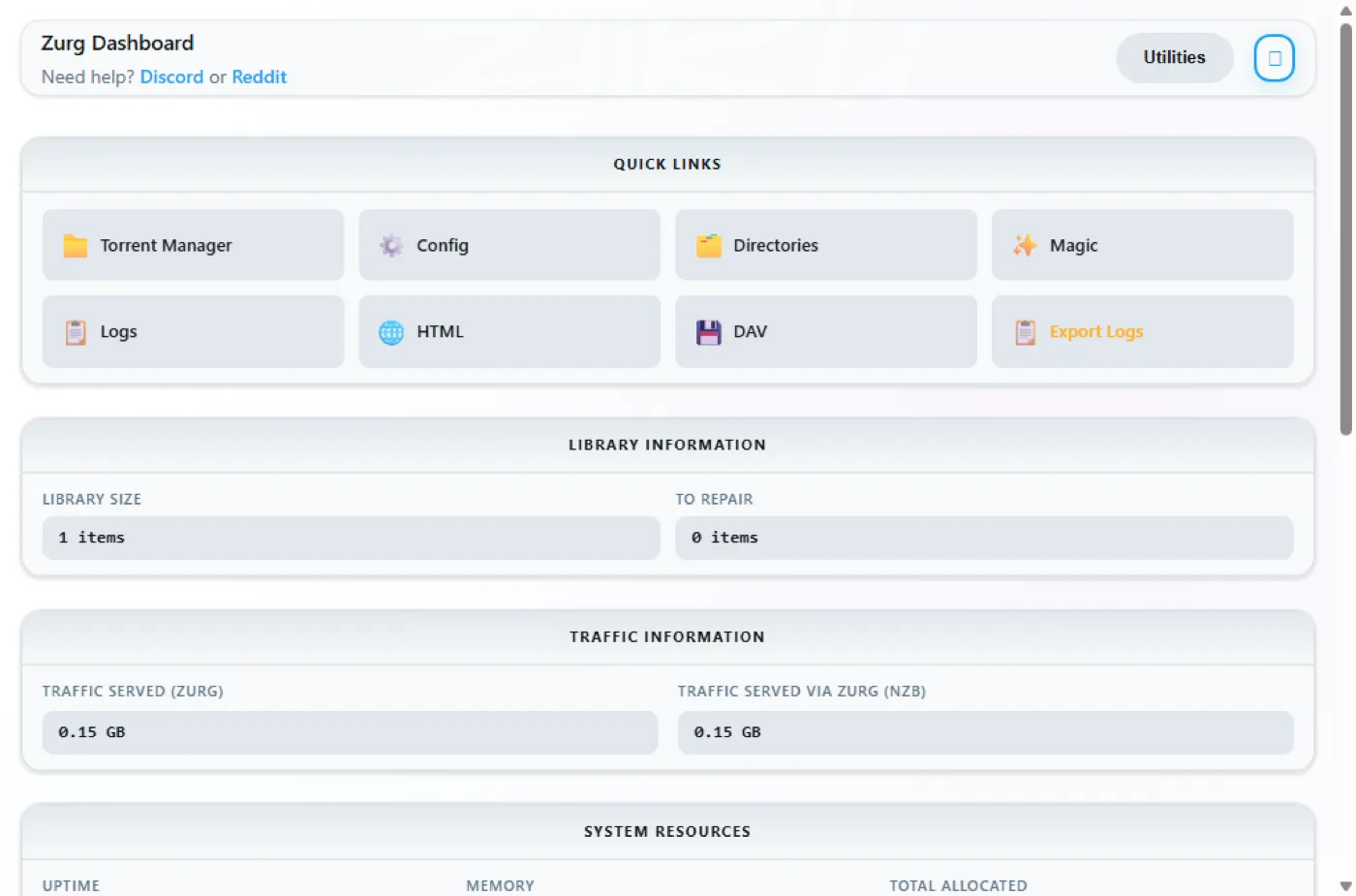
The dashboard now shows a library of nothing, which is correct:
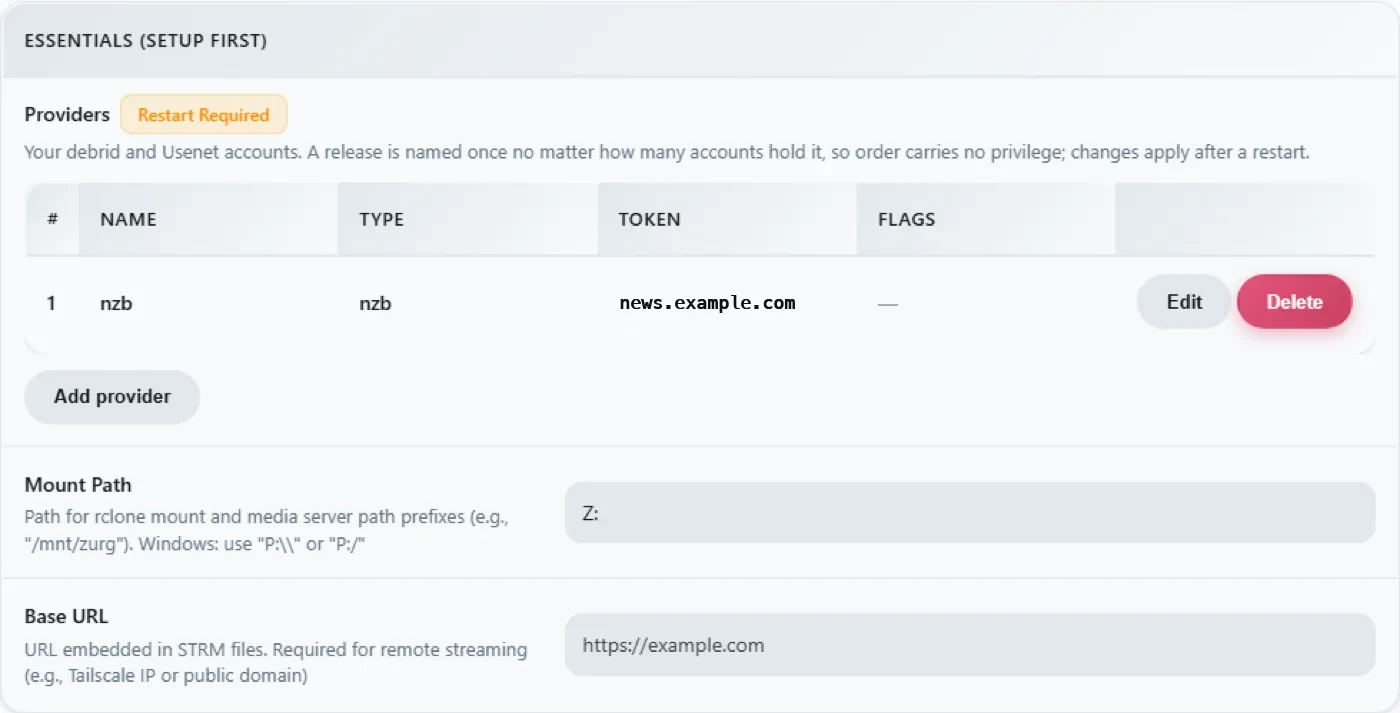
The providers block carries the news account, and the download-client block now shows the SABnzbd half:
Drop an NZB in
The nzbs\ directory is the whole intake. Put one NZB there — downloaded from any indexer — and zurg picks it up:
PS> Copy-Item .\lanterns.nzb C:\Users\you\zurg\nzbs\INFO nzb Loaded NZB lanterns.nzb: 8 filesThat is the line that says the NZB parsed. The release appears as a folder under __magic__\__all__ on the mount, and because a Usenet release names its files however the poster felt like, the inner file may look like J8AZfuVQCD4yPpRIF566Bv0xKoEpYa3M.mkv — the release folder carries the NZB's name, the files carry the poster's:
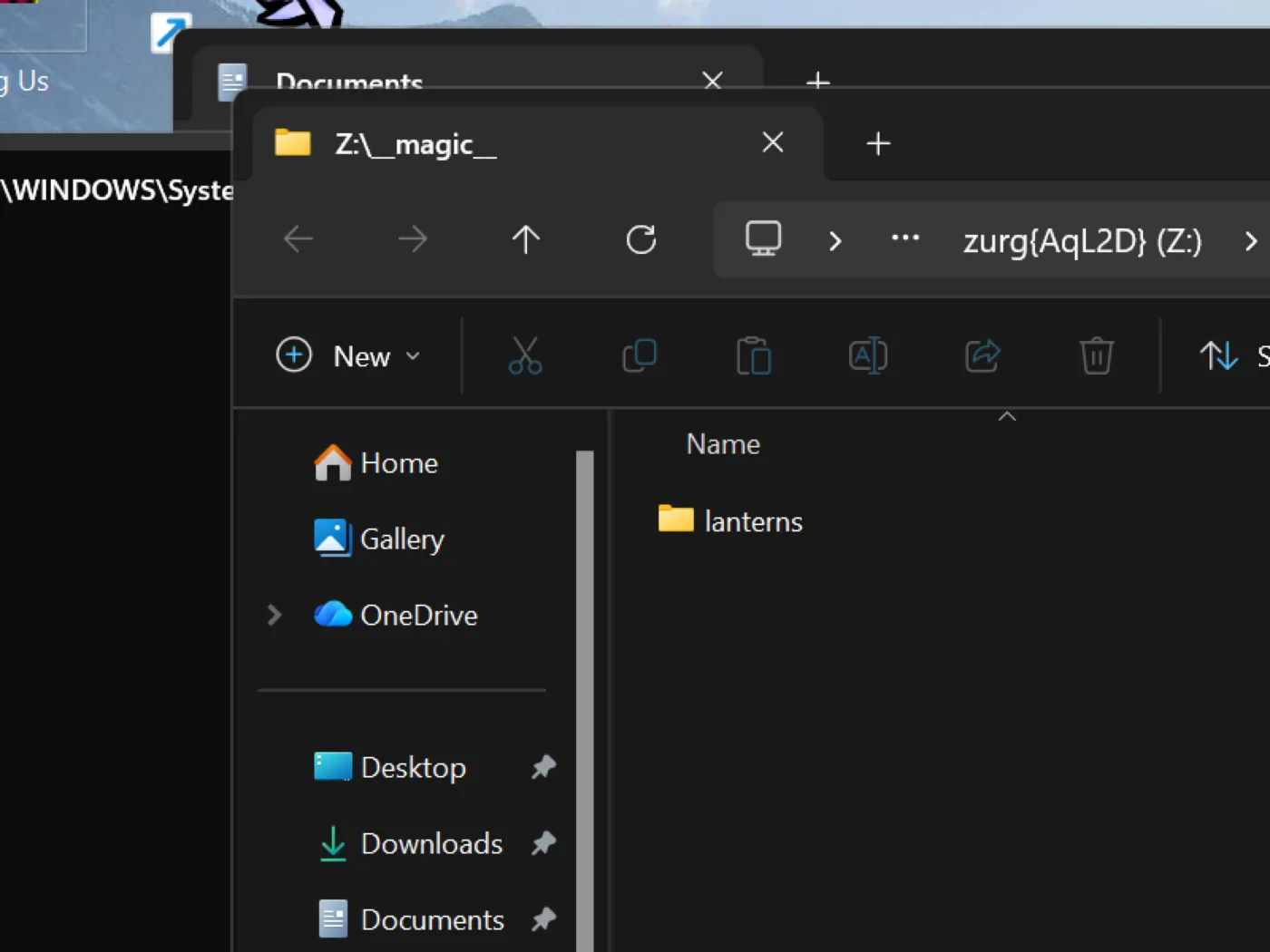
Nothing has been downloaded at this point, and nothing will be until something reads a file. The first read of the episode — 162 MB — fetched exactly the articles covering the requested range, yEnc-decoded them, and answered; later reads were instant because the VFS had read ahead around them. A 60 GB remux costs 60 GB of disk nowhere, Usenet or debrid.
The SABnzbd endpoint answers the same probes as always:
PS> $KEY = Get-Content data\sabnzbd-apikey
PS> Invoke-RestMethod "http://localhost:9999/api?mode=version&apikey=$KEY&output=json"
{"version":"4.5.1"}
PS> (Invoke-RestMethod "http://localhost:9999/api?mode=get_config&apikey=$KEY&output=json").config.misc.complete_dir
Z:/__magic__/__all__
A wrong key is refused in the body, with an HTTP 200 — that is how SABnzbd itself behaves, and zurg copies it:
PS> Invoke-RestMethod "http://localhost:9999/api?mode=queue&apikey=wrong&output=json"
{"status":false,"error":"API Key Incorrect"}
For the client side — Sonarr, Radarr, categories, root folders under Z:\__magic__ — the Usenet walkthrough is the step-by-step, and every path in it maps by replacing /mnt/zurg/__magic__ with Z:\__magic__. The Usenet guide covers block accounts, retention and repair.
Keeping it running: the session rules
A drive letter belongs to the logon session that mounted it. In practice, on the machine this page was captured on:
zurg setup creates the working interactive task automatically. Manage it from the zurg directory:
.\zurg.exe service status
.\zurg.exe service restart
.\zurg.exe service stop
.\zurg.exe service start
.\zurg.exe service uninstall
Stop and restart ask zurg to shut down gracefully first so its rclone child releases the drive. uninstall removes the task but leaves the binary, config, data, logs and cache.
The manual equivalent is a scheduled task that runs as you only when you are logged on:
$wdir = "C:\Users\you\zurg"
Set-Content "$wdir\start-zurg.cmd" "@echo off`ncd /d $wdir`nzurg.exe --config config.yml"

$action    = New-ScheduledTaskAction -Execute "cmd.exe" -Argument "/c $wdir\start-zurg.cmd"
$trigger   = New-ScheduledTaskTrigger -Once -At (Get-Date).AddSeconds(5)
$principal = New-ScheduledTaskPrincipal -UserId $env:USERNAME -LogonType Interactive
$settings  = New-ScheduledTaskSettingsSet -AllowStartIfOnBatteries -ExecutionTimeLimit ([TimeSpan]::Zero)
Register-ScheduledTask -TaskName "zurg" -Action $action -Trigger $trigger `
  -Principal $principal -Settings $settings -Force
Start-ScheduledTask -TaskName "zurg"
A logon trigger (New-ScheduledTaskTrigger -AtLogOn) instead of -Once makes it come back on reboot. ExecutionTimeLimit ([TimeSpan]::Zero) matters — without it the Task Scheduler kills the task after 72 hours.
Two traps measured on this box:
- A console with
-NoExitwedges the task slot. If the launcher leaves a window open after zurg stops, the scheduler considers the task still running and every laterStart-ScheduledTaskis refused with0x800710E0.Stop-ScheduledTask zurgbefore starting it again, or run the binary directly as above so the task ends when zurg ends. Get-PSDrivein one window does not falsify the mount. The drive is visible to processes in the same logon session — your desktop apps — not to every PowerShell you happen to open. IfZ:is missing in a window, check where that window's session came from before concluding the mount died.
If you do not need Explorer at all — a headless box, or clients that speak HTTP — none of this matters: run zurg however you like and point things at http://localhost:9999/dav/ or the endpoints. The session rule only governs the drive letter.
Keeping the cache small
The mount saves every file it plays, in full, to data\rclone-cache inside the zurg folder ($HOME\zurg\data\rclone-cache if you used the one-line install). It keeps those files after playback ends and grows up to 256G by default.
Don't count on the 72h age limit to clean it up. Plex's scheduled tasks read the cached files every night, which resets their age, so nothing ever expires. The size cap is the limit that actually holds.
To use less disk, lower the cap in config.yml. rclone_extra_args is one list, so add the new lines under the --links you already have instead of writing a second rclone_extra_args::
rclone_extra_args:
  - "--links"
  - "--vfs-cache-max-size"
  - "50G"
  - "--vfs-cache-min-free-space"
  - "20G"
--vfs-cache-min-free-space makes rclone stop caching when the drive gets that close to full. Then restart zurg:
.\zurg.exe service restartrclone trims the cache down to the new cap after the restart. To empty it right away, stop zurg first:
.\zurg.exe service stop
Remove-Item -Recurse -Force .\data\rclone-cache\vfs\*, .\data\rclone-cache\vfsMeta\* -ErrorAction SilentlyContinue
.\zurg.exe service start
To check how much space it really takes, open the rclone-cache folder's Properties and read Size on disk. Partly downloaded files are sparse, so Size reports far more than the drive actually holds.
More detail is in Disk the mount uses.
Updating zurg
A sponsor build replaces itself:
cd $HOME\zurg
.\zurg.exe update
update takes the newest nightly, checks the download reports the version it expected before replacing anything, and moves the running zurg.exe aside so Windows will let the new one land. When the installed build is already the newest it says so and changes nothing. Restart the zurg task afterwards to run the new build.
On a build too old to carry the command, the installer does the same job:
$env:ZURG_INSTALL_MODE = "update"; irm https://raw.githubusercontent.com/debridmediamanager/zurg-site/main/public/install.ps1 | iexTroubleshooting
PowerShell over SSH, for the remote-minded
Windows PowerShell parses some POSIX habits badly, and SSH eats quoting. && is not a separator; 2>/dev/null is not a redirect; $_.Property inside an inline -Command arrives mangled. For anything non-trivial, put it in a .ps1, copy it over, and run powershell -ExecutionPolicy Bypass -File C:\path\script.ps1 — the whole rig on this page was driven exactly that way.
See also
- Linux, Docker and macOS — the same install on other platforms
- Sonarr & Radarr for torrents — the qBittorrent endpoint end to end, client settings included
- Sonarr & Radarr — the SABnzbd endpoint, same
- Usenet — news accounts, retention, repair, the
nzbbackend in depth __magic__— the directory both endpoints import from